
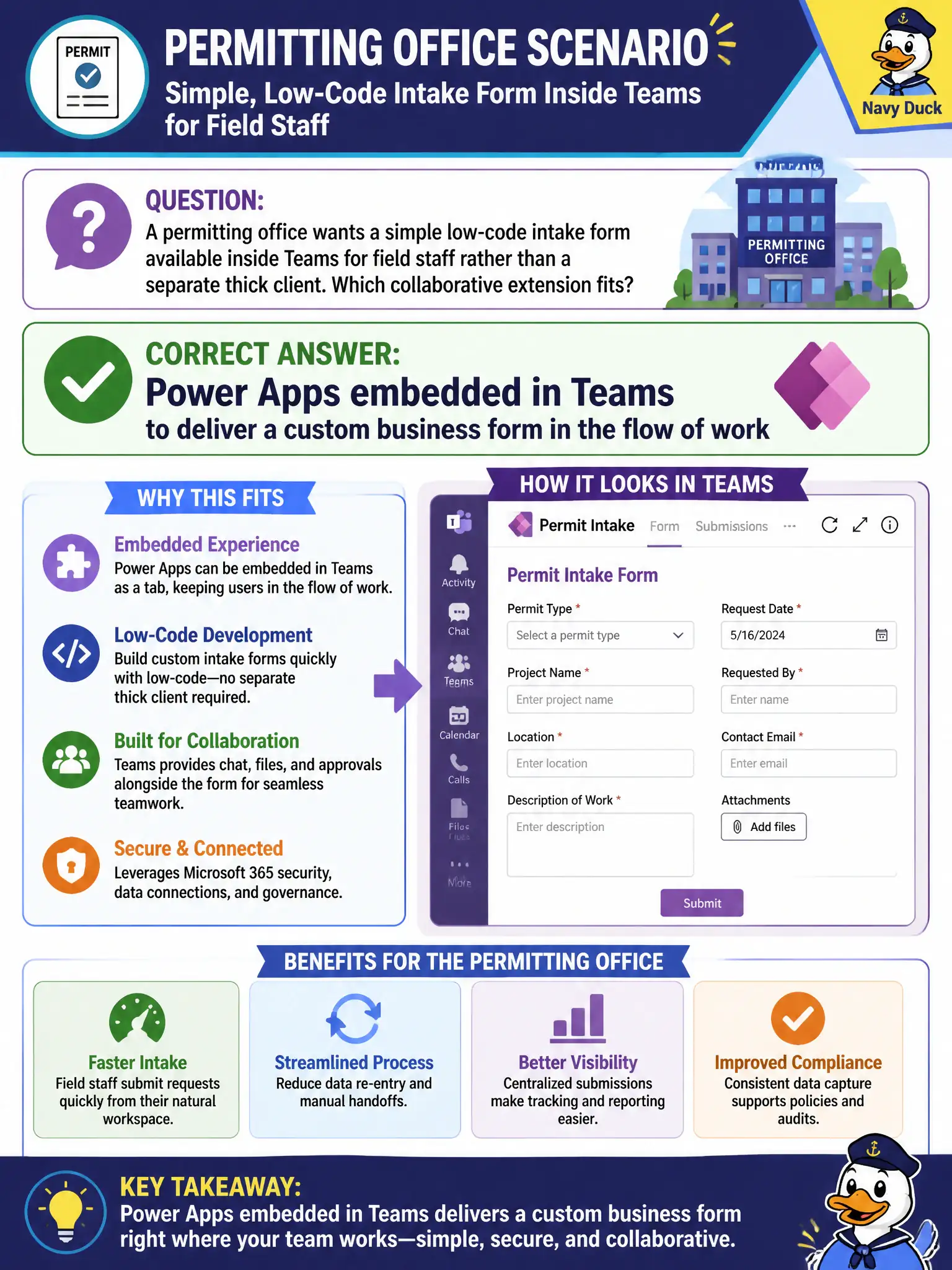
A permitting office wants a simple low-code intake form available inside Teams for field staff rather than a separate thick client. Which collaborative extension fits?
Select an answer to reveal the explanation.
Short Explanation
Field intake inside Teams is classic Power Apps territory—build a simple form and pin it where crews already work. Stream is video, Autopilot is devices, and eDiscovery is compliance—not the intake app.
Full Explanation
Permitting offices that want simple low-code intake available inside Teams—rather than a separate thick client—should choose Power Apps embedded in Teams to deliver a custom business form in the flow of work. Field staff and clerks stay in the hub they already open for chat and files, submit structured intake, and reduce swivel-chair errors. For MS-900, that is the collaborative extension story: low-code business forms meeting workers inside Teams.
Microsoft Stream alone fails because video hosting does not provide custom intake forms or field data entry. Windows Autopilot fails because device provisioning and enrollment are unrelated to building business intake UI. Microsoft Purview eDiscovery cases fail because eDiscovery supports investigation and compliance casework; it is not the field data-entry form surface for permitting intake.
Exam caveat: Power Apps in Teams answers “custom form in the flow of work.” It does not mean Stream, Autopilot, or Purview are useless elsewhere—they simply do not satisfy intake-form collaboration. Also, embedding an app does not bypass data permissions; underlying lists or Dataverse still need appropriate access control.
Operational check: build a lightweight Power App for intake fields, publish or pin it in the permitting Team, test on desktop and mobile Teams clients, confirm submissions land in the approved data store, train field staff on the in-hub path, and keep provisioning and eDiscovery tools out of the intake design conversation.