
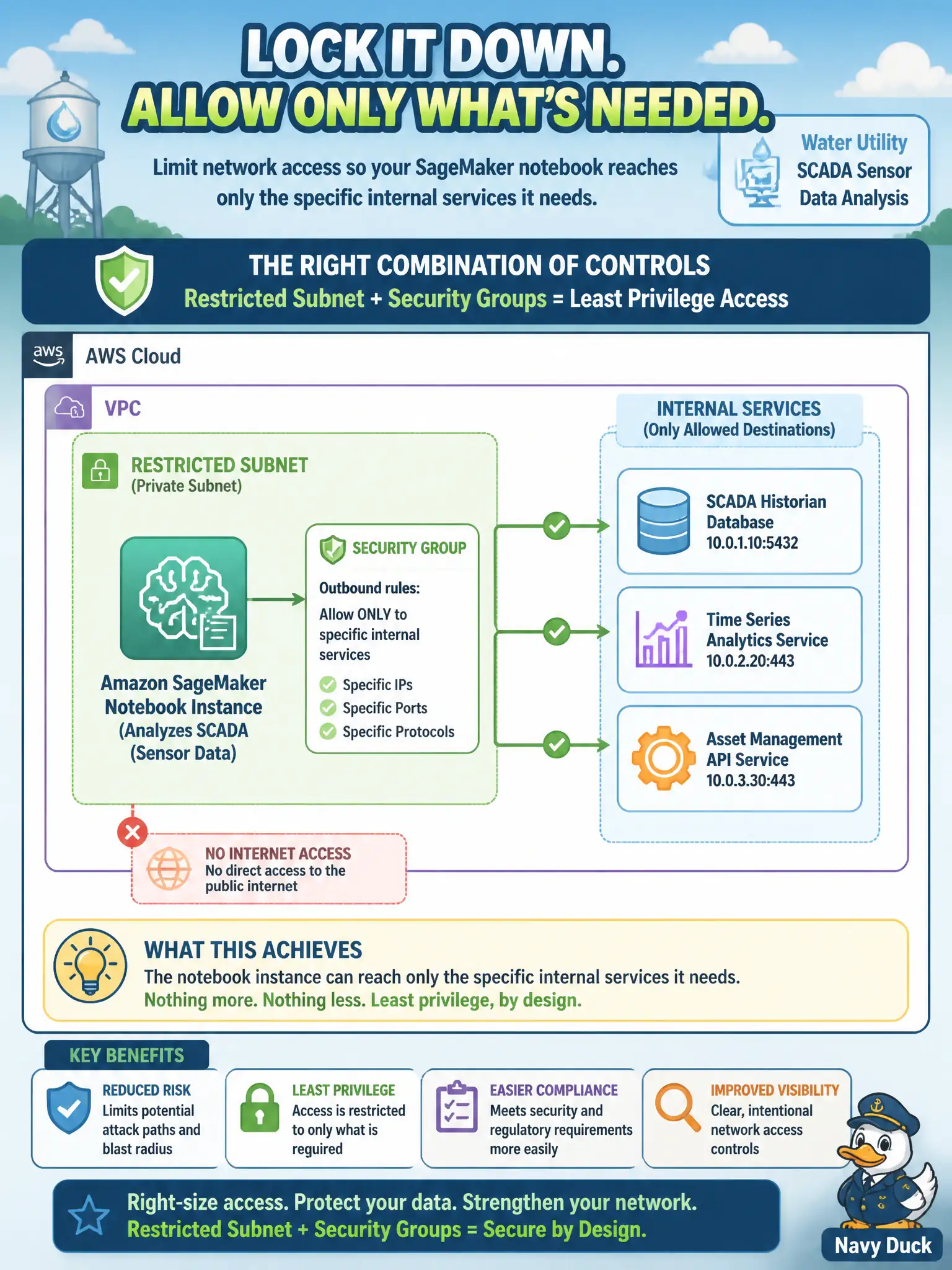
A water utility's SageMaker notebook instance, used to analyze SCADA sensor data, should only be able to reach the specific internal services it needs rather than the broader network. Which combination of controls achieves this?
Select an answer to reveal the explanation.
Short Explanation
A notebook that can reach anywhere on the network is a hallway with every door unlocked. Subnet placement plus security-group rules narrow that down to just the rooms it actually needs to enter. Identity permissions and network reach are two separate locks — you need both, not one standing in for the other.
Full Explanation
Restricting a notebook instance's network reach requires acting at the network layer: placing it in a subnet with routing that limits where it can go, combined with security-group rules that permit only the specific internal services it needs, together form the boundary that keeps the instance from reaching the broader network. IAM roles govern what API actions and AWS resources an identity is authorized to use — they don't constrain which network destinations a request can reach, so identity permissions alone can't substitute for network-layer controls. Placing the notebook in the same subnet as public-facing web servers does the opposite of isolating it — it puts a sensitive analysis workload on the same network segment as internet-facing infrastructure. Removing only the internet gateway route blocks outbound internet access but says nothing about lateral reach within the utility's internal network, which is the actual requirement here — the SCADA-analysis notebook could still reach internal services it shouldn't. Scope caveat: security groups are stateful and apply per resource, so confirm the specific internal service endpoints are explicitly allowed rather than assuming a broad internal CIDR range is safe to permit. Operational check: attempt a connection from the notebook to a service outside its intended allow-list and confirm the connection is refused.