
A security engineer must automatically apply the 'Confidential' sensitivity label to training-data files stored in SharePoint and OneDrive that contain 100 or more U.S. Social Security Numbers. Which Microsoft Purview configuration provides this threshold-based labeling?
Select an answer to reveal the explanation.
Short Explanation
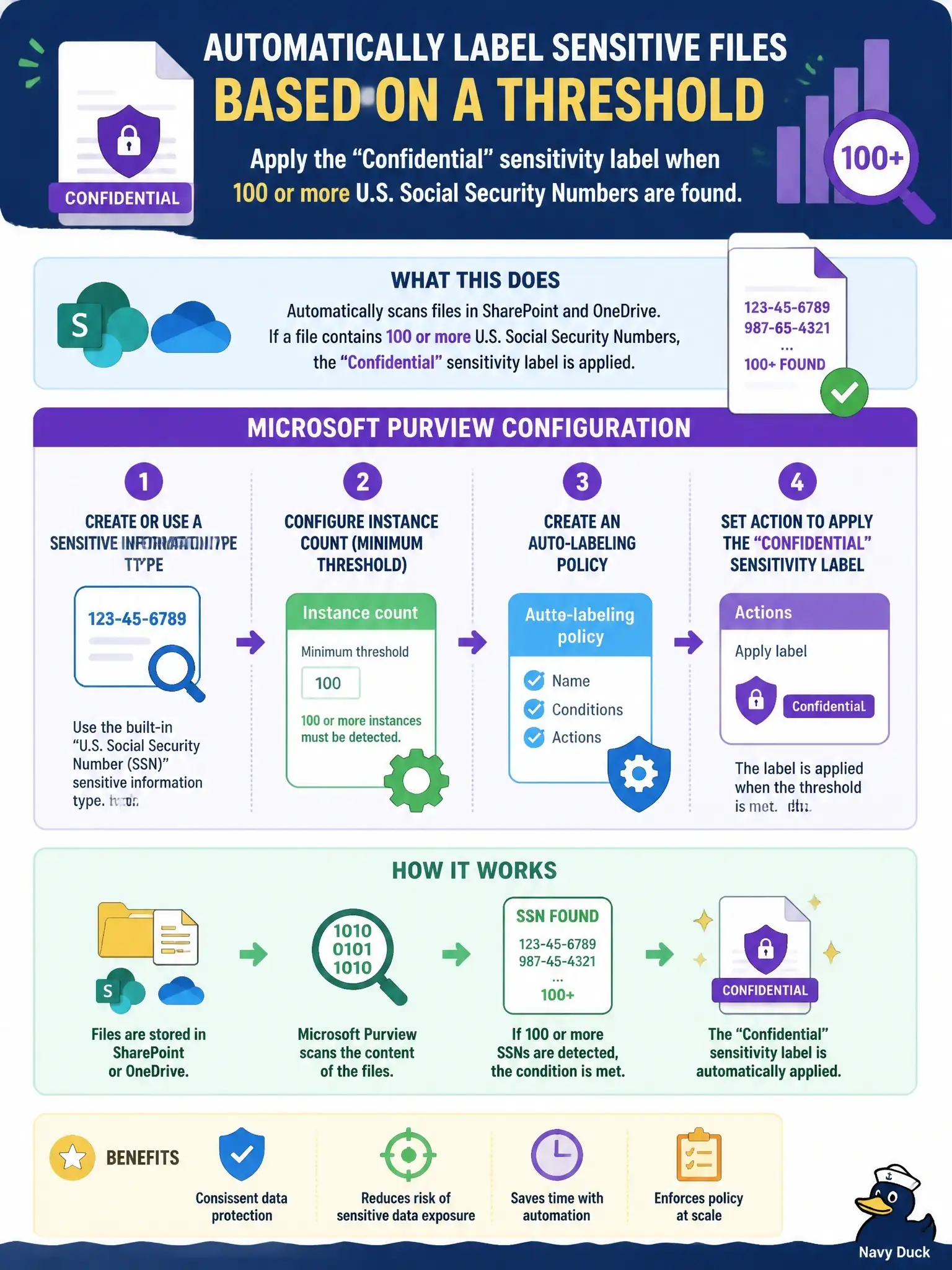
Think of it as a bouncer who only steps in once the headcount hits 100. An auto-labeling policy with the U.S. Social Security Number sensitive information type and a minimum instance count of 100 labels those SharePoint and OneDrive files Confidential, and leaves files with a stray SSN or two alone.
Full Explanation
Service-side auto-labeling policies in Microsoft Purview apply sensitivity labels to files already stored in SharePoint and OneDrive, as well as to email processed by Exchange Online. The policy condition can use a sensitive information type such as U.S. Social Security Number, and, as with DLP conditions, that condition can be refined by instance count and match accuracy. Setting a minimum instance count of 100 means the Confidential label is applied only when a file holds at least that many SSN matches, which avoids over-labeling files that mention a single number. A trainable classifier is wrong because it recognizes a category of document learned from examples; it has no instance-count setting for a specific data pattern. A Data Map scanner custom classification rule is wrong because Data Map rules classify assets using a percentage minimum match threshold, not a record count, and they do not govern labels on SharePoint and OneDrive files. A DLP policy is wrong because although its conditions can count SSN instances, it takes protective actions such as blocking sharing or alerting rather than applying a sensitivity label. On the exam, labeling at rest in Microsoft 365 points to auto-labeling policies. Before enforcing, run the policy in simulation mode and review the matched files to confirm the threshold behaves as intended.