
A security engineer is investigating a Microsoft Sentinel incident that correlates multiple low-severity alerts into a high-confidence incident via the Fusion detection engine. The incident involves an anomalous Azure OpenAI usage spike following a compromised service principal sign-in. The engineer wants to understand how Fusion determined these alerts are related. Where can the engineer review the Fusion correlation logic?
Select an answer to reveal the explanation.
Short Explanation
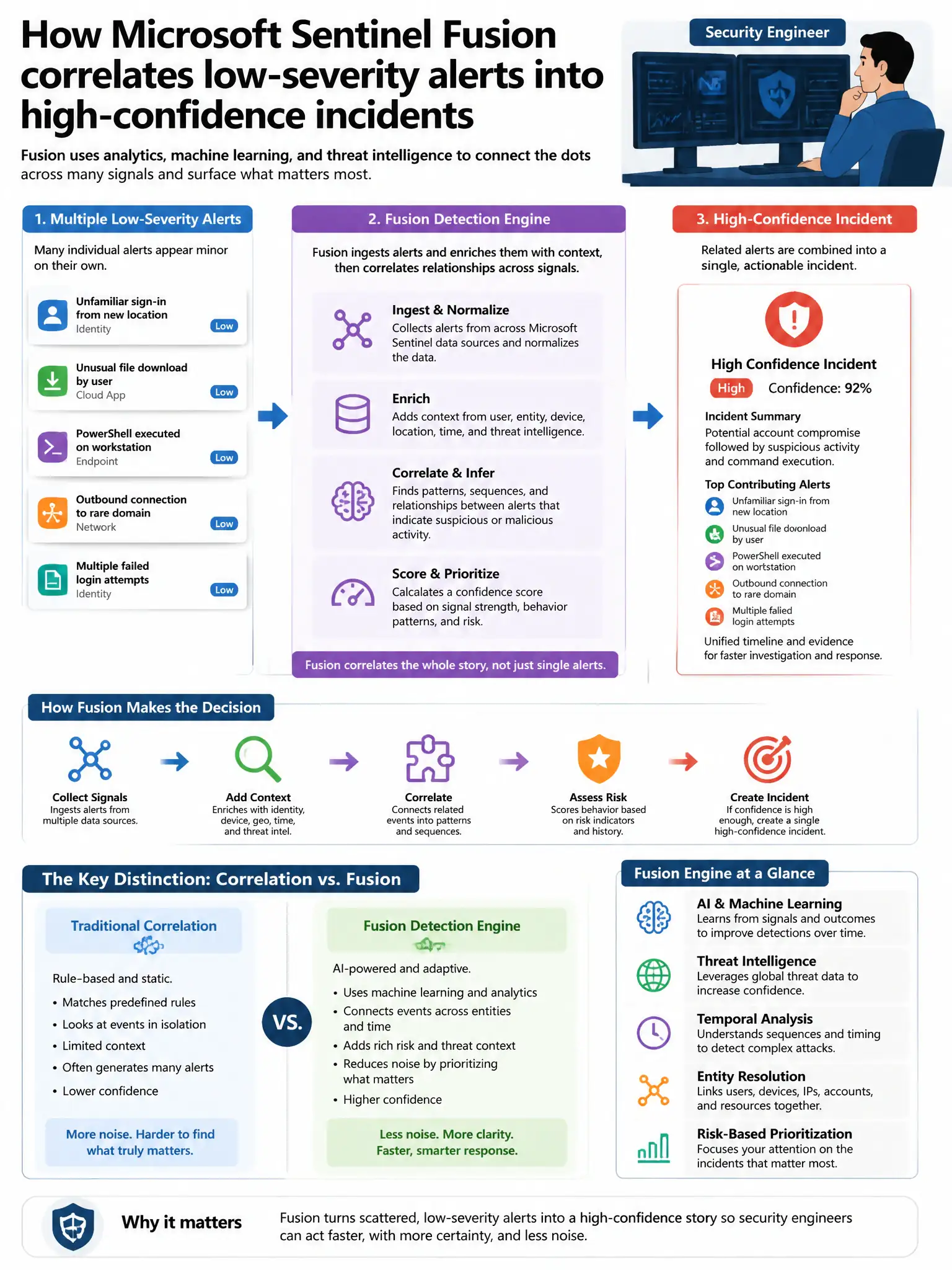
Here's the deal — when you open the Sentinel incident and view full details, you'll see the correlated alerts, entities, and timeline that Fusion's ML model linked. That's where you review how Fusion tied the Azure OpenAI spike to the compromised service principal sign-in.
Full Explanation
The correct place to review the Fusion correlation logic for this incident is Microsoft Sentinel > Incidents > select the incident > Full details showing correlated alerts and entities. In the Microsoft Sentinel Incidents blade, clicking on a Fusion-generated incident and viewing the full details shows the correlated constituent alerts, the entities involved such as IP addresses, user accounts, and resources, and the timeline of events that Fusion's ML model determined were related. This is the primary interface for understanding why Fusion correlated specific alerts into a single incident. The Analytics blade option showing Fusion rule details with specific alert combinations and the ML correlation model is incorrect because the Fusion rule in the Analytics blade shows the rule configuration and which alert scenarios Fusion covers, but the specific correlation reasoning for an individual incident is in the Incident details. The Microsoft Defender XDR > Investigation > Incident graph showing the attack chain is incorrect because Microsoft Defender XDR incident graphs show attack chain visualization for XDR incidents, not for incidents generated by Sentinel Fusion correlating non-XDR alerts like Azure OpenAI diagnostics and Entra ID sign-in anomalies. The Microsoft Sentinel > Threat intelligence > Fusion correlation map is incorrect because there is no 'Fusion correlation map' in the Threat Intelligence section; threat intelligence in Sentinel contains IOC indicators.