
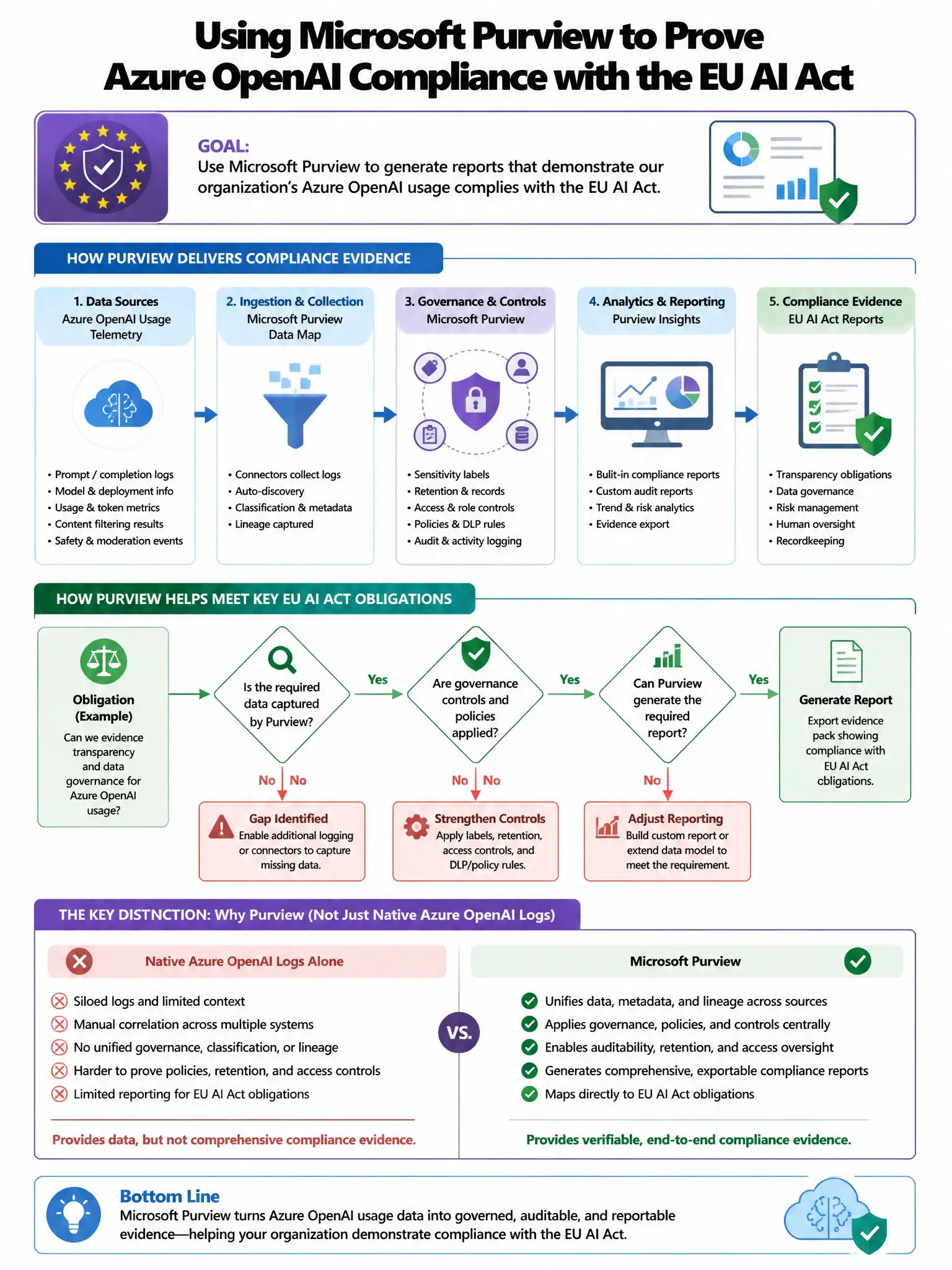
A compliance team is configuring Microsoft Purview to generate reports demonstrating that the organization's Azure OpenAI usage complies with the EU AI Act. The reports must show that high-risk AI systems have human oversight enabled. Which Microsoft Purview capability should be used to create this compliance report?
Select an answer to reveal the explanation.
Short Explanation
You need Microsoft Purview Compliance Manager because it lets you build a custom EU AI Act assessment, define human oversight controls, attach evidence, and track status. That’s the structured way to show auditors your high-risk Azure OpenAI systems have oversight.
Full Explanation
The correct capability is Microsoft Purview Compliance Manager with a custom EU AI Act assessment and evidence upload for human oversight controls because it supports custom assessment templates where organizations can create an EU AI Act assessment, define controls including human oversight requirements, map evidence, and track implementation status. This provides the structured compliance reporting framework needed to demonstrate regulatory compliance to auditors. The audit log export filtered for Azure OpenAI human approval events is incorrect because Audit log exports show event history but require manual mapping to EU AI Act human oversight requirements; Compliance Manager provides the structured regulatory mapping. The Data Map lineage reports showing AI model training and deployment flows are incorrect because Data Map lineage reports track data flow, not human oversight implementation status for regulatory reporting. The eDiscovery export of all Azure OpenAI interaction logs for regulatory review is incorrect because eDiscovery exports produce raw content for legal discovery, not structured compliance reports demonstrating control implementation.