
A security engineer needs to configure a Microsoft Purview DLP policy to prevent employees from pasting content from documents labeled 'Confidential' into Microsoft 365 Copilot prompts. Which DLP policy scope achieves this?
Select an answer to reveal the explanation.
Short Explanation
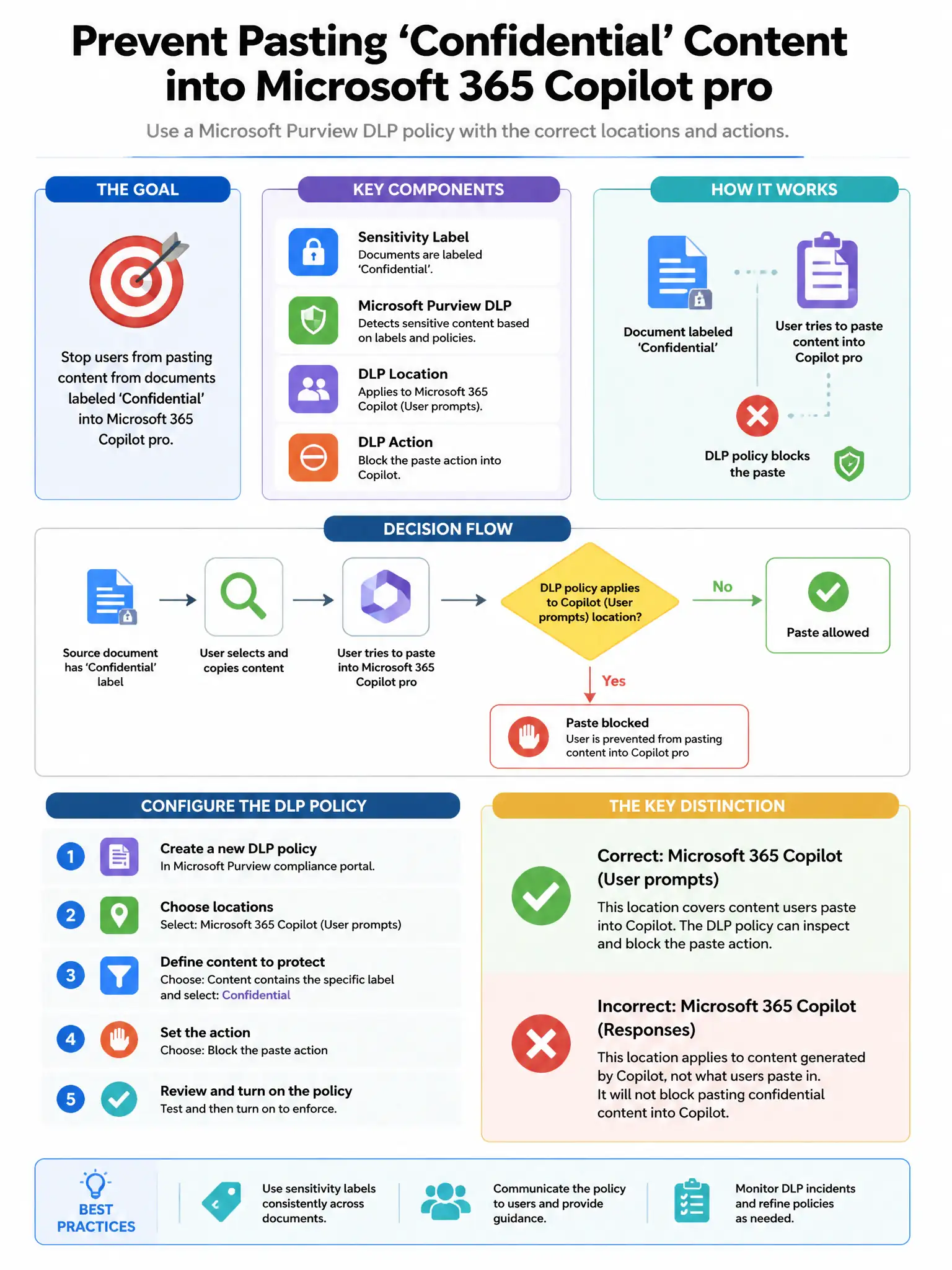
Here's the deal: you need the Microsoft Purview DLP policy scoped to Microsoft Copilot interactions with sensitivity label conditions, because that targets the Copilot prompt context directly. The device, SharePoint/OneDrive, and browser-session options don't match the Copilot paste scenario.
Full Explanation
The correct scope is a Microsoft Purview DLP policy scoped to Microsoft Copilot interactions and using sensitivity label conditions, because it can detect content originating from 'Confidential' labeled documents and block or alert when users attempt to include that labeled content in Microsoft 365 Copilot prompts. The device-scoped endpoint DLP option that blocks paste from classified applications is incorrect because endpoint DLP can restrict paste operations on devices, but it would broadly restrict paste rather than targeting specifically the Copilot prompt context for labeled content. The SharePoint and OneDrive-scoped option with a block action on 'Confidential' labeled content is incorrect because a SharePoint/OneDrive DLP policy controls data actions within those services, not what users paste into Copilot prompts. The Defender for Cloud Apps session policy option that blocks clipboard operations in the Microsoft 365 browser session is incorrect because Defender for Cloud Apps session policies apply to browser sessions for cloud apps but do not specifically target content pasted from sensitivity-labeled documents into Copilot prompts.