
An organization is deploying Azure AI Foundry with a private hub that uses private endpoints. The development team reports that they can access the Azure AI Foundry portal from within the VNet but cannot access it from their home offices. The security team needs to enable remote access without exposing the hub to the public internet. Which solution achieves this?
Select an answer to reveal the explanation.
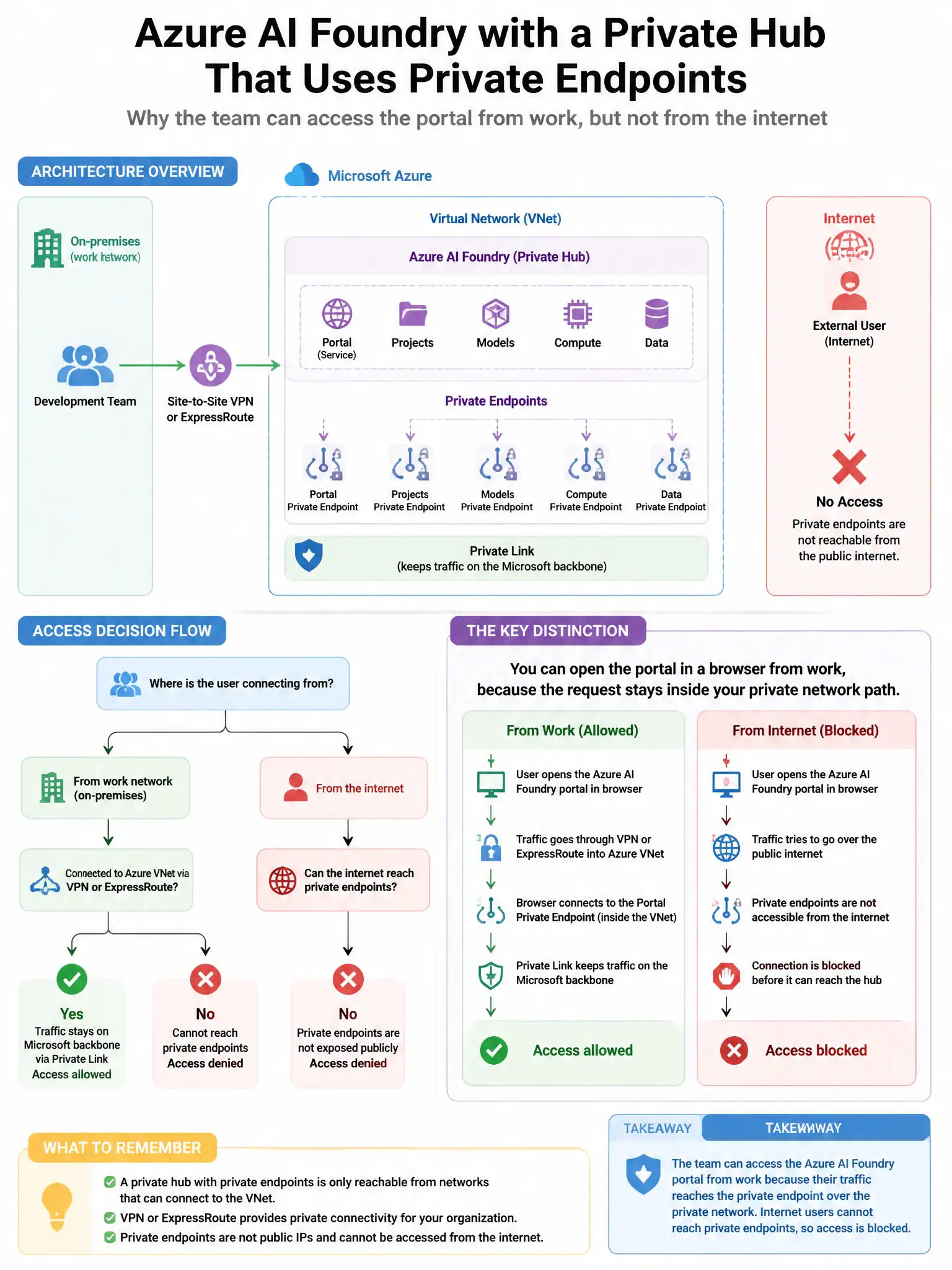
Short Explanation
Here's the deal — you need a Point-to-Site VPN Gateway so developers can connect their home offices to the organization's Azure VNet over an encrypted tunnel. Once they're connected, their devices are virtually inside the VNet, can resolve private DNS entries, and can reach the Azure AI Foundry private endpoint without exposing the hub to the public internet.
Full Explanation
A Point-to-Site VPN Gateway is correct because it allows individual developers to connect their home offices to the organization's Azure VNet over an encrypted tunnel. Once connected through the VPN, their devices are virtually inside the VNet and can resolve the private DNS entries and reach the Azure AI Foundry private endpoint, without exposing the hub to the public internet. Disabling the private endpoint and enabling public access temporarily is wrong because it defeats the security isolation that was implemented and exposes the AI Foundry hub to the internet. Configuring Azure Bastion to let developers connect to a jump host in the VNet is wrong because Azure Bastion enables secure RDP/SSH to VMs within the VNet; while developers could use a jump host to access AI Foundry, it creates an extra hop and does not provide direct workstation access to the private hub. Enabling Azure Front Door in front of the AI Foundry hub to provide a public CDN endpoint is wrong because it would expose the AI Foundry hub through a public Front Door endpoint, violating the no-public-internet requirement.