
A security engineer needs to implement a rotation policy for the customer-managed key (CMK) used to encrypt an Azure AI Search index. The organization requires key rotation every 90 days and automatic disabling of old key versions after 180 days. Which Azure Key Vault feature automates this lifecycle?
Select an answer to reveal the explanation.
Short Explanation
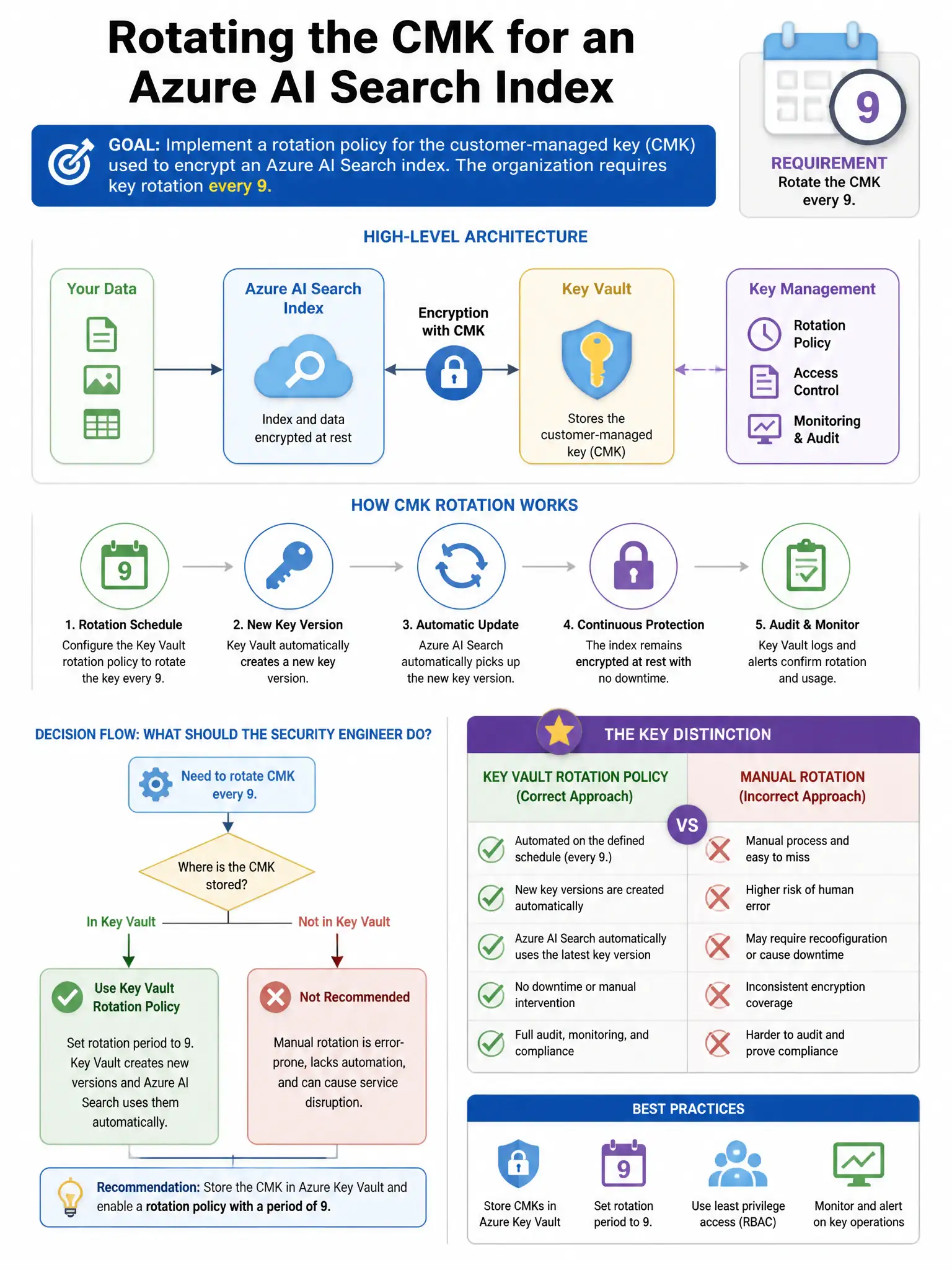
Here's the deal — you need Azure Key Vault's native key rotation policy. It automatically creates a new key version every 90 days and can notify or expire old versions after 180 days, so your CMK-encrypted Azure AI Search index keeps rotating without manual work.
Full Explanation
The correct feature is Azure Key Vault key rotation policy with a rotation trigger set to 90 days and expiration notification because Azure Key Vault supports native key rotation policies at the key level. You can configure a rotation policy that automatically creates a new key version at a specified interval, such as 90 days, and notifies or expires old versions after a specified period, such as 180 days. When configured correctly, services using a customer-managed key, like Azure AI Search, that are configured to use the latest key version automatically use the newly rotated key. This eliminates manual rotation and reduces the risk of key expiration causing service outages. A Key Vault access policy with a 90-day expiration time is wrong because Key Vault access policies control who can perform operations on Key Vault, not key lifecycle rotation schedules. An Azure Automation runbook to rotate keys on a schedule is wrong because it can automate rotation via code but requires maintenance, is error-prone, and duplicates functionality now built into Key Vault natively. Azure Policy to deny key usage after 90 days is wrong because Azure Policy enforces configuration standards on resources; it does not implement cryptographic key lifecycle management or rotation.