
An organization uses Microsoft Purview Audit (Premium) and needs to retain Copilot interaction audit logs for 3 years to comply with internal AI governance policies. The default retention period for Purview Audit (Standard) logs is 90 days. What must the organization configure to achieve 3-year retention?
Select an answer to reveal the explanation.
Short Explanation
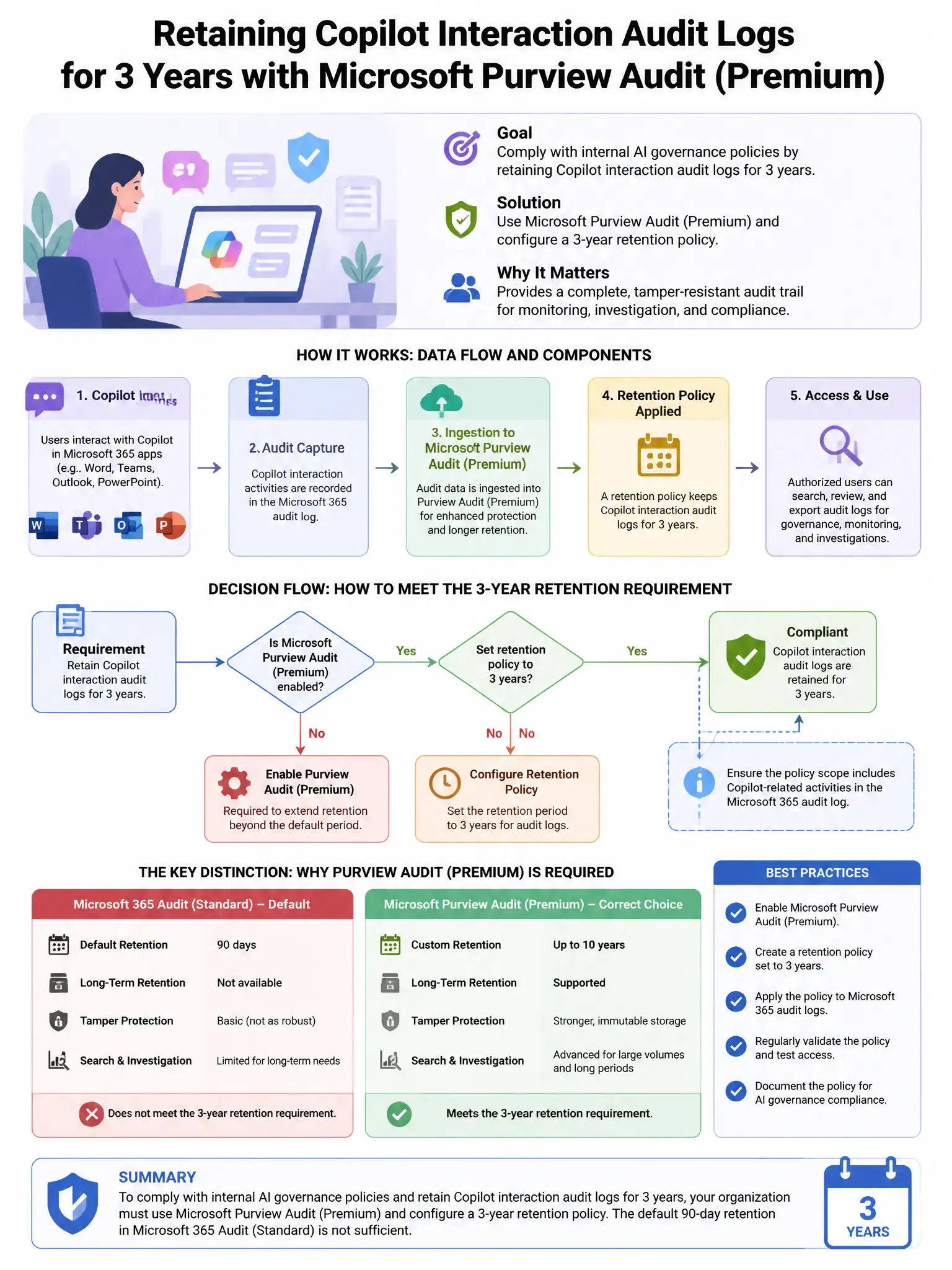
Here's the deal — you need a Microsoft Purview Audit retention policy for the CopilotInteraction record type with a 3-year duration. That custom retention beyond the default 90 days requires Audit (Premium) licensing.
Full Explanation
The correct approach is to configure a Microsoft Purview Audit retention policy with a 3-year duration for the CopilotInteraction record type, which requires Audit (Premium) licensing. Microsoft Purview Audit (Premium) enables custom audit log retention policies with durations ranging from 90 days to 10 years. You create an audit retention policy specifying the record type (CopilotInteraction), the user scope (all users or specific users), and the retention duration (3 years). Audit (Premium) licensing (included in Microsoft 365 E5 or available as an add-on) is required to configure retention beyond the default 90-day Standard period. Manually exporting audit logs to Azure Blob Storage every 90 days is wrong because it's an operational workaround that introduces risk of gaps and requires ongoing maintenance. Configuring a Data Lifecycle Management retention policy on Exchange Online mailboxes for 3 years is wrong because it retains Copilot interaction content (prompts and responses as stored items in the mailbox), not the audit log records in the unified audit log—these are different data sets. Enabling Microsoft Purview Compliance Manager to retain audit logs for compliance assessments is wrong because Compliance Manager tracks control compliance scores; it does not store or retain audit logs.