
An organization wants to prevent phishing-resistant authentication bypass for users accessing Azure Machine Learning. They require authentication methods that cannot be intercepted by adversary-in-the-middle attacks. Which Conditional Access setting enforces this requirement?
Select an answer to reveal the explanation.
Short Explanation
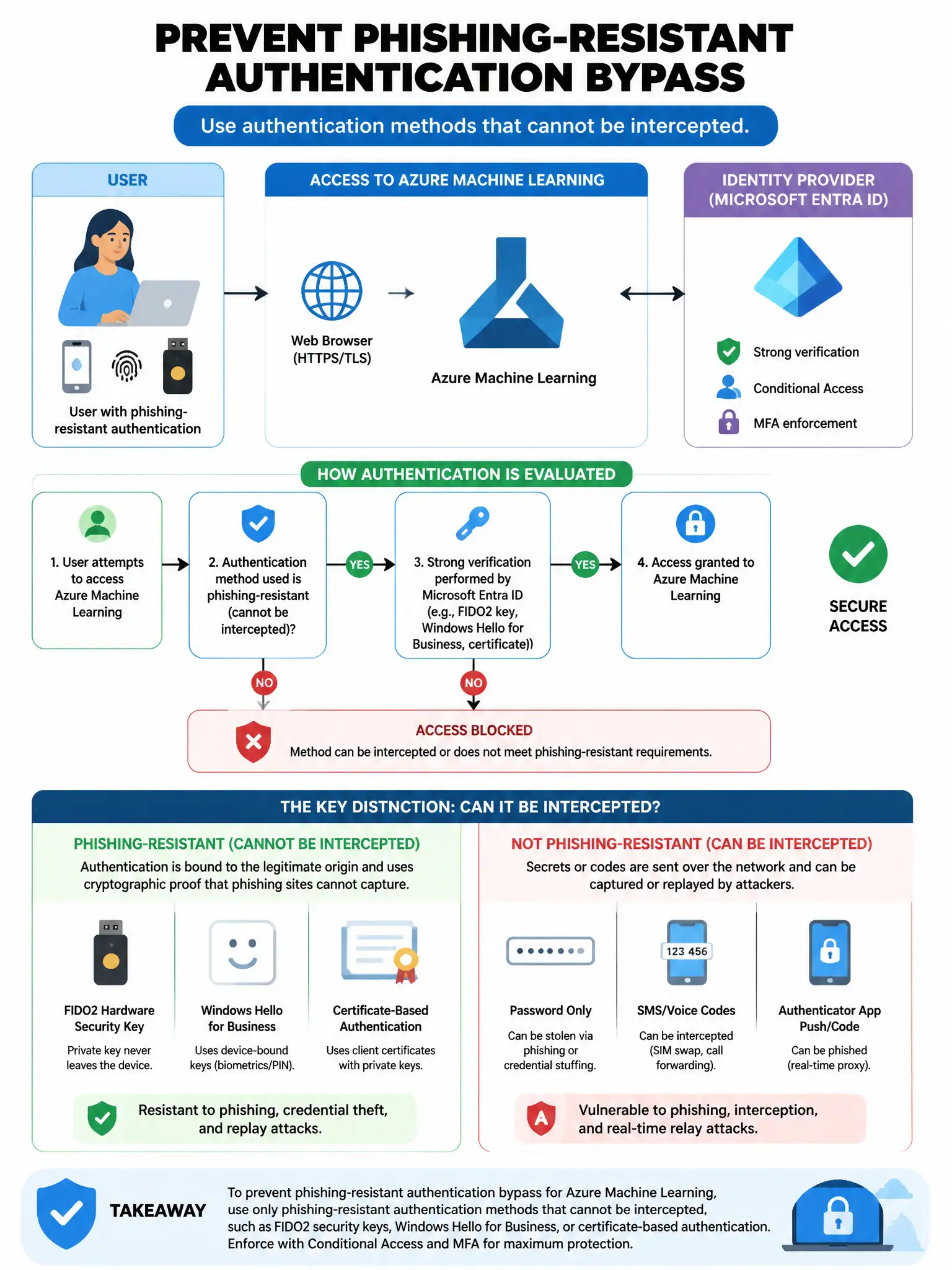
Here's the deal — you need the Conditional Access setting that requires authentication strength: phishing-resistant MFA, such as FIDO2 or Windows Hello for Business. Those methods use public-key cryptography bound to the origin site, so adversary-in-the-middle attacks can't steal session tokens after MFA.
Full Explanation
The correct setting is requiring authentication strength: phishing-resistant MFA (FIDO2 or Windows Hello for Business), because Microsoft Entra ID Conditional Access supports Authentication Strength policies, which specify exactly which MFA methods are acceptable. Phishing-resistant MFA methods—specifically FIDO2 security keys and Windows Hello for Business—use public-key cryptography bound to the origin site, making them immune to adversary-in-the-middle attacks that can steal session tokens after MFA. Requiring MFA using any authentication method is wrong because allowing any MFA method (including TOTP, SMS, or push notifications) permits methods that are vulnerable to adversary-in-the-middle phishing attacks via real-time phishing proxies. Requiring a compliant device as the only access control is wrong because a compliant device requirement enforces device health, not the MFA method's resistance to phishing; combined with a weak MFA method it remains vulnerable. Enabling an Entra ID Protection sign-in risk policy requiring MFA at medium risk is wrong because sign-in risk policies trigger MFA reactively when risk is detected; they do not proactively enforce phishing-resistant methods on all sign-ins.