
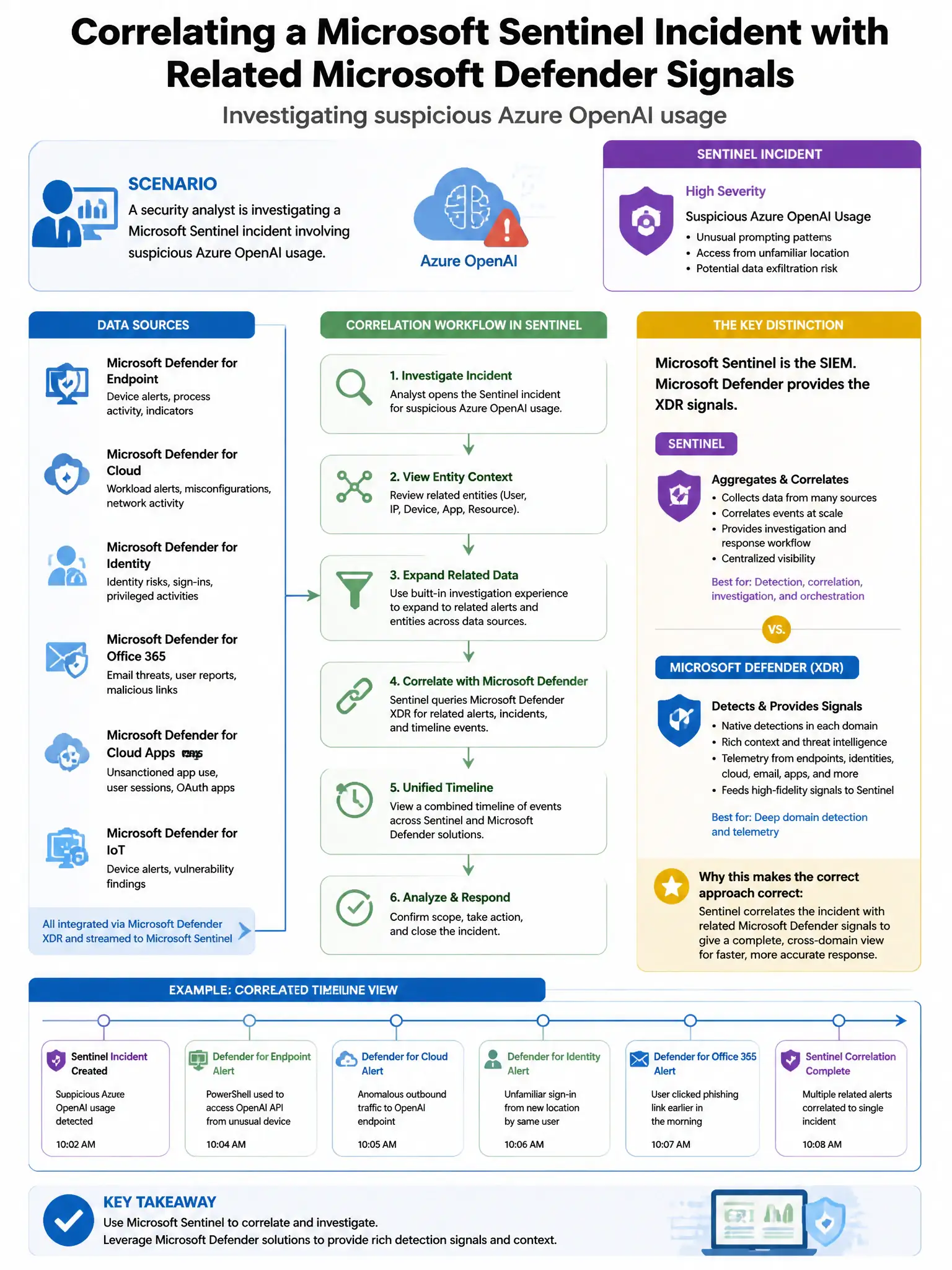
A security analyst is investigating a Microsoft Sentinel incident involving suspicious Azure OpenAI usage. The analyst wants to correlate this incident with related Microsoft Defender XDR alerts to build a complete attack timeline. Which Sentinel feature provides this cross-product correlation?
Select an answer to reveal the explanation.
Short Explanation
You want Fusion plus the Defender XDR data connector because it pulls Defender alerts into Sentinel and stitches related alerts into one incident. That gives you the unified attack timeline you need.
Full Explanation
The correct feature is Microsoft Sentinel Fusion incident correlation combined with the Microsoft Defender XDR data connector. By connecting Microsoft Defender XDR to Microsoft Sentinel through the Microsoft 365 Defender data connector, alerts from Defender products are ingested into Sentinel. The Fusion correlation engine in Sentinel then automatically correlates related alerts from multiple sources into a single incident, providing a unified attack timeline. Analysts can also pivot between Sentinel incidents and linked Defender XDR incidents directly. Sentinel Workbooks with multi-workspace queries are wrong because Workbooks are reporting and visualization tools, not incident correlation engines. Sentinel entity behavior analytics with UEBA is wrong because UEBA focuses on behavioral anomalies for specific entities such as users and hosts, but it does not specifically correlate Sentinel incidents with Defender XDR alerts. The Sentinel Threat Intelligence blade is wrong because it manages indicators of compromise, not cross-product incident correlation.