
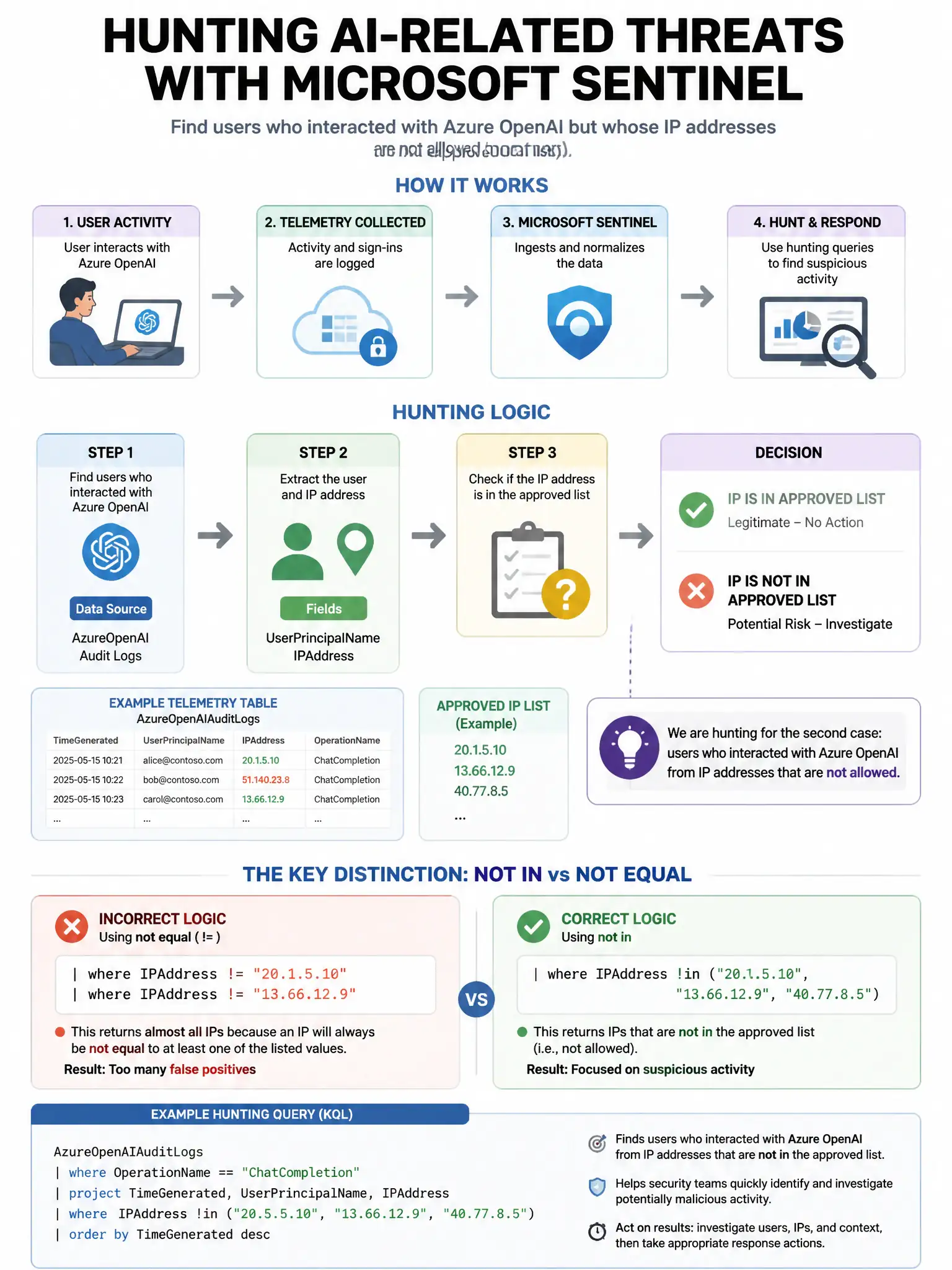
A security team uses Microsoft Sentinel to monitor AI-related threats. They need to create a hunting query to find users who interacted with Azure OpenAI but whose IP addresses are listed in a threat intelligence watchlist. Which Sentinel feature links the watchlist to the query?
Select an answer to reveal the explanation.
Short Explanation
Here's the deal — you use the _GetWatchlist() KQL function to join the threat intel watchlist with Azure OpenAI diagnostic logs. Sentinel watchlists store reference data like malicious IPs, and the hunting query can match the IP field to find flagged interactions.
Full Explanation
The correct approach is to use the '_GetWatchlist()' KQL function to join the threat intelligence watchlist with Azure OpenAI diagnostic logs. Microsoft Sentinel watchlists store reference data, such as a list of malicious IP addresses, and KQL can query that reference data directly. A hunting query can join Azure OpenAI diagnostic logs, such as AzureDiagnostics, with the watchlist on the IP address field to identify calls from threat intelligence-flagged IPs. The Fusion detection rule option is wrong because Fusion rules use machine learning to correlate signals and cannot be directed to use a specific watchlist as a join source. The Microsoft Threat Intelligence data connector option is wrong because that connector populates the ThreatIntelligenceIndicator table; while you can join against that table, using a watchlist for a curated custom list is the more direct and appropriate approach for this requirement. The custom parser option is wrong because creating a custom parser changes how raw logs are ingested and parsed; it is not the method for correlating against a watchlist.