
A security engineer is deploying Microsoft Copilot Studio with custom connectors that access internal APIs. The security team requires that authentication between Copilot Studio bots and internal APIs must use OAuth 2.0 with Entra ID, not API keys. How should the custom connector be configured?
Select an answer to reveal the explanation.
Short Explanation and Infographic
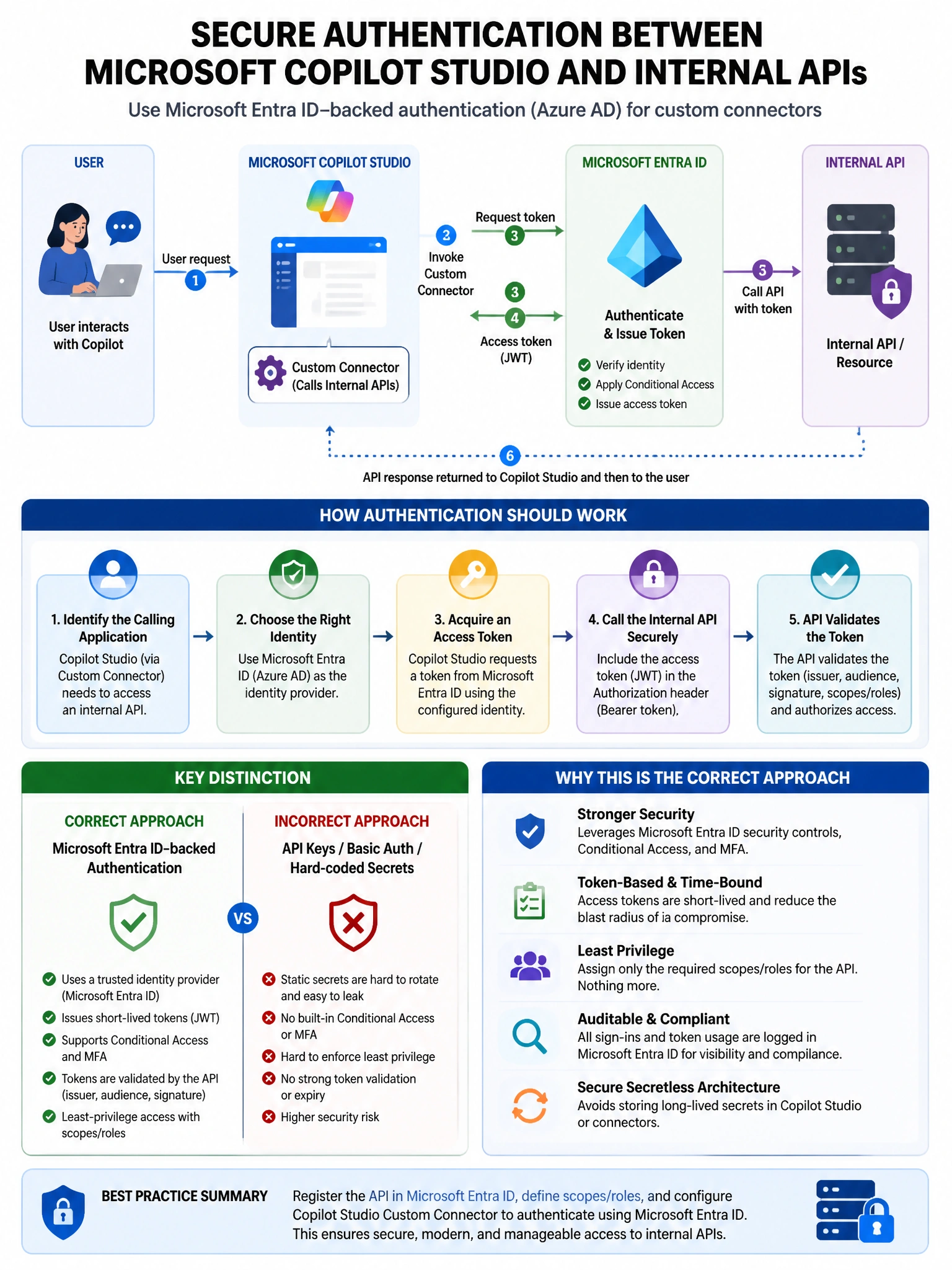
Here's the deal — b is correct because Copilot Studio custom connectors (built on Power Platform connectors) support OAuth 2.0 authentication configuration where you specify the Microsoft Entra ID authorization endpoint, token endpoint, client ID, and scope. This enables the bot to acquire Entra ID tokens and authenticate to internal APIs using the OAuth 2.0 authorization code or client credentials flow.
Full explanation below image
Full Explanation
B is correct because Copilot Studio custom connectors (built on Power Platform connectors) support OAuth 2.0 authentication configuration where you specify the Microsoft Entra ID authorization endpoint, token endpoint, client ID, and scope. This enables the bot to acquire Entra ID tokens and authenticate to internal APIs using the OAuth 2.0 authorization code or client credentials flow. A is incorrect because configuring API Key authentication and storing a token as the key value is not proper OAuth 2.0 implementation; the token would be static and would expire without a refresh mechanism. C is incorrect because storing a client secret in an environment variable as a workaround does not implement proper OAuth 2.0 token acquisition and refresh; using the built-in OAuth connector type is the correct approach. D is incorrect because adding APIM as a translation layer adds unnecessary infrastructure complexity when Copilot Studio's connector framework natively supports OAuth 2.0.