
A security engineer needs to configure Microsoft Purview Information Protection to automatically classify and label documents generated by an Azure OpenAI GPT-4 model when they contain financial projections, without user interaction. Which Microsoft Purview feature enables automatic labeling of AI-generated content stored in SharePoint?
Select an answer to reveal the explanation.
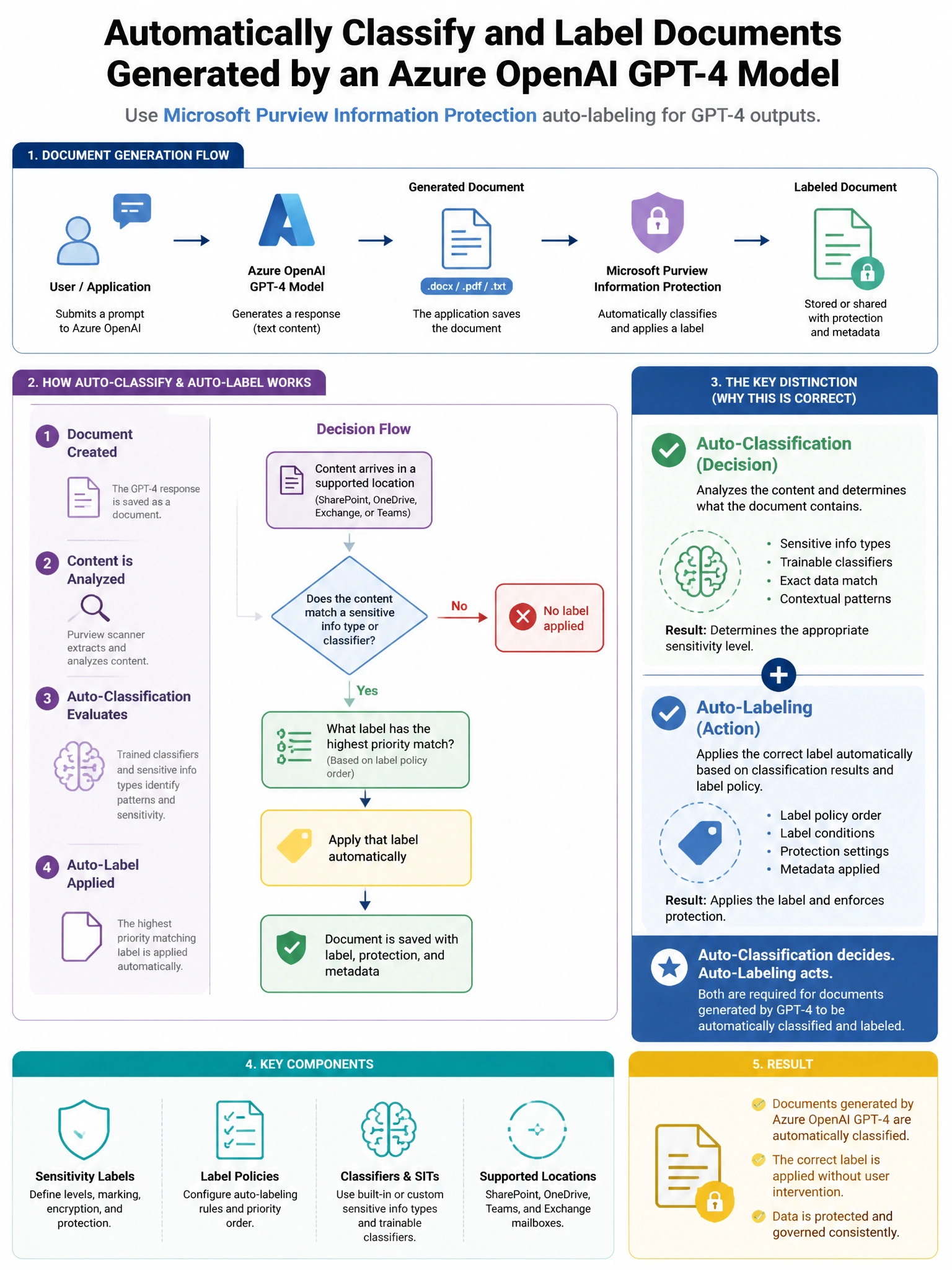
Short Explanation and Infographic
Here's the deal — b is correct because Microsoft Purview service-side auto-labeling policies can be configured to scan SharePoint content and automatically apply sensitivity labels based on sensitive information types or trainable classifiers that detect financial projection content, without requiring any user action. A is incorrect because client-side automatic labeling occurs in Microsoft 365 apps when users interact with documents; it does not apply to AI-generated files saved directly to SharePoint without user application context.
Full explanation below image
Full Explanation
B is correct because Microsoft Purview service-side auto-labeling policies can be configured to scan SharePoint content and automatically apply sensitivity labels based on sensitive information types or trainable classifiers that detect financial projection content, without requiring any user action. A is incorrect because client-side automatic labeling occurs in Microsoft 365 apps when users interact with documents; it does not apply to AI-generated files saved directly to SharePoint without user application context. C is incorrect because DLP policies enforce data handling rules but do not apply sensitivity labels. D is incorrect because Defender for Cloud Apps file policies have more limited pattern matching capabilities compared to Purview native auto-labeling with trainable classifiers.