
A Microsoft Sentinel workspace receives alerts from Microsoft Defender for AI about anomalous usage of an Azure OpenAI endpoint. A security engineer wants to automate the response by adding the source IP to a watchlist for 24 hours. Which Microsoft Sentinel feature should be used to automate this response?
Select an answer to reveal the explanation.
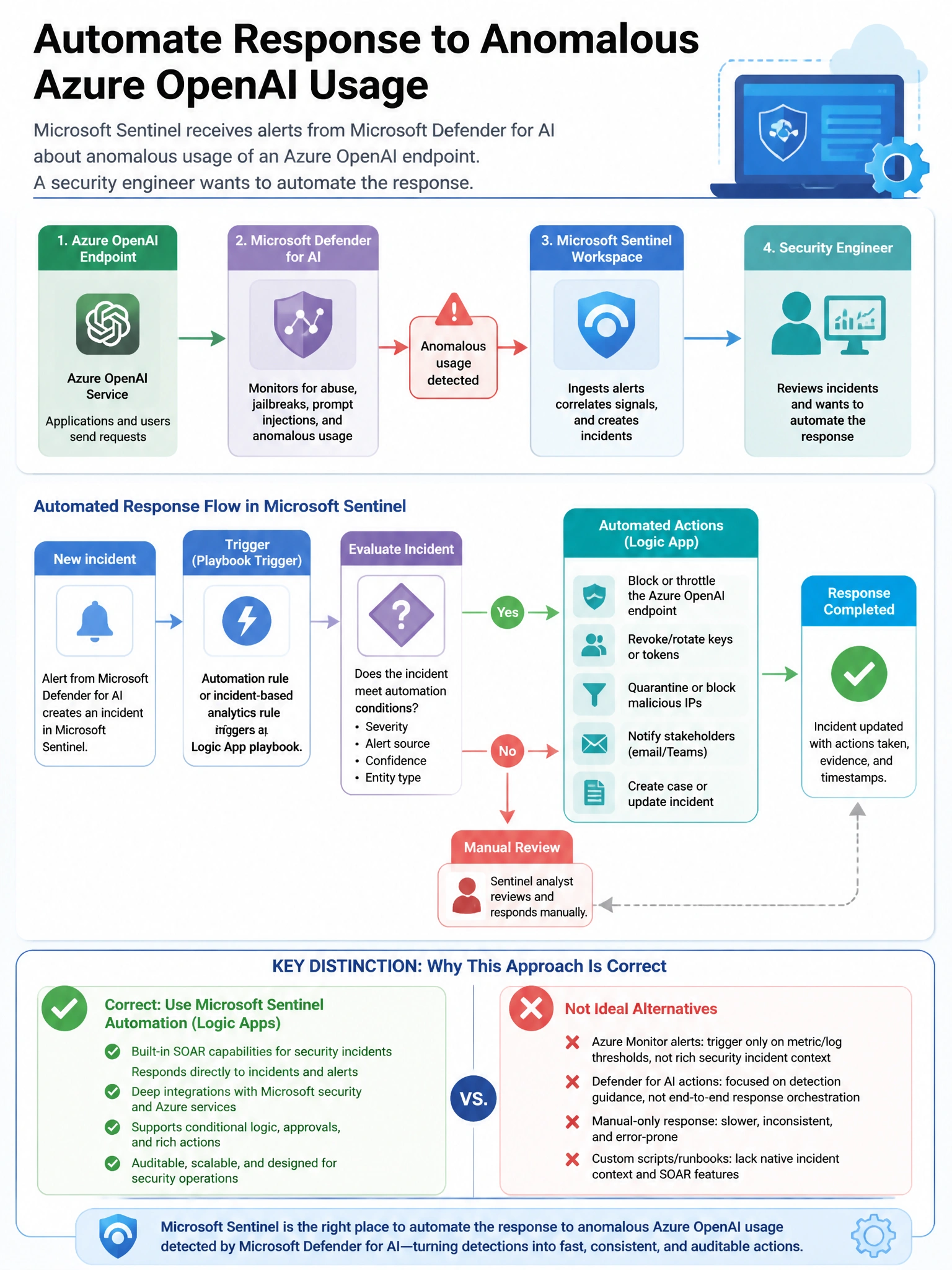
Short Explanation and Infographic
Here's the deal — b is correct because Microsoft Sentinel SOAR Playbooks (built on Azure Logic Apps) can be triggered by Sentinel alerts or incidents and can perform automated actions including adding entries to Sentinel watchlists via the Sentinel API connector. A is incorrect because Sentinel analytics rules detect and create incidents but do not directly modify watchlists; the automated response action in analytics rules triggers playbooks.
Full explanation below image
Full Explanation
B is correct because Microsoft Sentinel SOAR Playbooks (built on Azure Logic Apps) can be triggered by Sentinel alerts or incidents and can perform automated actions including adding entries to Sentinel watchlists via the Sentinel API connector. A is incorrect because Sentinel analytics rules detect and create incidents but do not directly modify watchlists; the automated response action in analytics rules triggers playbooks. C is incorrect because Sentinel Workbooks are visualization and reporting tools and cannot perform automated response actions. D is incorrect because Threat Intelligence indicator import adds IOCs to the TI table for detection, not a response action triggered by specific alerts.