
An organization uses Microsoft Copilot for Microsoft 365 and wants to generate usage reports showing which users are actively using Copilot, which Microsoft 365 apps they use it in, and how many prompts were submitted per week. Where are these reports available?
Select an answer to reveal the explanation.
Short Explanation and Infographic
Here's the deal — b is correct because the Microsoft 365 admin center includes a dedicated 'Microsoft 365 Copilot usage' report under the Reports section. This report shows active user counts, the Microsoft 365 apps where Copilot is used (Teams, Word, Outlook, etc.), prompt volumes, and trend data over time.
Full explanation below image
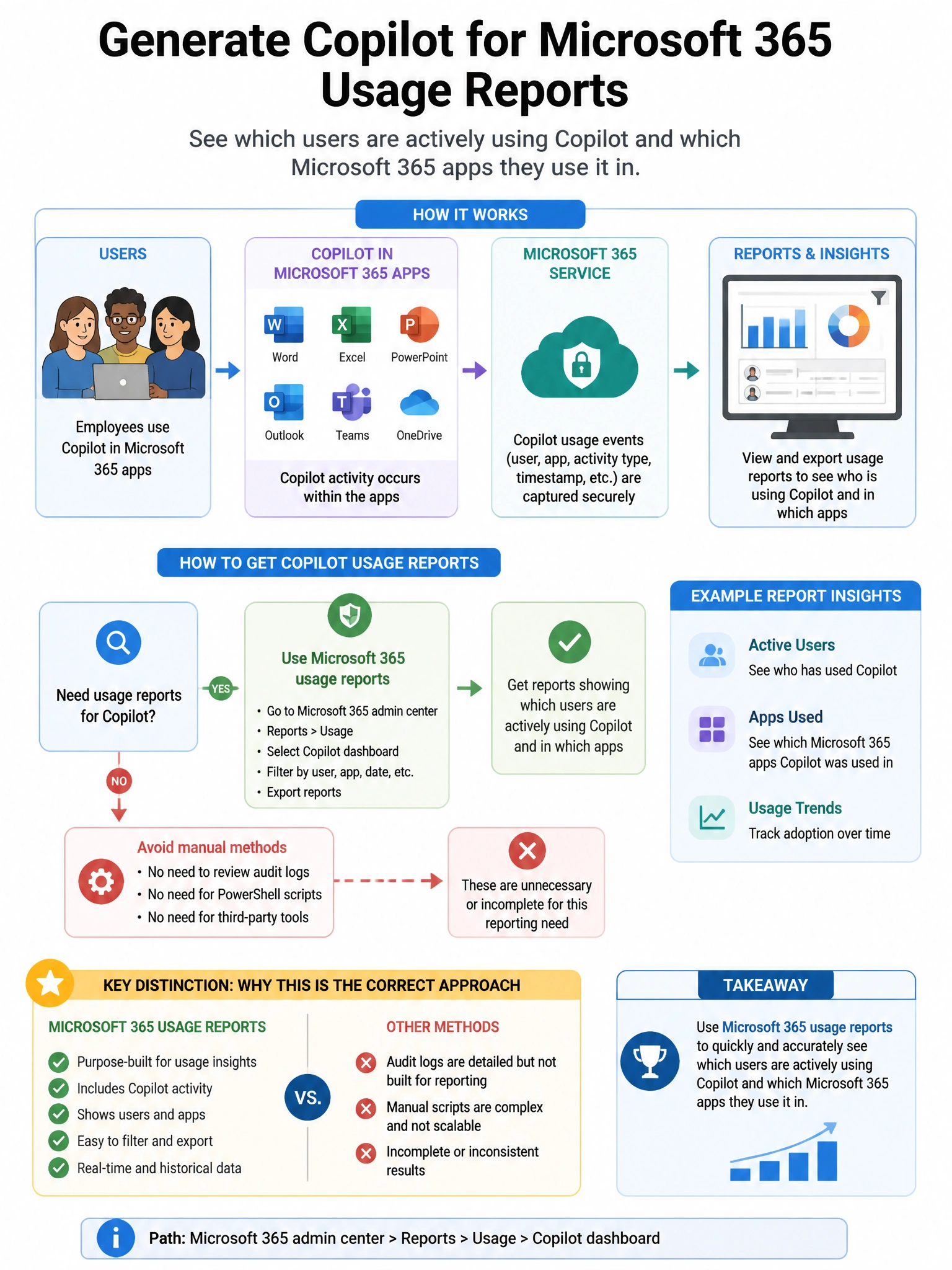
Full Explanation
B is correct because the Microsoft 365 admin center includes a dedicated 'Microsoft 365 Copilot usage' report under the Reports section. This report shows active user counts, the Microsoft 365 apps where Copilot is used (Teams, Word, Outlook, etc.), prompt volumes, and trend data over time. It is the purpose-built administrative dashboard for Copilot adoption and usage analytics. A is wrong because Microsoft Purview Audit captures detailed audit log events for compliance investigations, not aggregated usage metrics and trends. C is wrong because Entra admin center identity reports show sign-in and provisioning data, not Copilot feature usage metrics. D is wrong because Defender XDR Cloud Apps Activity log captures security-relevant app activities for CASB governance, not Copilot usage analytics.