
A security engineer is configuring a Microsoft Purview Communication Compliance policy to detect when employees use Microsoft Copilot for Microsoft 365 to generate content that contains discriminatory language. Which configuration is required?
Select an answer to reveal the explanation.
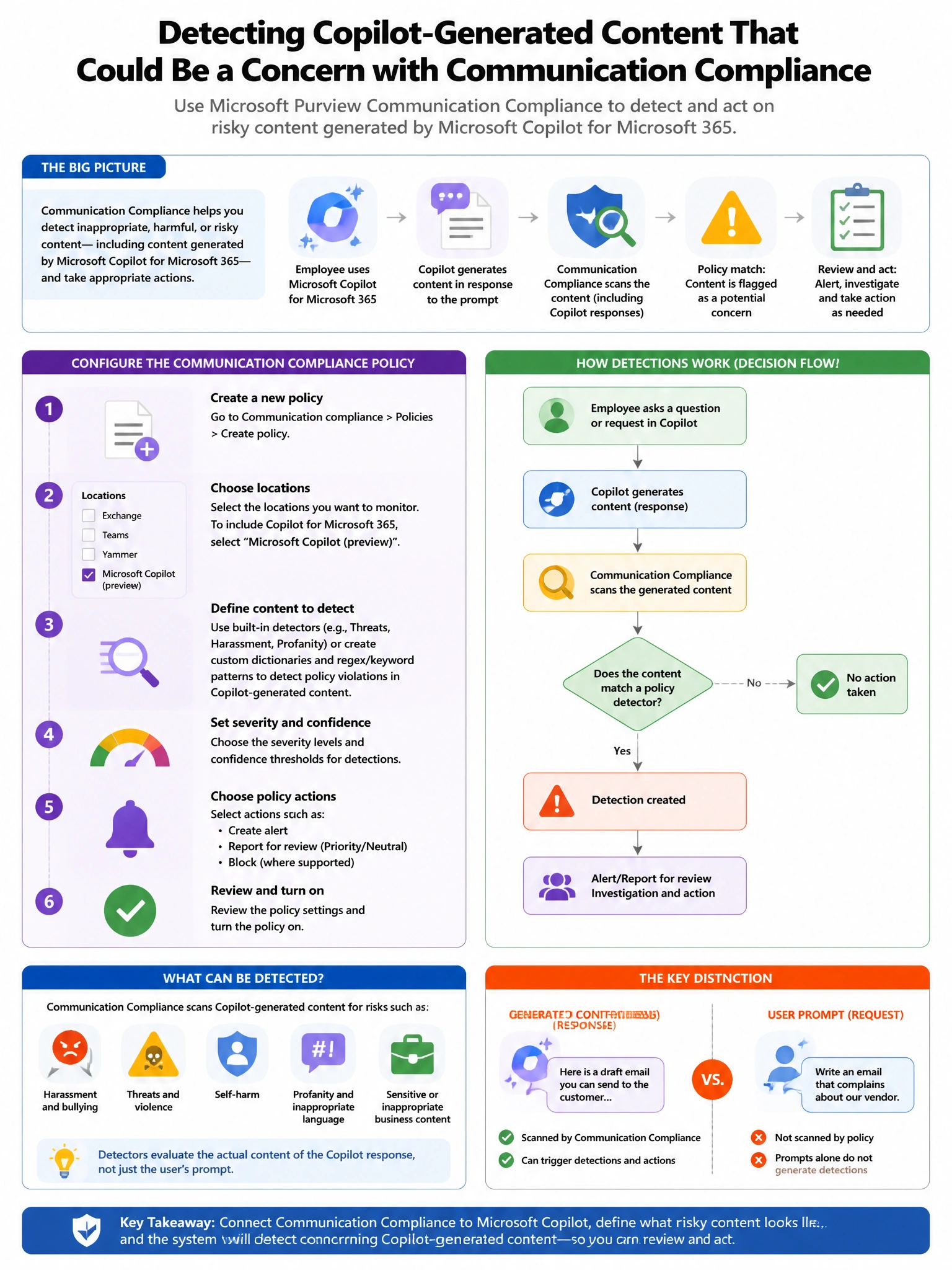
Short Explanation and Infographic
Here's the deal — a is correct because Microsoft Purview Communication Compliance supports Microsoft 365 Copilot as a supervised communication location. You can create a policy that monitors Copilot interactions and applies trainable classifiers such as the built-in 'Offensive language' or 'Threat' classifier to detect discriminatory or policy-violating content generated by or submitted to Copilot.
Full explanation below image
Full Explanation
A is correct because Microsoft Purview Communication Compliance supports Microsoft 365 Copilot as a supervised communication location. You can create a policy that monitors Copilot interactions and applies trainable classifiers such as the built-in 'Offensive language' or 'Threat' classifier to detect discriminatory or policy-violating content generated by or submitted to Copilot. B is wrong because DLP policies use sensitive information types (structured patterns like SSN, credit card) and do not use trainable classifiers for nuanced language like discriminatory content. C is wrong because Insider Risk Management focuses on behavioral risk indicators around data handling, not detecting specific language content in AI outputs. D is wrong because Defender for Cloud Apps session policies manage application-level controls, not content classification of AI-generated text.