
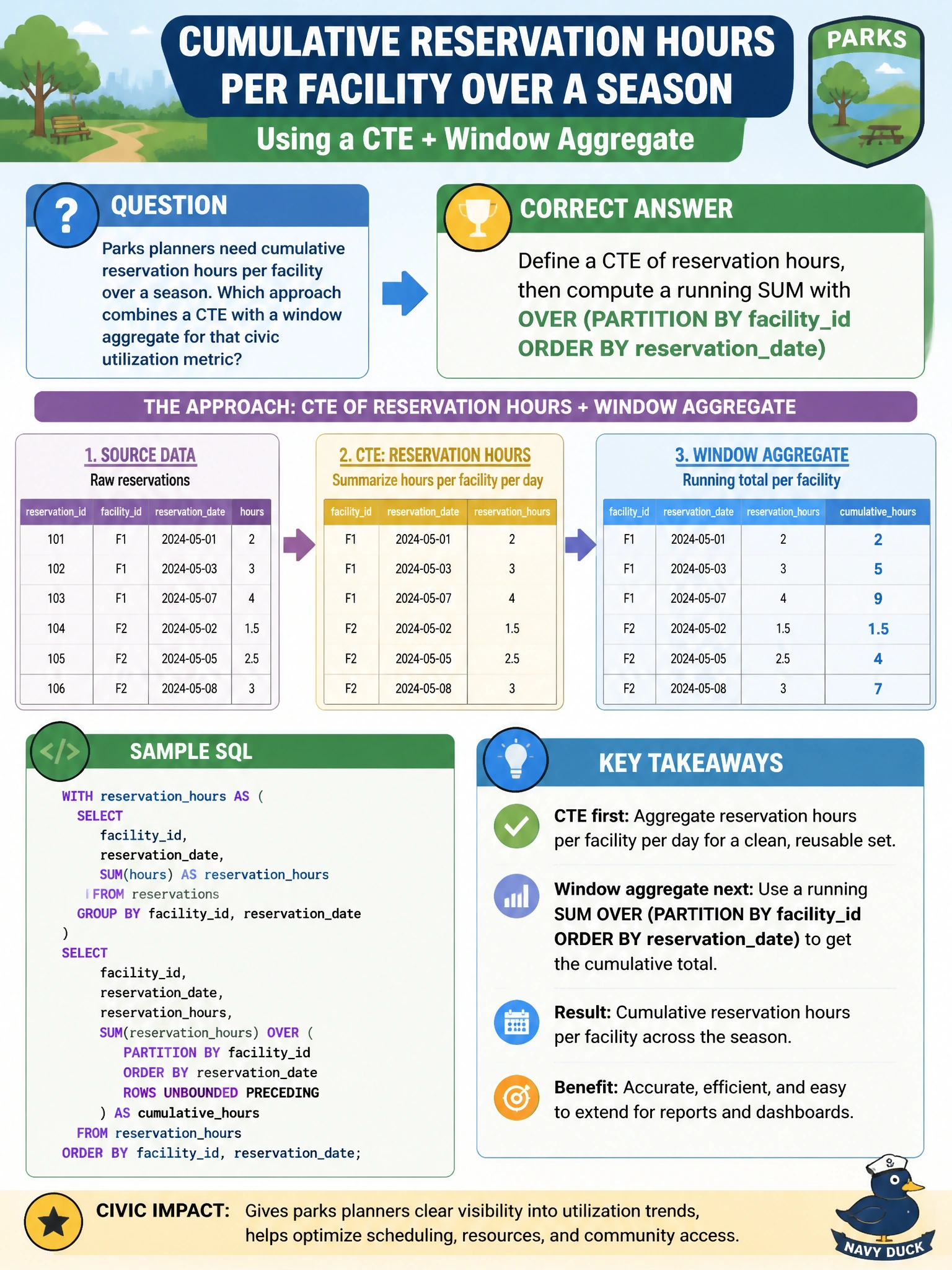
Parks planners need cumulative reservation hours per facility over a season. Which approach combines a CTE with a window aggregate for that civic utilization metric?
Select an answer to reveal the explanation.
Short Explanation
Running totals are like stacking day-pass hours on a clipboard per pavilion—CTE gathers the rows, then a windowed SUM keeps a cumulative tally per facility.
Full Explanation
Defining a CTE of reservation hours and then computing a running SUM with OVER (PARTITION BY facility_id ORDER BY reservation_date) correctly produces cumulative reservation hours per facility for parks planners. The CTE stages the civic utilization rows; the window aggregate keeps one output row per input reservation while accumulating hours within each facility’s season timeline—exactly the running-total pattern the stem requires.
Creating only a UNIQUE constraint on facility_id fails by concept because uniqueness enforces key integrity; it does not compute cumulative hours. Replacing the fact table with an in-memory ledger table fails because storage/engine choice (ledger/in-memory) does not itself produce a windowed running total of reservation hours. Exposing hours exclusively through JSON_OBJECT without aggregation fails because JSON_OBJECT constructs JSON objects; without a windowed SUM (or similar aggregate), it will not yield cumulative utilization per facility.
Exam caveat: DP-800 window functions (SUM … OVER with PARTITION BY/ORDER BY) and CTEs are often combined for analytical civic metrics. Do not confuse integrity constraints or storage features with analytical windowing when the stem asks for cumulative totals.
Operational check: For a sample pavilion, manually sum season hours in order of reservation_date and compare to the windowed CTE result; confirm PARTITION BY facility_id resets the running total at each facility; and publish the metric only after parks staff reconcile against a known weekend peak.