
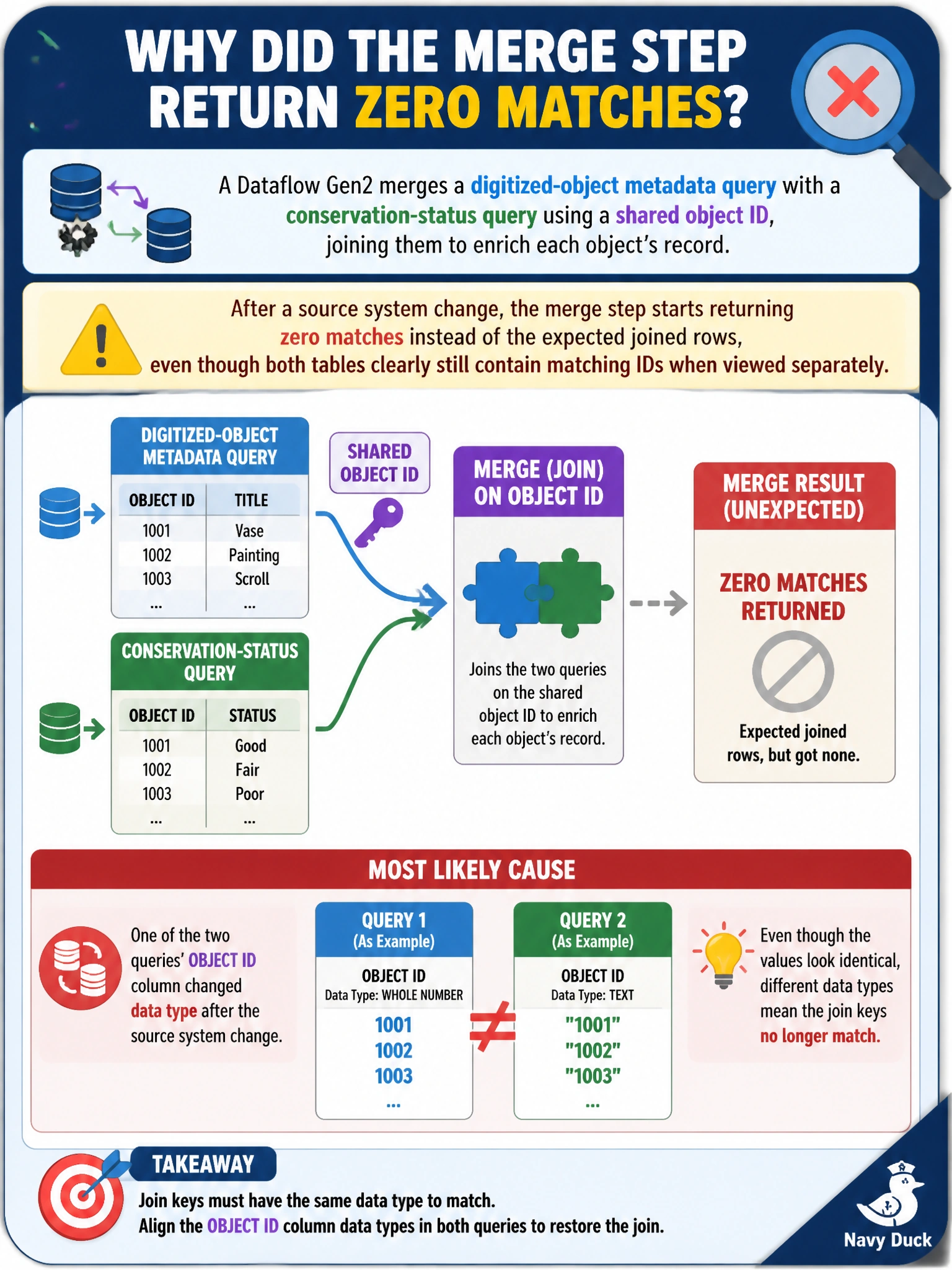
A Dataflow Gen2 merges a digitized-object metadata query with a conservation-status query using a shared object ID, joining them to enrich each object's record. After a source system change, the merge step starts returning zero matches instead of the expected joined rows, even though both tables clearly still contain matching IDs when viewed separately. What is the most likely cause?
Select an answer to reveal the explanation.
Short Explanation
Two values can look identical on screen and still fail to match under the hood if one side is text and the other is a number — it's like two people writing the same address in different alphabets. A merge step compares the underlying typed value, not the printed label, so a silent type drift on either side of the join quietly zeroes out every match.
Full Explanation
A merge step joins rows by comparing key column values, and that comparison is type-sensitive: if a source system change causes one query's object ID to be read as text while the other still produces a whole number, visually identical values such as 4021 and "4021" will not satisfy the join condition, so the merge returns no matches even though both source tables are intact and clearly related. This is a common and easy-to-miss root cause because the query preview shows values that look the same to a person reading the screen. A changed refresh schedule affects only when the dataflow runs, not whether its join logic succeeds once it does run. Lakehouse storage capacity issues would typically surface as a write failure at the very end of the refresh, not as a merge step silently returning zero rows earlier in the query. OneLake workspace settings govern storage and access behavior for the workspace generally and have no bearing on how a Power Query merge step evaluates key equality. The concrete check is to inspect each query's column data type indicator directly above the merge key column in the query editor, since a mismatched icon there confirms the type drift immediately.