
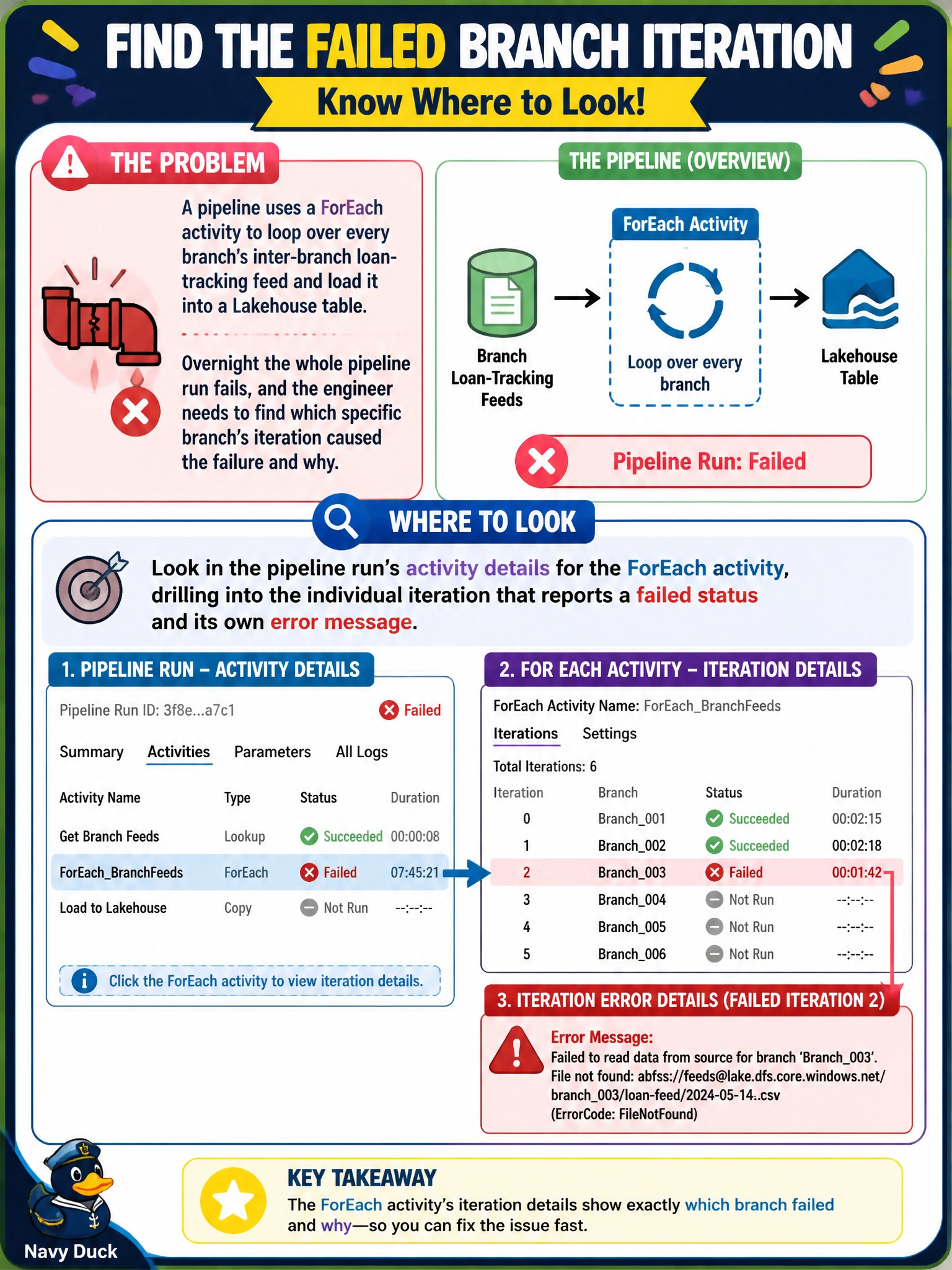
A pipeline uses a ForEach activity to loop over every branch's inter-branch loan-tracking feed and load it into a Lakehouse table. Overnight the whole pipeline run fails, and the engineer needs to find which specific branch's iteration caused the failure and why. Where should they look?
Select an answer to reveal the explanation.
Short Explanation
A ForEach activity is really a bundle of little pipeline runs, one per branch, and Fabric tracks each one separately even though they're all wrapped in one parent run. So don't stare at the parent's red X — expand it. The individual iteration that actually failed carries its own error message, and that's where the real story is.
Full Explanation
Fabric's pipeline monitoring view lets you expand a ForEach activity to see every iteration it ran, each with its own status and, for a failed one, its own error detail describing what went wrong for that specific branch's input, such as a malformed value or a missing field in that branch's loan-tracking feed. Drilling into that single failed iteration is the fastest path from a generic failed run to a concrete root cause. The capacity utilization chart shows whether the workspace was throttled or overloaded, which is useful for performance investigations but tells you nothing about which branch's data broke a specific iteration. Browsing OneLake's underlying folders shows you what files exist after the fact, but not why the copy into them failed, and Fabric doesn't expect engineers to reason about Delta table internals directly to diagnose an activity error. A Dataflow Gen2 in the same workspace is an entirely separate item with its own independent run history; nothing there reflects a pipeline's ForEach failure. As a practical check, confirm the failed iteration's branch identifier matches the report of missing or malformed data before assuming the fix applies to every branch equally.