
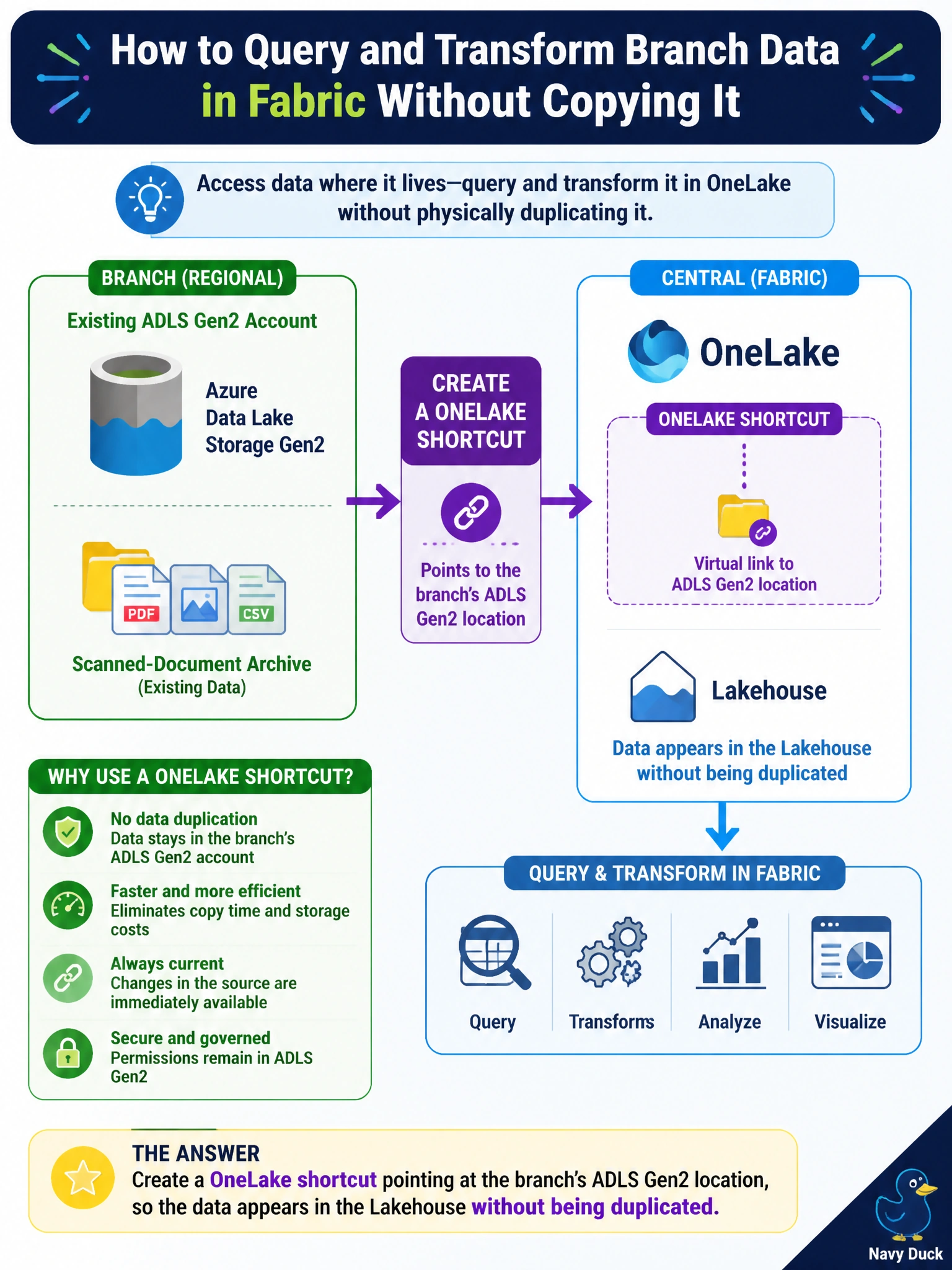
A regional branch keeps its own scanned-document archive in an Azure Data Lake Storage Gen2 account that predates the museum network's move to Fabric. The central data engineering team wants to query and transform that data through OneLake without physically copying it into a Lakehouse. What should they create?
Select an answer to reveal the explanation.
Short Explanation
Think of a shortcut like a library's inter-branch catalog entry: the book still physically lives on the original branch's shelf, but every branch's catalog can find and read it as if it were local. A OneLake shortcut does exactly that for the archive's external storage.
Full Explanation
A OneLake shortcut is a reference, not a copy: it lets a Lakehouse expose data that physically resides elsewhere — including an external ADLS Gen2 account — as if it were a native folder or table, so Spark and SQL queries can read it in place without an ingestion job duplicating the bytes. That directly satisfies “query it without copying it.” Copying the data with a Dataflow Gen2 does the opposite of what was asked: it creates and maintains a second copy that then needs to stay in sync with the source, adding storage cost and drift risk. Mirroring is built for continuously replicating supported operational databases, like Azure SQL Database or Cosmos DB, into near-real-time Delta tables — it isn't the mechanism for referencing a general-purpose ADLS Gen2 file location, which shortcuts already handle more directly. Configuring an Eventhouse to poll external storage on a schedule invents a workflow around a data store meant for time-series telemetry, not for exposing an existing file-based archive. Before relying on the shortcut, verify the branch's ADLS Gen2 account grants the right access permissions to the Fabric workspace's identity, since a shortcut inherits the source's access controls rather than bypassing them.