
A data engineer proposes handling branch-based row restrictions by adding a filter to each Power BI report visual instead of implementing row-level security on the underlying Warehouse table. Why is enforcing the restriction at the database layer, rather than in each report, the correct approach?
Select an answer to reveal the explanation.
Short Explanation
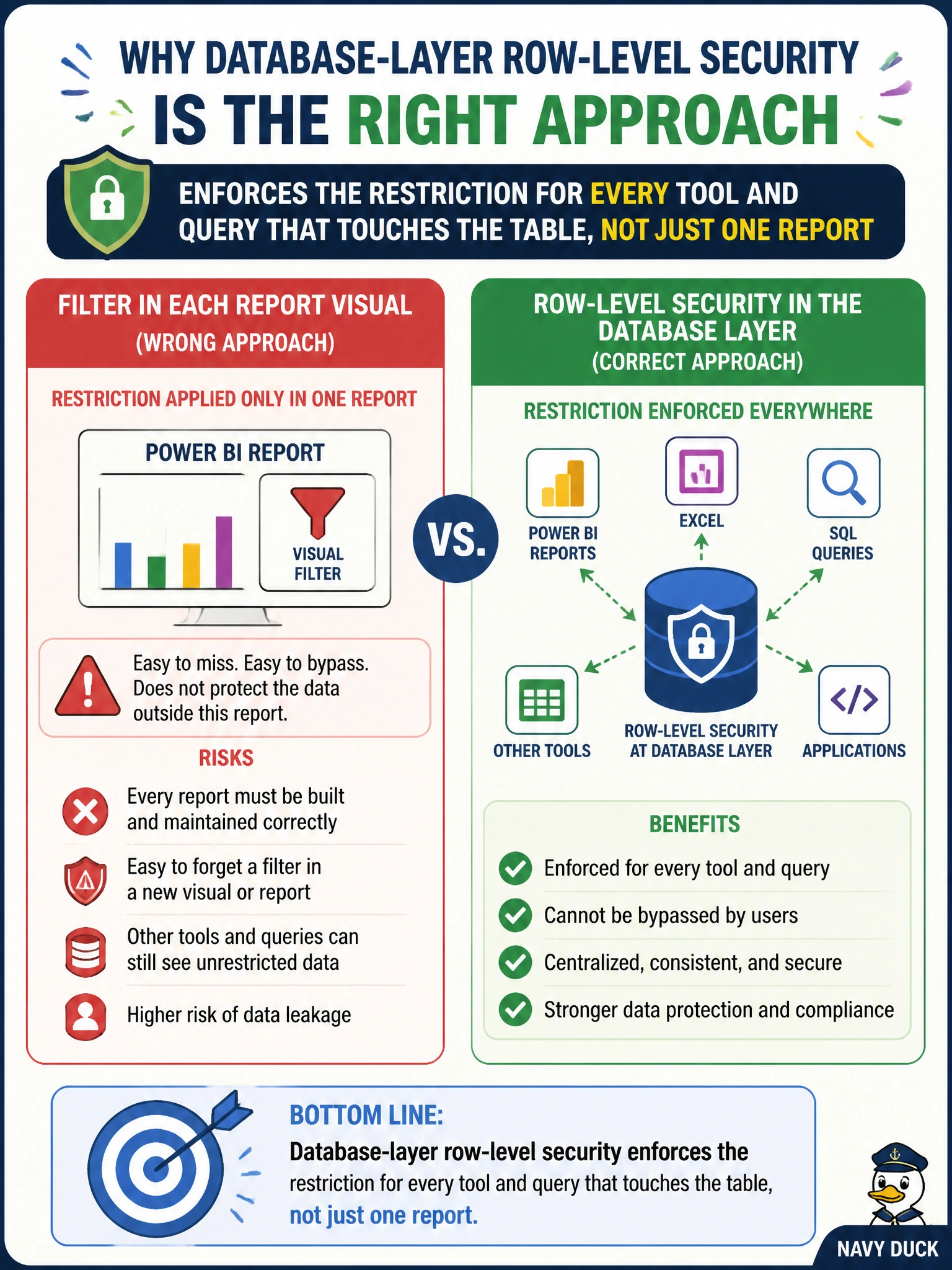
Filtering in one report is like posting a sign on one door of the archive while every other entrance stays wide open — a curator connecting through SQL, a notebook, or a different report walks right past it. Push the rule into the table itself and every door enforces it.
Full Explanation
Row-level security defined at the Warehouse (database) layer is bound to the table itself via a security policy, so any consumer that queries the table — Power BI, a SQL client, a notebook, another report built later — inherits the same row restriction automatically. A report-level visual filter only constrains that one report; anyone who connects to the underlying table through a different tool, or builds a new report against it, bypasses the restriction entirely, which defeats the purpose of protecting branch-specific loan data. 'Report-level filters run faster' isn't a real advantage that outweighs the security gap, and there's no general performance rule guaranteeing that outcome — the security risk of an easily bypassed control matters far more than a speculative speed difference. Dynamic data masking obscures column values; it doesn't remove or filter rows, so it can't replicate row-level filtering behavior at all. A OneLake data access role restricts access at the item/folder/table level, not row-by-row within one table, so it isn't a substitute for RLS here either. To verify, an engineer should connect to the table directly with a SQL client (bypassing Power BI entirely) as a branch user and confirm rows are still filtered.