
Heavy month-end Warehouse queries in the museum network's ticketing-and-finance workspace are causing Eventhouse queries against gallery conservation telemetry in a different workspace to slow down, because both workspaces currently draw compute from the same Fabric capacity. What should the Fabric admin do to isolate the two workloads?
Select an answer to reveal the explanation.
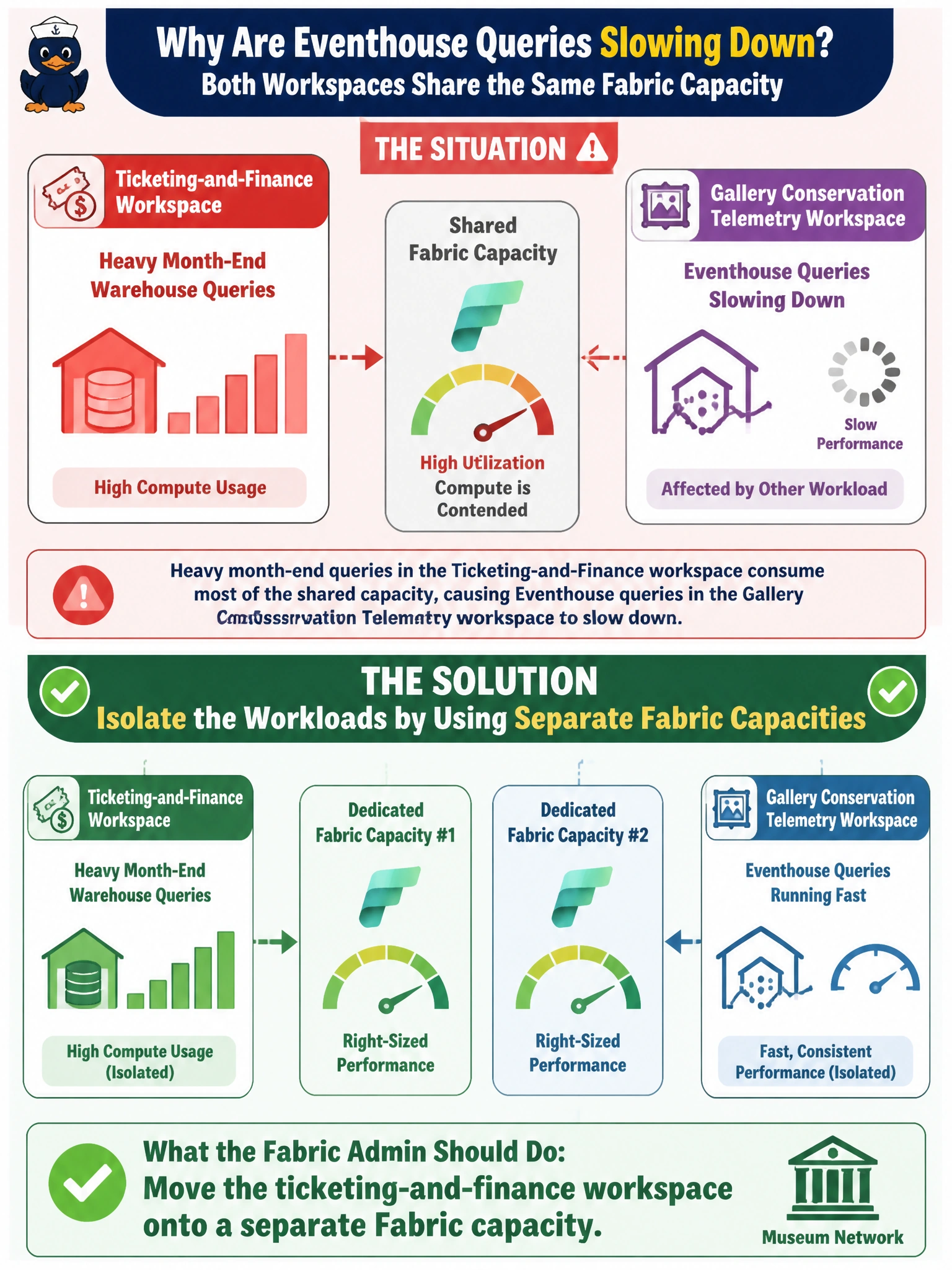
Short Explanation
Picture a capacity as the shared engine room powering every workspace bolted to it -- overload one workload and everyone sharing that engine feels it. Splitting the ticketing workspace onto its own capacity gives the finance queries their own engine so the conservation team's Eventhouse queries stop competing for the same compute.
Full Explanation
A Fabric capacity is the billed compute unit that every workspace assigned to it draws from, so a spike in one workspace's Warehouse queries can throttle or delay operations in any other workspace sharing that same capacity. The fix that actually isolates the workloads is reassigning the ticketing-and-finance workspace to its own capacity, which gives it dedicated compute headroom without touching the conservation workspace at all. Increasing the Spark pool's autoscale nodes only adds Spark executors within the conservation workspace itself -- it does nothing about capacity-wide contention coming from another workspace's Warehouse engine, a different compute path entirely. Reassigning domains changes governance grouping, not compute allocation, so it would not relieve throttling. Enabling OneLake shortcut caching addresses read latency for shortcut-based data access, not cross-workspace capacity contention. As a check, use the capacity metrics app after the move to confirm the ticketing workspace's utilization no longer shows up against the conservation workspace's capacity.