
Cascade Regional Airlines wants to connect its new outstation office's on-premises router to its Azure VNet over an encrypted tunnel across the public internet, without provisioning any dedicated private circuit. Which connection type should they configure?
Select an answer to reveal the explanation.
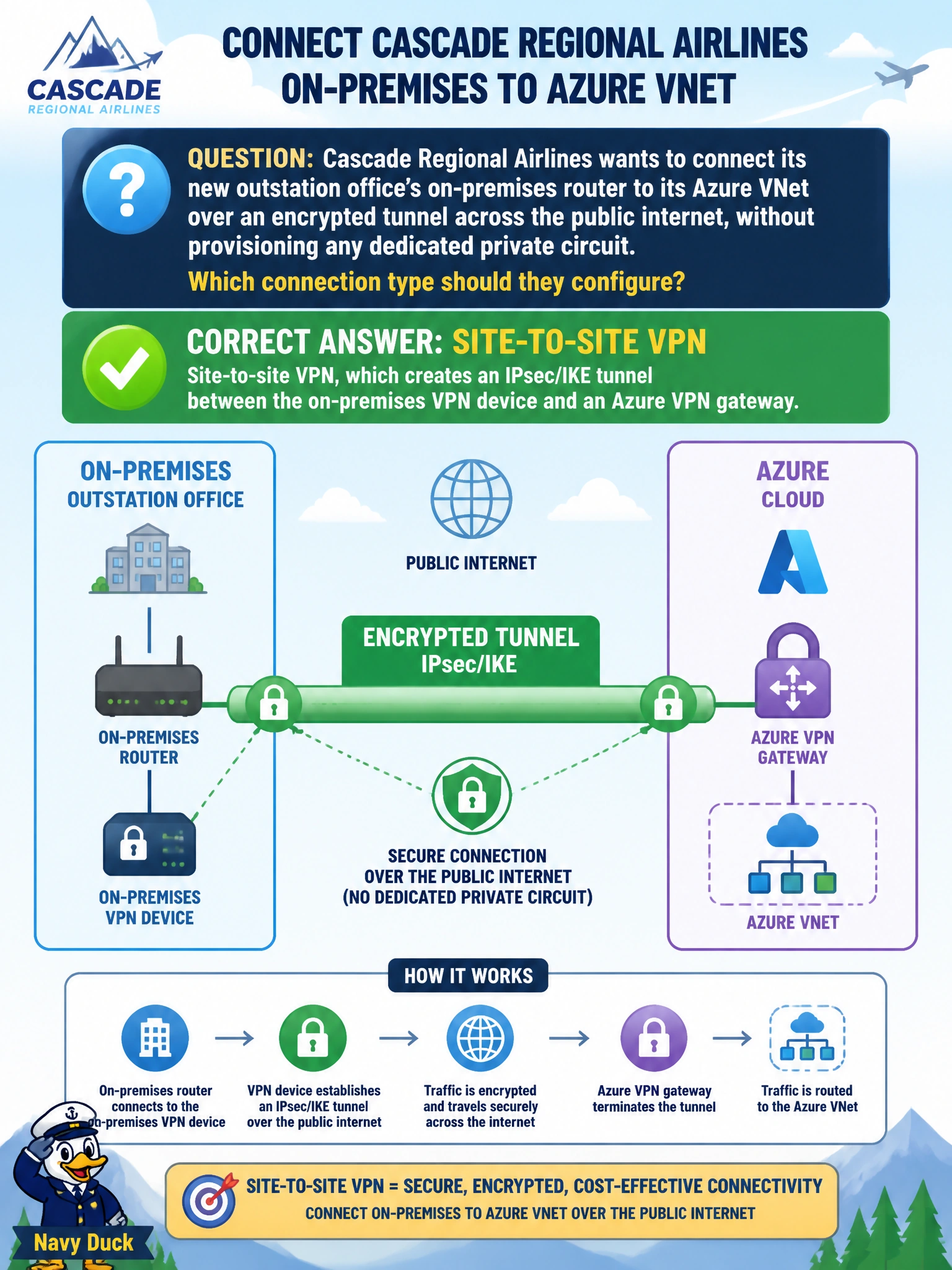
Short Explanation
Two networks, one encrypted tunnel, riding the regular internet — that's a site-to-site VPN in a nutshell. It's the classic office-to-cloud connection: an on-prem VPN device on one end, an Azure VPN gateway on the other, talking IPsec.
Full Explanation
A site-to-site VPN connection establishes an IPsec/IKE tunnel between an on-premises VPN device and an Azure VPN gateway, encrypting traffic as it crosses the public internet and connecting two entire networks (rather than a single client) to each other — exactly what Cascade's outstation office needs. Point-to-site VPN is designed for individual client devices connecting directly into a VNet, not for linking a whole office network through a router, so it is the wrong tool even though it is also VPN-based. VNet peering connects two Azure virtual networks to each other over Microsoft's backbone; it has no mechanism for terminating a tunnel from an on-premises router and is not an encryption technology in the sense implied here. ExpressRoute is precisely the opposite of what was asked: it is a private connection that explicitly does not traverse the public internet, and it does not use IPsec encryption by default since traffic stays on a dedicated private circuit provided by a connectivity partner. Once the site-to-site tunnel is configured, an engineer should confirm the tunnel status shows ‘Connected’ in the Azure portal's Connections view before considering the link production-ready.