
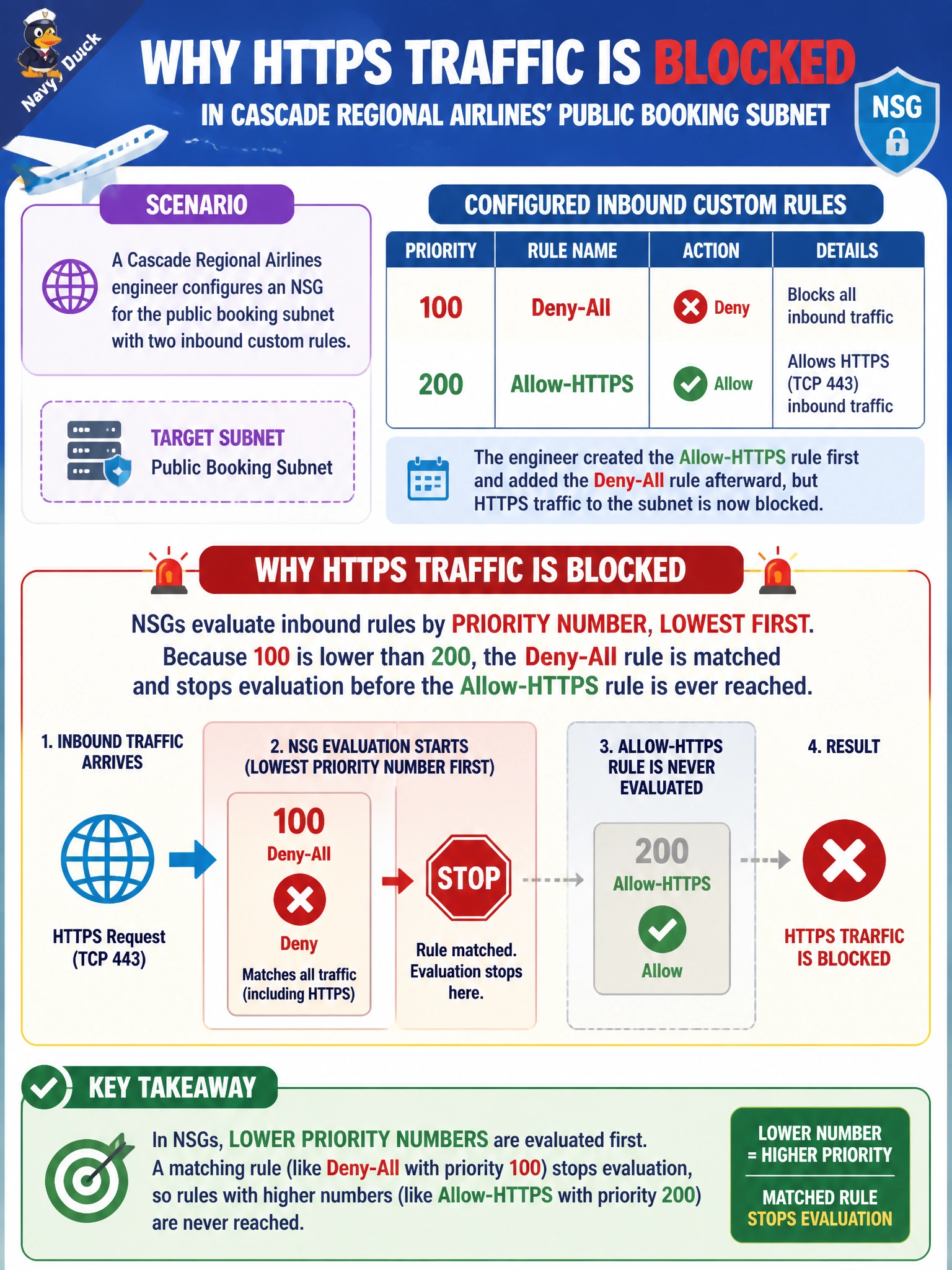
A Cascade Regional Airlines engineer configures an NSG for the public booking subnet with two inbound custom rules: priority 100 named 'Deny-All' and priority 200 named 'Allow-HTTPS'. The engineer created the Allow-HTTPS rule first and added the Deny-All rule afterward, but HTTPS traffic to the subnet is now blocked. Why?
Select an answer to reveal the explanation.
Short Explanation
An NSG doesn't care what order you clicked 'add rule' in — it only cares about the priority number you gave each one, and it always reads lowest-number-first, top to bottom. Whichever rule matches first wins, and evaluation stops right there. Priority 100 beats priority 200 every time, creation order or not.
Full Explanation
Network security group rules are evaluated strictly by priority number within each direction (inbound or outbound), from lowest number to highest, and the first rule whose source, destination, port, and protocol match the traffic wins; evaluation stops at that match. Since the Deny-All rule carries priority 100 and the Allow-HTTPS rule carries priority 200, the Deny-All rule is always checked first and, being a match for all traffic, blocks the HTTPS connection before the Allow-HTTPS rule is ever considered — the order the rules were created in the portal or CLI is irrelevant. The creation-order distractor confuses UI workflow with the actual evaluation engine. The outbound-before-inbound distractor misstates how NSGs work: inbound and outbound rule sets are evaluated independently for their respective traffic direction, not sequentially against each other. The default-rule distractor invents a triggering mechanism that does not exist; default rules only apply when no custom rule matches at all. The fix here is straightforward: renumber Deny-All to a priority higher than 200, or better, scope it narrowly and place broad denies at the highest (least urgent) priority numbers available.