
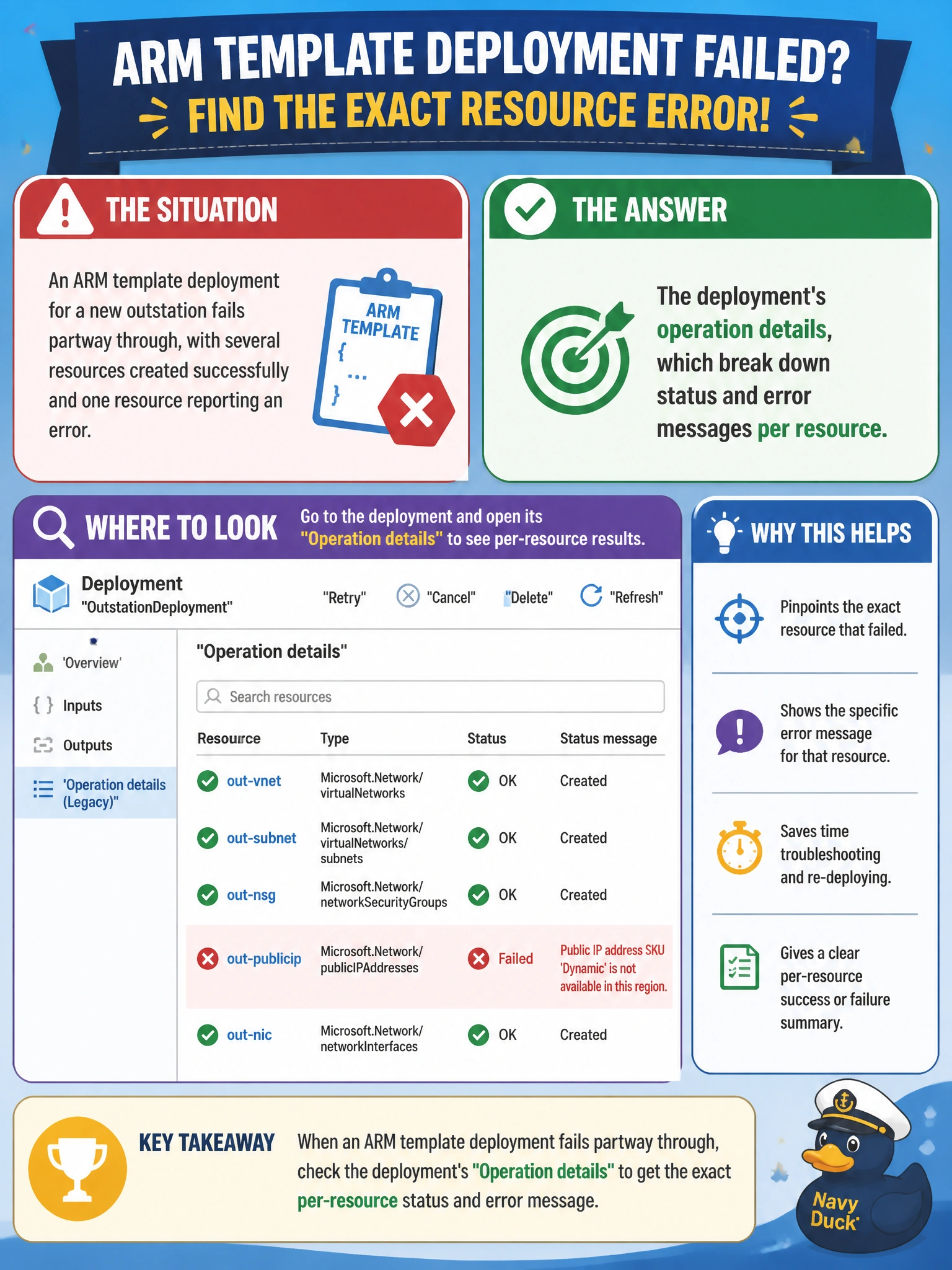
An ARM template deployment for a new outstation fails partway through, with several resources created successfully and one resource reporting an error. Cascade Regional Airlines' engineer needs to identify exactly which resource failed and why. Where should they look to get that specific, per-resource error detail?
Select an answer to reveal the explanation.
Short Explanation
A failed deployment isn't a single blob of "it broke" — it's a list of operations, one per resource, and the one that failed carries its own error code and message. That per-operation breakdown is exactly where the real cause shows up.
Full Explanation
Each deployment in Azure records an operation per resource it attempts to create or update, and when a deployment fails, drilling into that deployment's operations shows exactly which resource failed along with the specific error code and message from the resource provider. This is the direct path to root-causing a partial failure, since it isolates the problem to one operation rather than the whole deployment. The subscription activity log gives a broader, high-level record of operations across the subscription and typically shows only pass or fail at a coarser level, without the same drill-down detail available inside the deployment's own operation list. The ARM template file itself is a static definition; it does not and cannot contain runtime error messages, since those are only generated when Azure attempts to act on the template. Cost analysis tracks spending and has no connection to deployment success or failure; it would not show a provisioning error at all. After identifying the failed operation, the practical next step is fixing the specific issue named in that resource's error message and reissuing the deployment, which the idempotent behavior discussed earlier makes safe to do.