
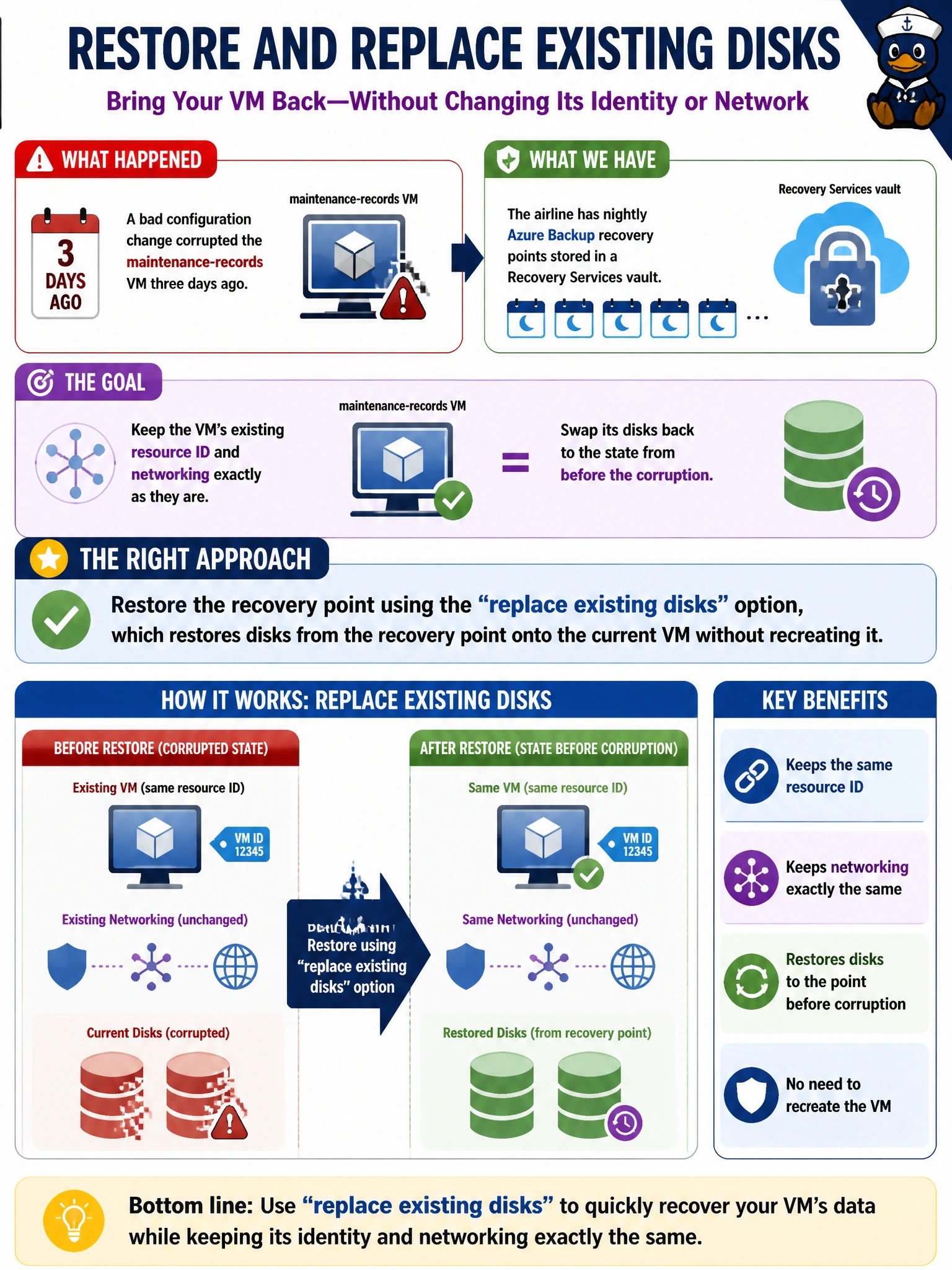
A bad configuration change corrupted the maintenance-records VM three days ago, and the airline has nightly Azure Backup recovery points stored in a Recovery Services vault. The team wants to keep the VM's existing resource ID and networking exactly as they are, but swap its disks back to the state from before the corruption. Which restore approach fits that goal?
Select an answer to reveal the explanation.
Short Explanation
Azure Backup restore isn't one-size-fits-all: sometimes you want a whole new VM stood up from a recovery point, and sometimes you just want the disks put back the way they were on the machine you already have. When the goal is keeping the same VM identity and network setup, restoring with the option that swaps the disks in place is exactly the tool for that job.
Full Explanation
Azure Backup, through a Recovery Services vault, offers more than one restore configuration, and 'replace existing disks' is specifically designed for this situation: it restores the disks from a chosen recovery point and re-attaches them to the existing VM, preserving the VM's resource ID, networking, and other configuration rather than standing up a new resource. That matches the requirement to keep the current VM's identity and network settings untouched while rolling the disk content back to before the corruption. Deleting and recreating the vault would not automatically restore anything — it would actually orphan the existing recovery points policy relationship and risk losing access to backup history entirely, since the vault is the container that organizes the recovery points, not a trigger for restoring one. Creating a brand-new VM from the recovery point and manually reattaching the old network interface is a valid pattern for some scenarios, but it changes the VM's resource ID and requires extra manual networking work that the scenario explicitly wants to avoid. The claim that disks can't be restored independently of a full VM is also incorrect — Azure Backup supports restoring disks alone (for attaching to an existing or different VM) as one of its standard restore configurations. As an operational check, after the restore completes, verify the VM boots cleanly and that its network interface and resource ID are unchanged from before the restore.