
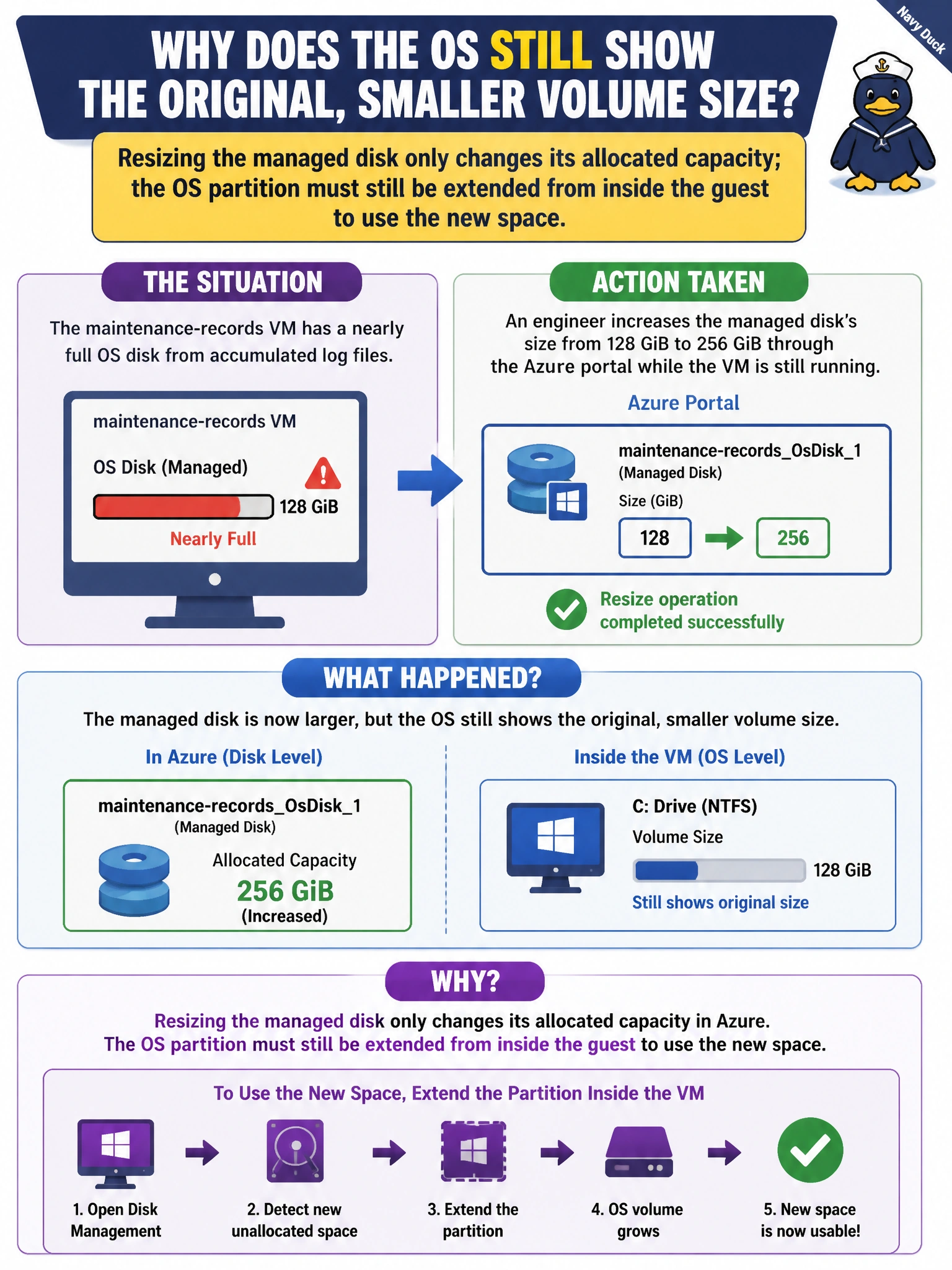
The maintenance-records VM's OS disk is nearly full from accumulated log files, and an engineer at Cascade Regional Airlines increases the managed disk's size from 128 GiB to 256 GiB through the Azure portal while the VM is still running. After the resize operation reports success, why does the OS still show the original, smaller volume size?
Select an answer to reveal the explanation.
Short Explanation
Resizing the managed disk is like adding square footage to a building's lot; the extra land is yours now, but the rooms inside don't automatically get bigger. The OS still sees its original partition boundary until you go in and extend the volume yourself. Two separate steps, two separate places, both required.
Full Explanation
Growing a managed disk's size in Azure only changes how much capacity is allocated to that disk resource; it does not automatically resize the partition or file system that the guest OS is using. To actually make the new space usable, the engineer has to go inside the OS and extend the volume — using Disk Management on Windows or a tool like growpart and resize2fs/xfs_growfs on Linux — so the file system grows to fill the newly available capacity. Note that many resize scenarios, especially for the OS disk, also require the VM to be deallocated before the disk resize itself is applied, then started again before extending the partition, though the core concept being tested here is that the disk-level resize and the OS-level partition extension are two distinct actions. The claim that the resize silently failed is inconsistent with the portal reporting success — a failed resize would show as a failed operation, not a smaller-than-requested disk with a successful status. Managed disks absolutely can be resized larger after creation (though generally not smaller), so that option misstates a real Azure capability. The idea that extra capacity is reserved exclusively for future snapshots is fabricated — snapshots are billed and stored independently of the source disk's allocated size and don't consume the disk's own free space this way. As an operational check, after resizing, log into the guest and confirm the partition table and file system were actually extended to match the new disk size.