
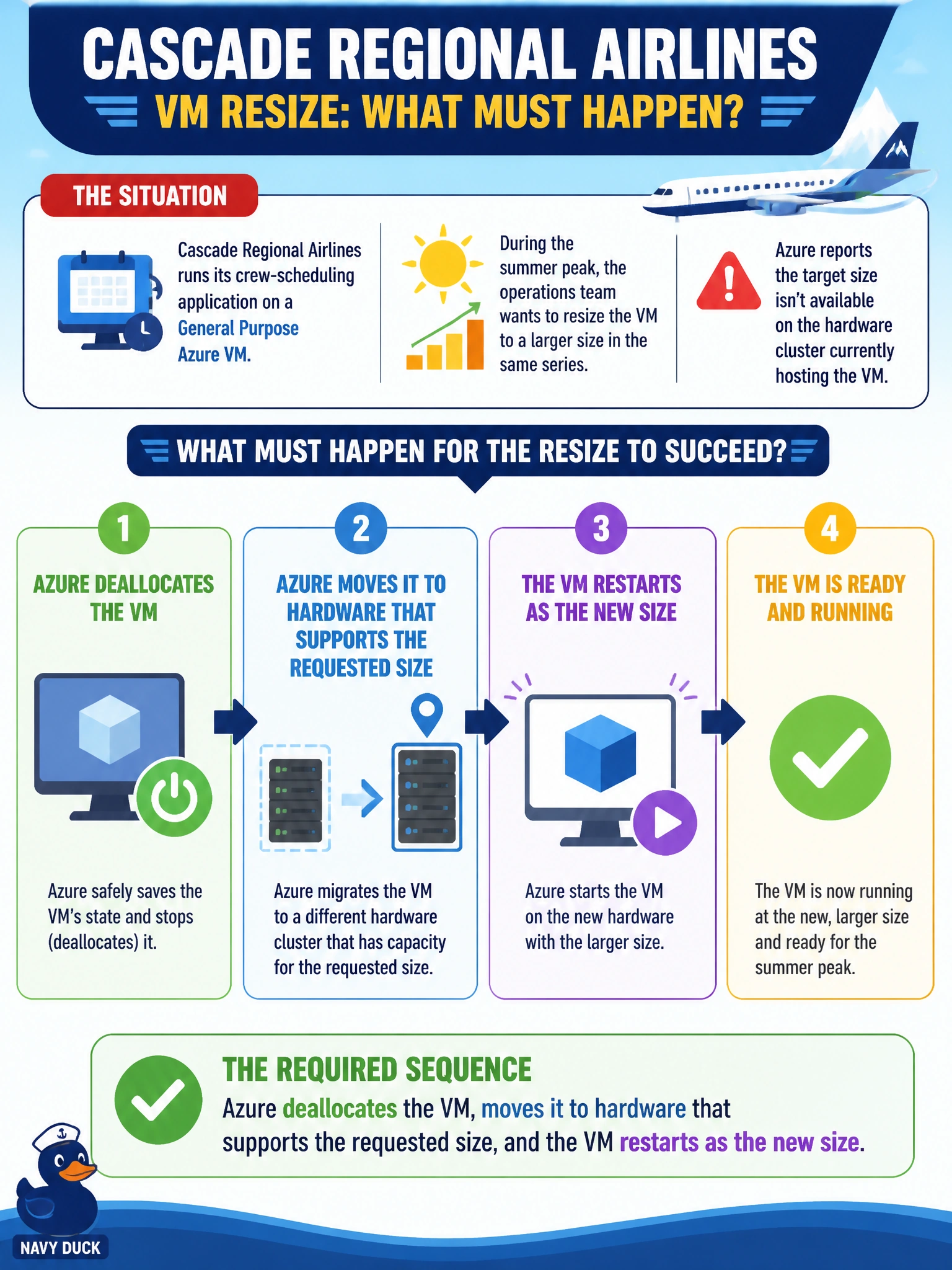
Cascade Regional Airlines runs its crew-scheduling application on a General Purpose Azure VM. During the summer peak, the operations team wants to resize the VM to a larger size in the same series, but Azure reports the target size isn't available on the hardware cluster currently hosting the VM. What must happen for the resize to succeed?
Select an answer to reveal the explanation.
Short Explanation
Think of a VM size like an apartment: not every building has the exact layout you want, so if the target size isn't on your current rack, Azure has to move you to a building (hardware cluster) that does. That move only happens while the unit is empty, so the VM has to be deallocated first. Once it's parked on compatible hardware, it starts back up at the new size.
Full Explanation
Every Azure VM runs on a specific hardware cluster, and each cluster only supports a defined set of VM sizes. Resizing within that supported set can sometimes happen with just a reboot. But when the target size isn't offered on the current cluster, Azure has no way to grow the VM in place — it must deallocate the VM, release the host, and reallocate the VM onto hardware that does support the requested size before starting it back up. This is why a resize sometimes takes noticeably longer, or rarely fails outright if no capacity for that size exists in the region at that moment. The 'delete and recreate' option confuses resizing with rebuilding — resizing preserves the OS disk, data disks, and VM identity; only the compute allocation changes. The 'instant, undisturbed' option ignores that a stop/start cycle is unavoidable when a hardware move is required, and any dynamic public IP is released during that deallocation window. The 'billing updates without the VM changing' option misreads how billing works — Azure meters the size actually provisioned, not a label. Before a peak-season resize, check the target size's availability in that region and cluster, or plan the change for a maintenance window that tolerates a brief deallocation.