
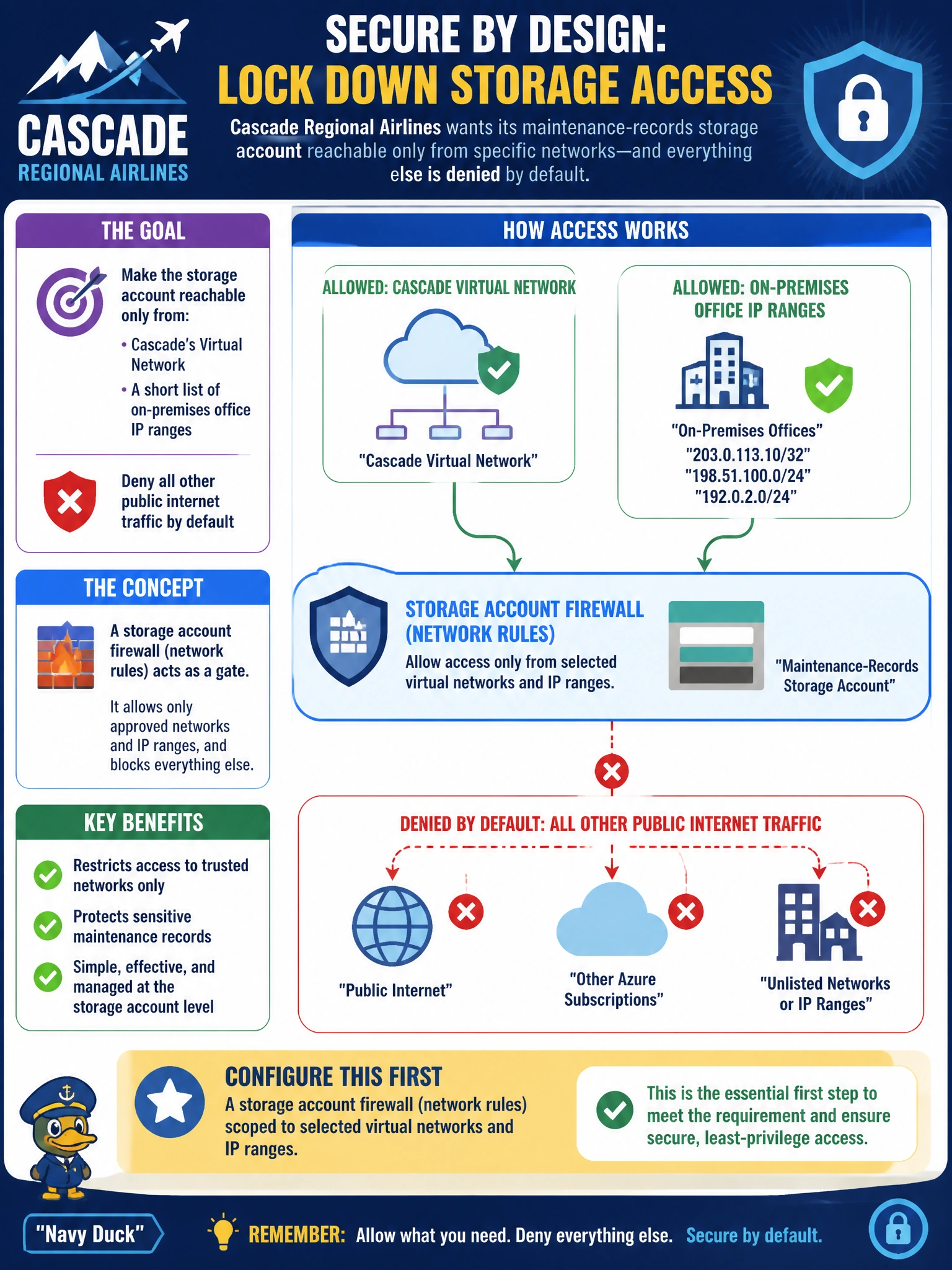
Cascade Regional Airlines' network team wants a maintenance-records storage account reachable only from the airline's virtual network and from a short list of on-premises office IP ranges, with all other public internet traffic denied by default? Which storage account feature should be configured first?
Select an answer to reveal the explanation.
Short Explanation
Think of the storage account firewall like a bouncer with a guest list: by default it can flip from 'anyone with the right key gets in' to 'only these specific networks and IP ranges are even allowed to knock.' That guest-list behavior is exactly what restricting access to the airline's VNet and office IPs requires.
Full Explanation
Configuring network rules on the storage account firewall lets an administrator deny public network access by default and then explicitly allow specific virtual networks (via service endpoints or a virtual network rule) and specific public IP address ranges, which directly implements the requirement to restrict maintenance-records access to the airline's VNet and a short list of office IPs while denying everything else. Blob versioning addresses data protection against overwrites and has no relationship to network-level access control. Lifecycle management with Archive tiering controls cost by moving aging data to cheaper storage tiers, which is entirely orthogonal to who can reach the account over the network. Object replication copies blobs to a secondary account for redundancy or performance reasons and does not restrict inbound network access to either account. Note that once network rules deny public access, any Azure service that needs to reach the account — such as diagnostic logging pipelines — may also need an explicit 'Allow trusted Microsoft services' exception rather than being blanket-allowed. A concrete check: after configuring the firewall, attempt a connection from an IP outside the allowed ranges and confirm it receives an authorization/network error rather than succeeding.