
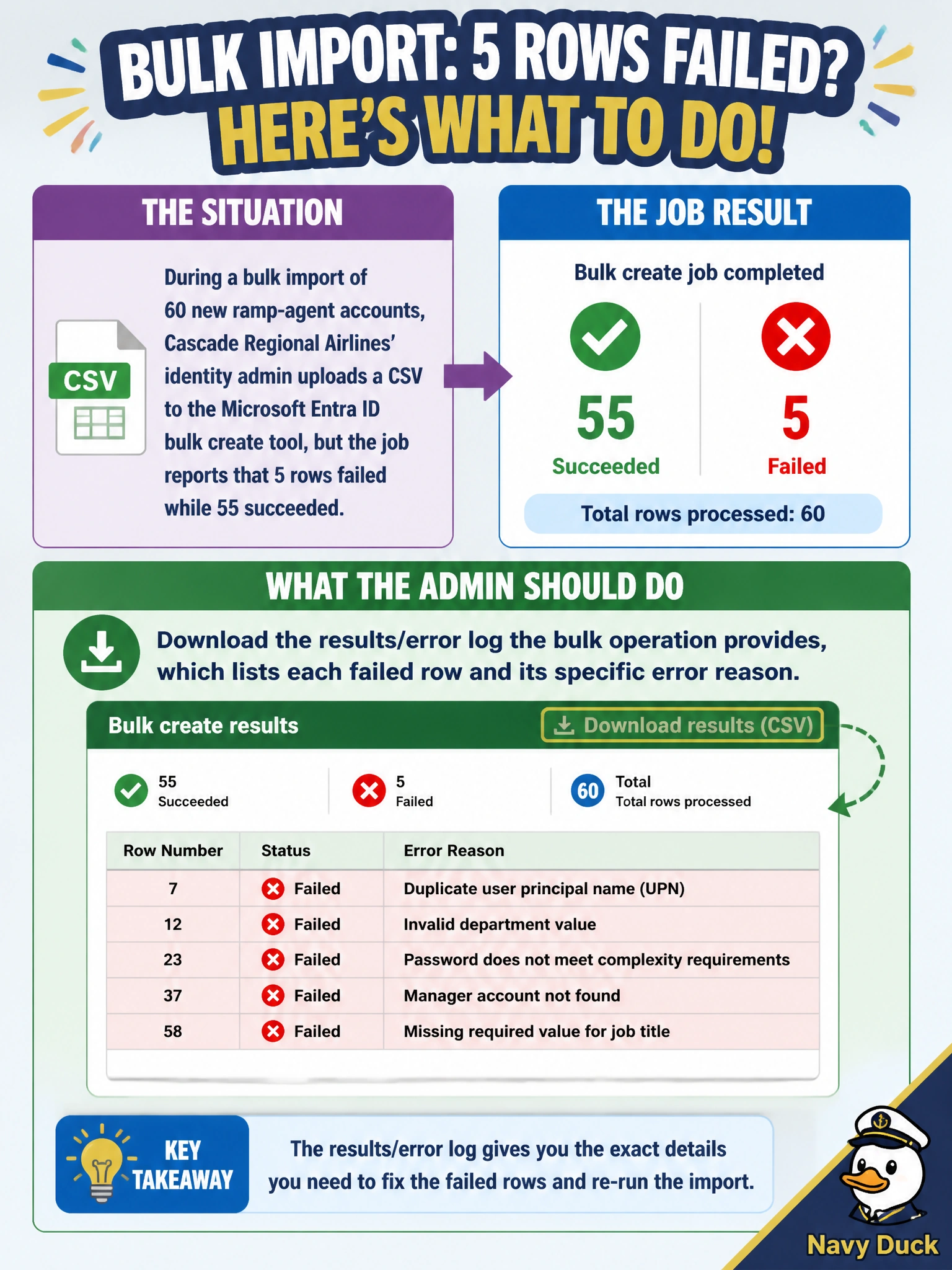
During a bulk import of 60 new ramp-agent accounts, Cascade Regional Airlines' identity admin uploads a CSV to the Microsoft Entra ID bulk create tool, but the job reports that 5 rows failed while 55 succeeded. What should the admin do to identify exactly what went wrong with those 5 rows?
Select an answer to reveal the explanation.
Short Explanation
A bulk import failure isn't a mystery box — it comes with a receipt. The results log names exactly which rows failed and why, so the admin can fix just those five rows instead of guessing or starting over.
Full Explanation
When a Microsoft Entra ID bulk operation (create, update, or delete) completes, it produces a downloadable results file that reports the outcome for every row, including a specific error reason for any row that failed — common causes include a duplicate UPN, an invalid character, or a missing required field. Downloading and reading that log is the direct, supported mechanism for diagnosing exactly which five rows failed and why, letting the admin correct just those rows and resubmit a small follow-up CSV. Blindly re-uploading the whole file risks creating duplicate accounts for the 55 that already succeeded and still won't reveal why the 5 failed. Deleting all 55 successful accounts to start over is needlessly destructive, discards good work, and does nothing to fix the underlying data problem in the 5 bad rows. Treating a 92% success rate as "good enough" leaves 5 ramp agents without accounts on their start date, which is an operational failure, not an acceptable outcome. An exam-relevant caveat: the most frequent bulk-create failure causes are UPN characters that don't match Entra ID's allowed format and rows missing a mandatory column from the template. An operational check is opening the log, isolating the 5 failed rows, correcting the flagged fields, and resubmitting only those rows as a smaller CSV.