
A conference organizer wants spoken presentations, delivered live on stage, to appear as scrolling captions on a screen for attendees in real time, updating within a second or two of each word being spoken. Which Azure AI capability should the organizer use?
Select an answer to reveal the explanation.
Short Explanation
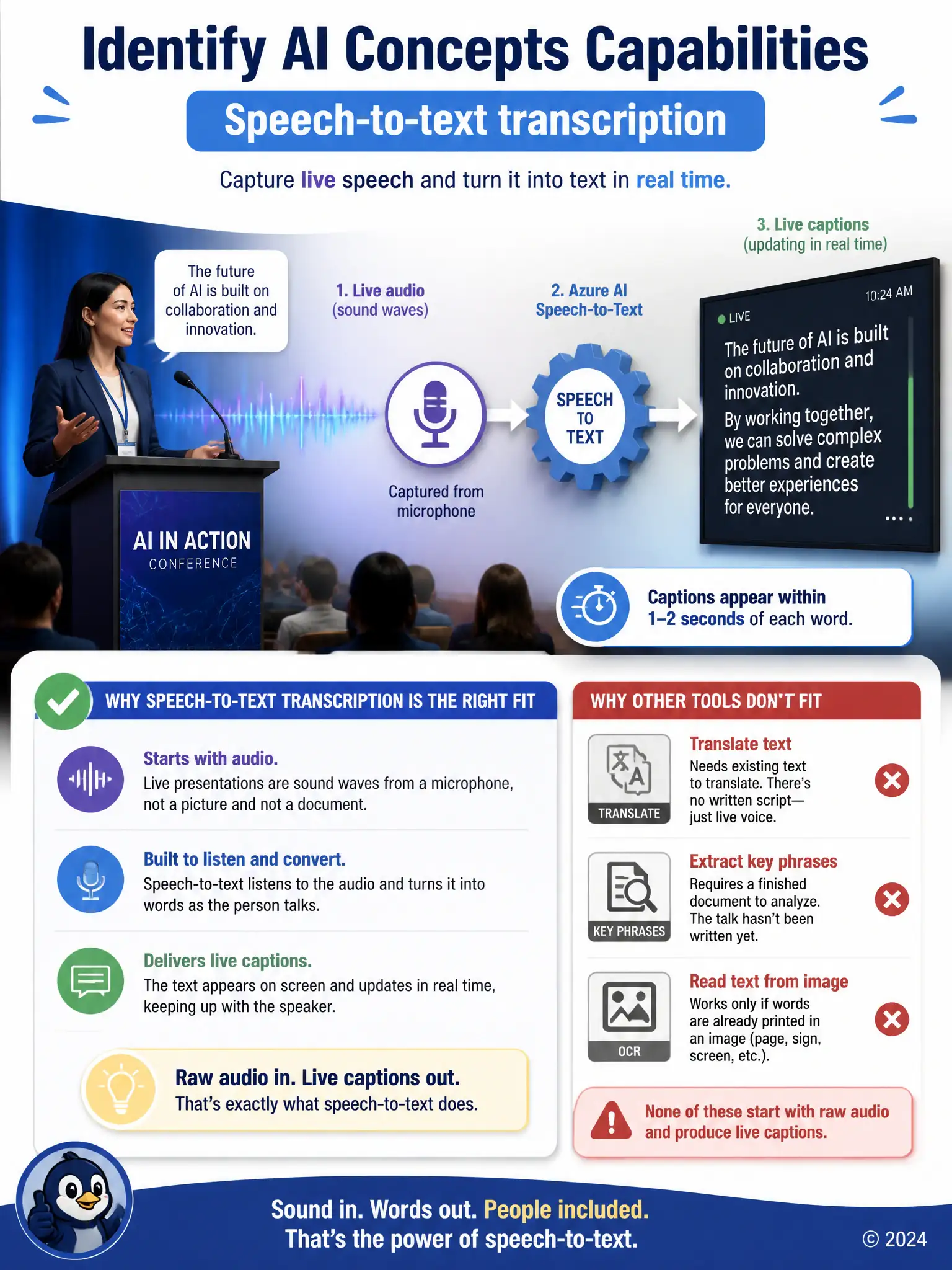
You're feeding the system live sound from a microphone, not a finished document or a picture. Speech-to-text transcription listens to that audio and turns it into scrolling captions in near real time. Translation, key-phrase extraction, and OCR all need text or images first, so they can't caption a live talk on their own.
Full Explanation
The correct capability is speech-to-text transcription. It converts spoken audio into written text in near real time, which is exactly what live captioning of a stage presentation requires. Text translation between written languages is incorrect because it converts written text from one language to another; it does not take spoken audio as input, so it cannot caption a live talk on its own. Key phrase extraction from documents is incorrect because it pulls out important terms from existing text documents after the fact, which does not produce a live scrolling transcript of speech. Optical character recognition of printed text is incorrect because it reads text that already appears in an image, such as a scanned page or photo, and has no way to process an audio signal from a microphone. Only speech-to-text transcription listens to audio and produces text output fast enough to caption a live event.