
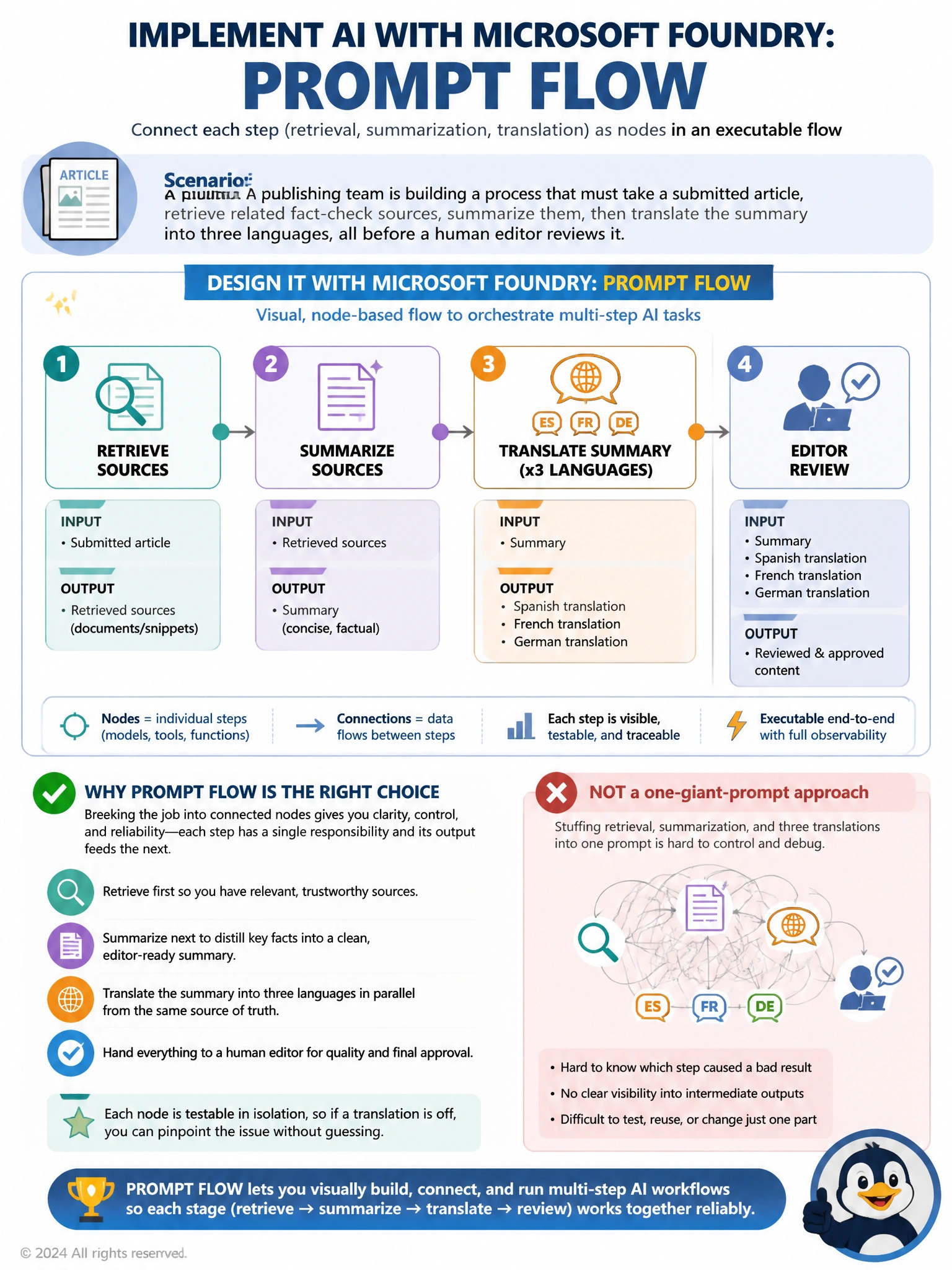
A publishing team is building a process that must take a submitted article, retrieve related fact-check sources, summarize them, then translate the summary into three languages, all before a human editor reviews it. Which Azure AI Foundry tool should they use to design and orchestrate this multi-step process visually?
Select an answer to reveal the explanation.
Short Explanation
When a job has several distinct stages that each depend on the last, stuffing it all into one giant instruction and hoping the model juggles retrieval, summarizing, and three separate translations correctly in one shot is asking for trouble, because if the translation comes out wrong there's no way to tell whether the summary was actually the problem instead. What this calls for is a way to lay each stage out as its own connected step, so the sources get retrieved, then that output feeds the summarizer, then that feeds each translation, with each piece visible and testable on its own. A safety filter panel or a tool for comparing model options doesn't build that chain at all, since neither one orchestrates steps together. The visual, node-based flow builder is the piece designed specifically for chaining stages like this into one traceable pipeline.
Full Explanation
The correct answer is D. Prompt flow lets the team lay out retrieval, summarization, and translation as distinct connected nodes, each with its own inputs and outputs, so the process runs as a traceable, executable pipeline and each stage can be tested or swapped independently. Option A is incorrect because the content safety configuration panel screens generated text for policy violations; it has no mechanism for chaining retrieval, summarization, and translation steps together. Option B is incorrect because cramming all four steps into one long system message for a single call removes any visibility into which stage produced a bad result, makes debugging translation errors versus summarization errors nearly impossible, and is fragile if any one step needs different handling. Option C is incorrect because the model catalog's comparison view exists to help choose between candidate models on metrics like cost or accuracy, not to build or run a multi-step content pipeline. Prompt flow is purpose-built for exactly this kind of staged, multi-step orchestration with clear boundaries between each operation.