
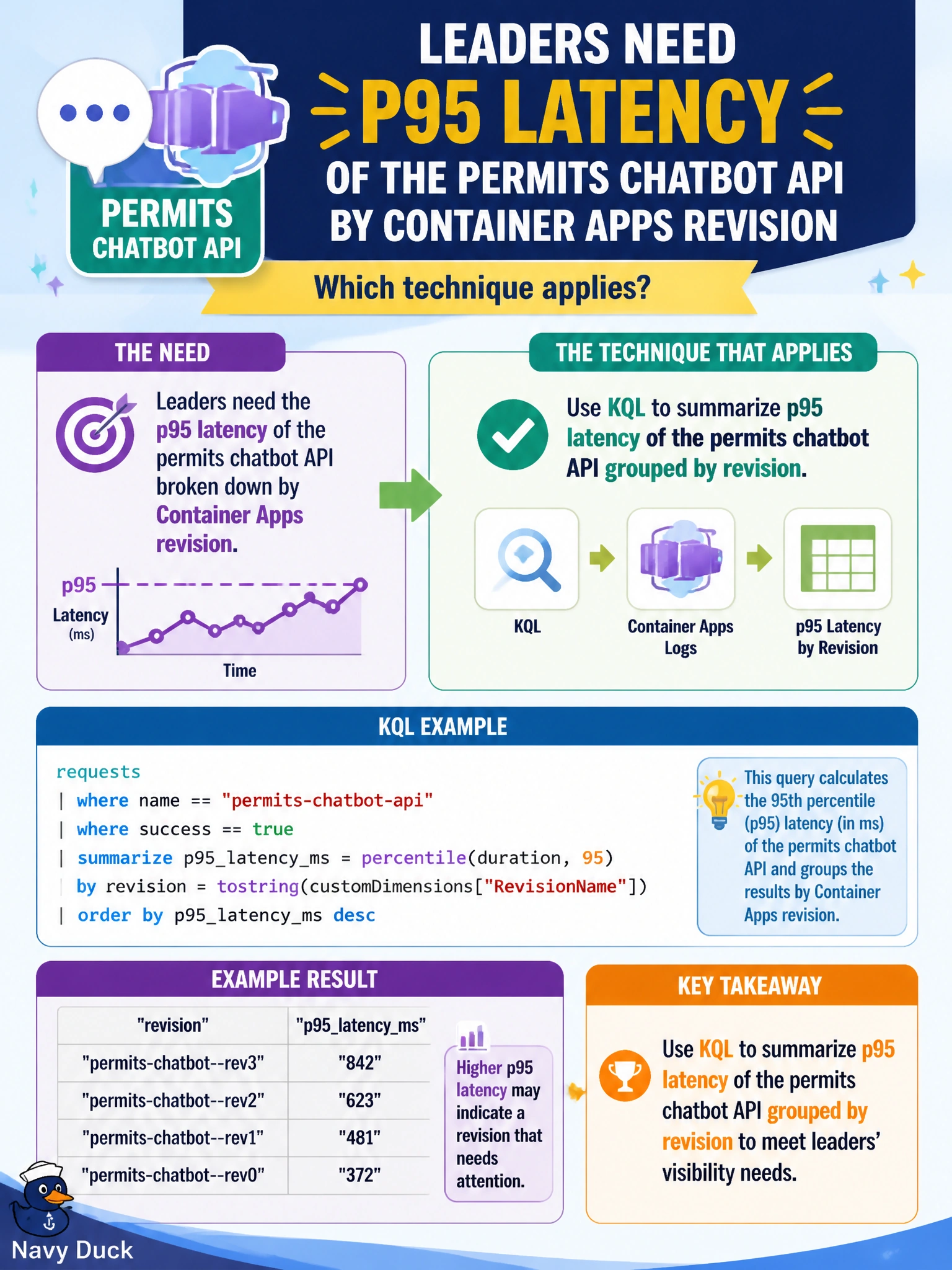
Leaders need p95 latency of the permits chatbot API by Container Apps revision. Which technique applies?
Select an answer to reveal the explanation.
Short Explanation
You can use KQL as a stopwatch for the permits chatbot, with p95 showing how slow the tail of resident calls gets—not just the average. When you group results by Container Apps revision, you can see whether a release changed that experience.
Full Explanation
Leaders who need p95 latency for the permits chatbot API by Container Apps revision should use KQL to summarize percentile latency grouped by revision. Percentiles such as p95 and p99 describe slow resident experiences better than averages, while the revision dimension lets release managers identify whether a new revision regressed the chatbot. A typical query filters requests for the chatbot operation, summarizes the duration percentile, and groups by a revision property exported from the platform. Measuring average latency from successful warm-up pings only fails representativeness: warm-ups hide cold-start effects and the real prompt and retrieval costs residents experience. Reporting a single unscoped mean fails to show the tail and omits the revision needed to attribute a regression. Estimating percentiles from informal Slack screenshots fails accuracy and auditability because screenshots are not reproducible analytics. Exam caveat: revision or label must be present in telemetry for KQL to group results correctly; calculate percentiles on the resident-facing request, and watch for bias from heavily sampled traces. Practical check: deploy two revisions with a known latency difference, query chatbot p95 by revision, confirm the slower revision has a higher p95, and save the query as a workbook tile for release gates.