
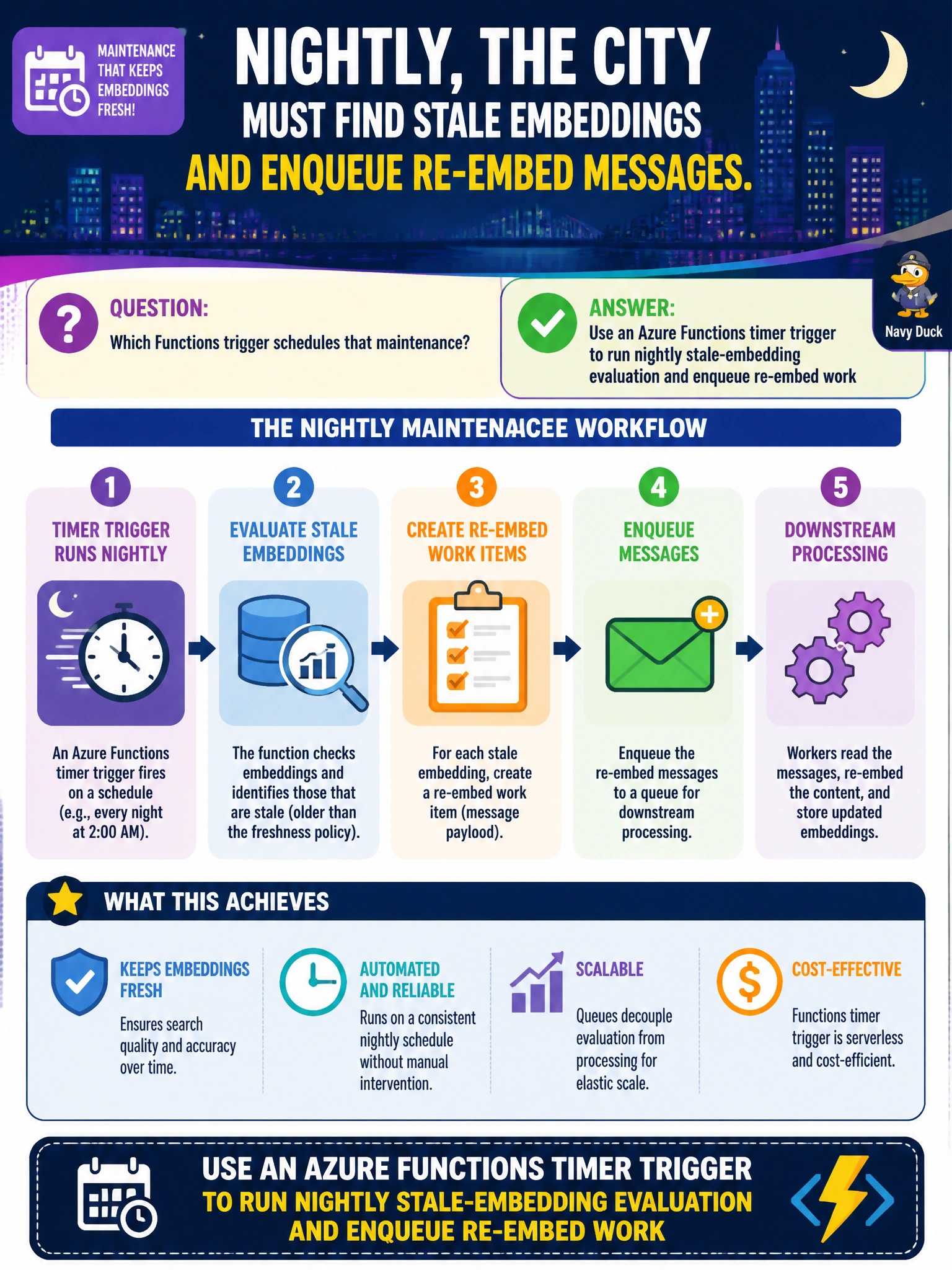
Nightly, the city must find stale embeddings and enqueue re-embed messages. Which Functions trigger schedules that maintenance?
Select an answer to reveal the explanation.
Short Explanation
A timer trigger is the city’s automatic night watch—clock hits the maintenance hour, the Function checks stale embeddings, and re-embed tickets get lined up without a human alarm clock.
Full Explanation
Nightly detection of stale embeddings and enqueue of re-embed messages is a scheduled maintenance task. An Azure Functions timer trigger (NCRONTAB) runs in the municipal maintenance window, queries whatever store tracks embedding freshness, and enqueues Service Bus (or queue) messages for workers that perform re-embeds. Timers are the control-plane clock for ops jobs that are not driven by a user HTTP call or a single blob event.
Using only an HTTP trigger that depends on someone browsing to a URL at midnight fails because humans and ad-hoc clients are unreliable clocks. Triggering solely on blob deletes misses soft staleness: embeddings can expire or become invalid when source documents change in place, models change, or policies revise chunking—without a delete event. Running maintenance logic inside the resident chatbot’s browser session fails trust and completeness: browsers are not an ops control plane, and maintenance would only run when a resident happens to chat.
Exam caveat: timer Functions still need concurrency controls so overlapping runs do not double-enqueue; use singleton patterns or lease logic when appropriate. Time zones in NCRONTAB matter for “overnight.” Operational check: advance or wait for the timer (or invoke with a test schedule), confirm stale candidates are selected, messages appear on the re-embed queue, and overlapping invocations do not create duplicate storms.