
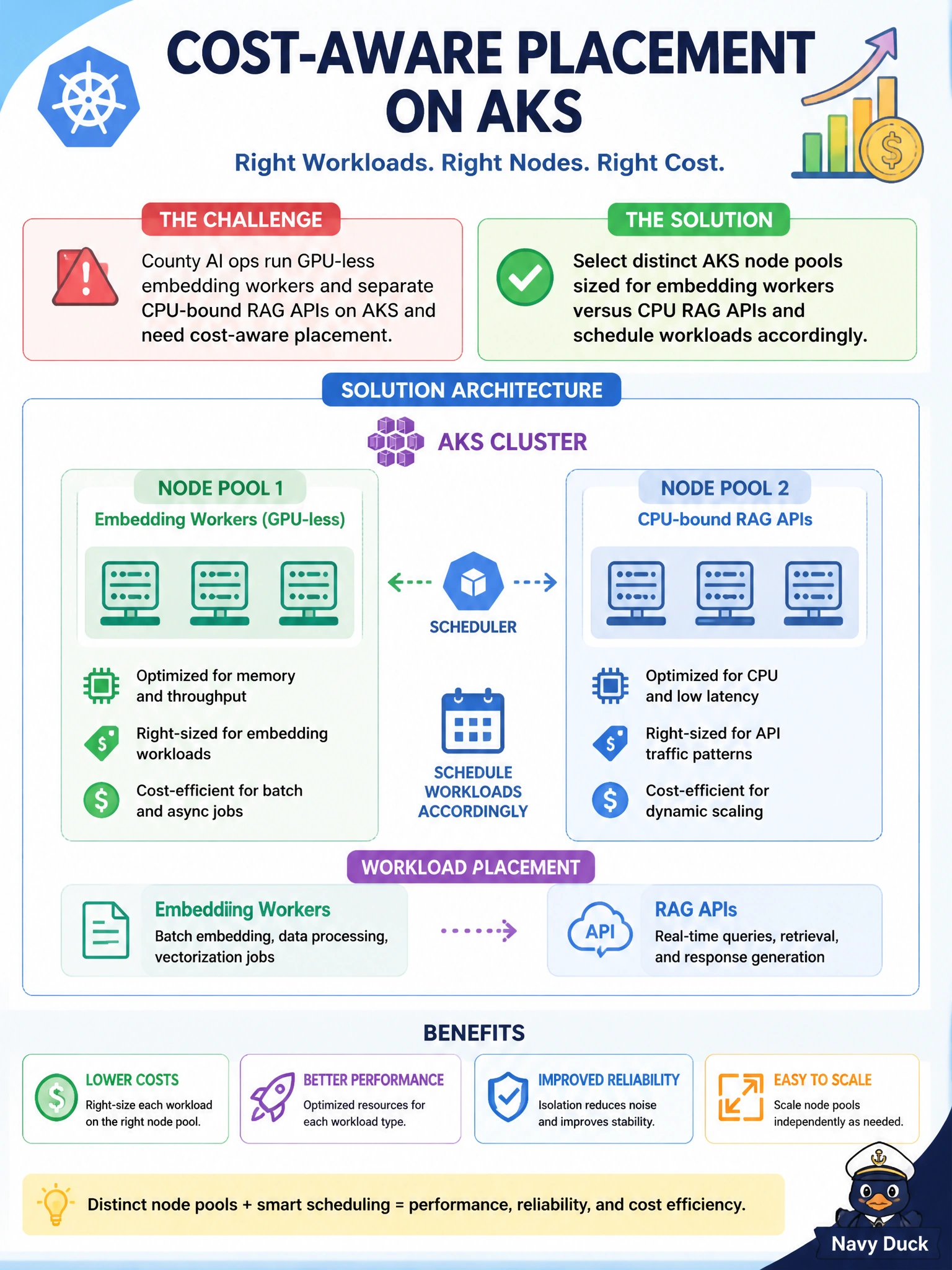
County AI ops run GPU-less embedding workers and separate CPU-bound RAG APIs on AKS and need cost-aware placement. What should they do?
Select an answer to reveal the explanation.
Short Explanation
You can keep costs sensible by matching embedding workers and CPU-bound RAG APIs to AKS node pools sized for their needs. Use workload scheduling to place each service on the right pool, rather than paying for GPUs that sit idle.
Full Explanation
AKS node pools let you place GPU-less embedding workers and CPU-bound RAG APIs on differently sized capacity that matches each workload. Embedding workers that never use a GPU should not incur GPU node pricing; RAG APIs needing steady CPU and memory should run on suitable CPU-optimized or general-purpose pools with appropriate autoscaling. Use node selectors, affinity, or taints and tolerations to schedule each service to its intended pool. Putting every municipal AI workload on one large GPU-backed pool wastes money because unused accelerators still incur GPU node costs. Forcing embedding workers and RAG APIs onto residents’ laptops through Desktop Bridge is not managed AKS placement, lacks the needed SLA and security controls, and cannot replace node pools. Disabling node pools and running privileged DaemonSets on control plane nodes is unsafe and unsupported as an application hosting model; control plane nodes are not an application compute pool. Exam caveat: “GPU-less” is deliberate—do not assume every AI workload needs GPU capacity. Keep control plane nodes reserved for cluster services. Practical check: configure distinct user pools for embeddings and RAG APIs, label them, set selectors or affinities, and deploy both workloads to confirm they land on the intended pools. Check Azure cost views to verify spending matches the selected capacity.