
A housing authority deploys a containerized document-summarizer to Azure App Service. What must they configure correctly for the container to serve traffic?
Select an answer to reveal the explanation.
Short Explanation
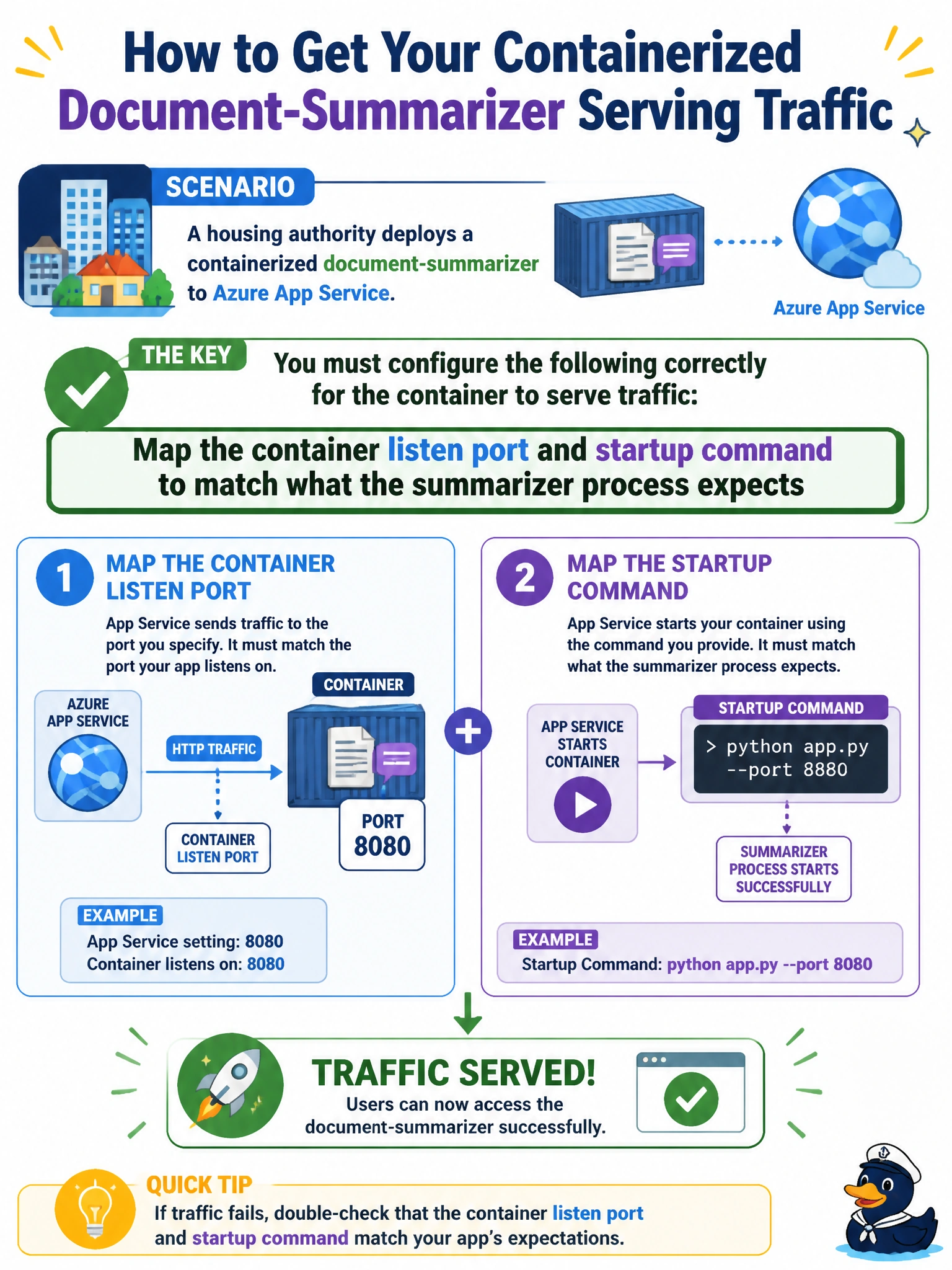
App Service will not magically find your summarizer if it is listening on the wrong door. Match the WEBSITES_PORT or exposed port and startup command to what the housing document container actually runs, same as putting the right suite number on a city office door.
Full Explanation
Azure App Service container hosting requires the platform’s port and startup expectations to match the process inside the image. For a housing authority document-summarizer, operators must map WEBSITES_PORT (or the documented listen port) and any startup command/entrypoint so the summarizer process binds where App Service health and ingress expect it. Correct port and startup alignment lets probes succeed and resident traffic reach the generative summarizer. Incorrect mapping is among the most common reasons containerized App Service apps never become healthy.
Disabling HTTPS and exposing only an unmanaged public Docker socket on the host fails App Service’s managed model and creates a severe security anti-pattern. Requiring every request to rebuild the image from source before responding fails performance and is not how App Service serves containers. Binding the app exclusively to a developer laptop loopback address inside the image fails cloud reachability—the process never listens on an address App Service can route to.
Exam caveat: Exact setting names can vary (WEBSITES_PORT vs. exposing PORT), but the concept is consistent: the container must listen on the port App Service is configured to use, and the startup command must launch the summarizer—not an interactive shell or a different service. Custom containers still run behind App Service TLS termination unless you intentionally customize that path.
Operational check: From App Service logs and container inspect output, confirm the summarizer listens on the configured port, the startup command matches the image’s expected entrypoint, and HTTP probes return success. If the app is unreachable, compare EXPOSE/ENV PORT in the image with App Service port settings before changing unrelated networking or rebuilding per request.