
A water-utility RAG API runs as a container on Azure App Service. How should connection strings be supplied without baking secrets into the image?
Select an answer to reveal the explanation.
Short Explanation
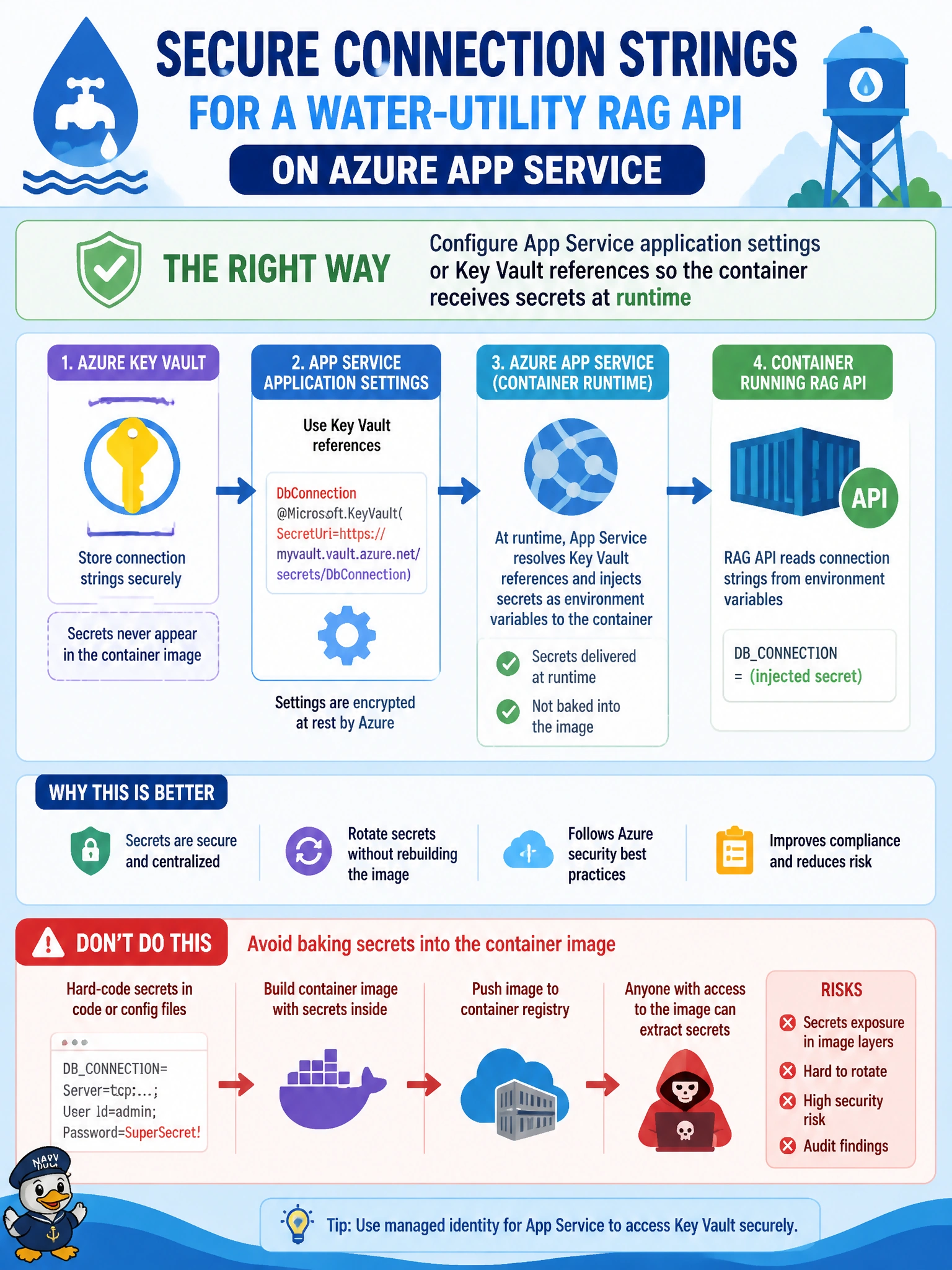
Baking the water-utility connection string into the image is like engraving the vault combination on the delivery truck. Put secrets in App Service settings or Key Vault references so the same image can run in every environment without reprinting credentials.
Full Explanation
Azure App Service supplies configuration to containers through application settings and can reference Azure Key Vault secrets at runtime. For a water-utility RAG API running as a container on App Service, connection strings and other secrets should be injected as environment variables from settings or Key Vault references—not baked into image layers. The same image then promotes across development, staging, and production while each slot or app resolves environment-specific secrets. That separation preserves image reuse, supports rotation in Key Vault, and keeps municipal credentials out of Dockerfiles and git history.
Hard-coding connection strings in Dockerfile ENV instructions before every build fails secret hygiene and forces a rebuild/republish for every credential change or environment. Committing a .env file with production secrets into a public source repository fails confidentiality and often compliance expectations for utility systems. Printing secrets into container logs at startup for operators to copy fails both security and operability—logs are widely readable and secrets become ambiently leaked.
Exam caveat: App Service Key Vault references require the app’s managed identity to have secret get permissions; misconfigured identity access looks like missing settings. The exam distinguishes runtime injection from image-baked secrets; it does not require memorizing every Key Vault reference syntax detail.
Operational check: Inspect the water-utility App Service application settings for Key Vault references or slot settings, confirm the Dockerfile has no production connection strings, search the repo for committed .env secrets, and verify logs do not echo credentials at startup. Rotate a test secret in Key Vault and confirm the container picks up the new value after restart without rebuilding the image.