
A transit authority maps which control families govern Copilot data risk in Microsoft 365. What should that map emphasize?
Select an answer to reveal the explanation.
Short Explanation
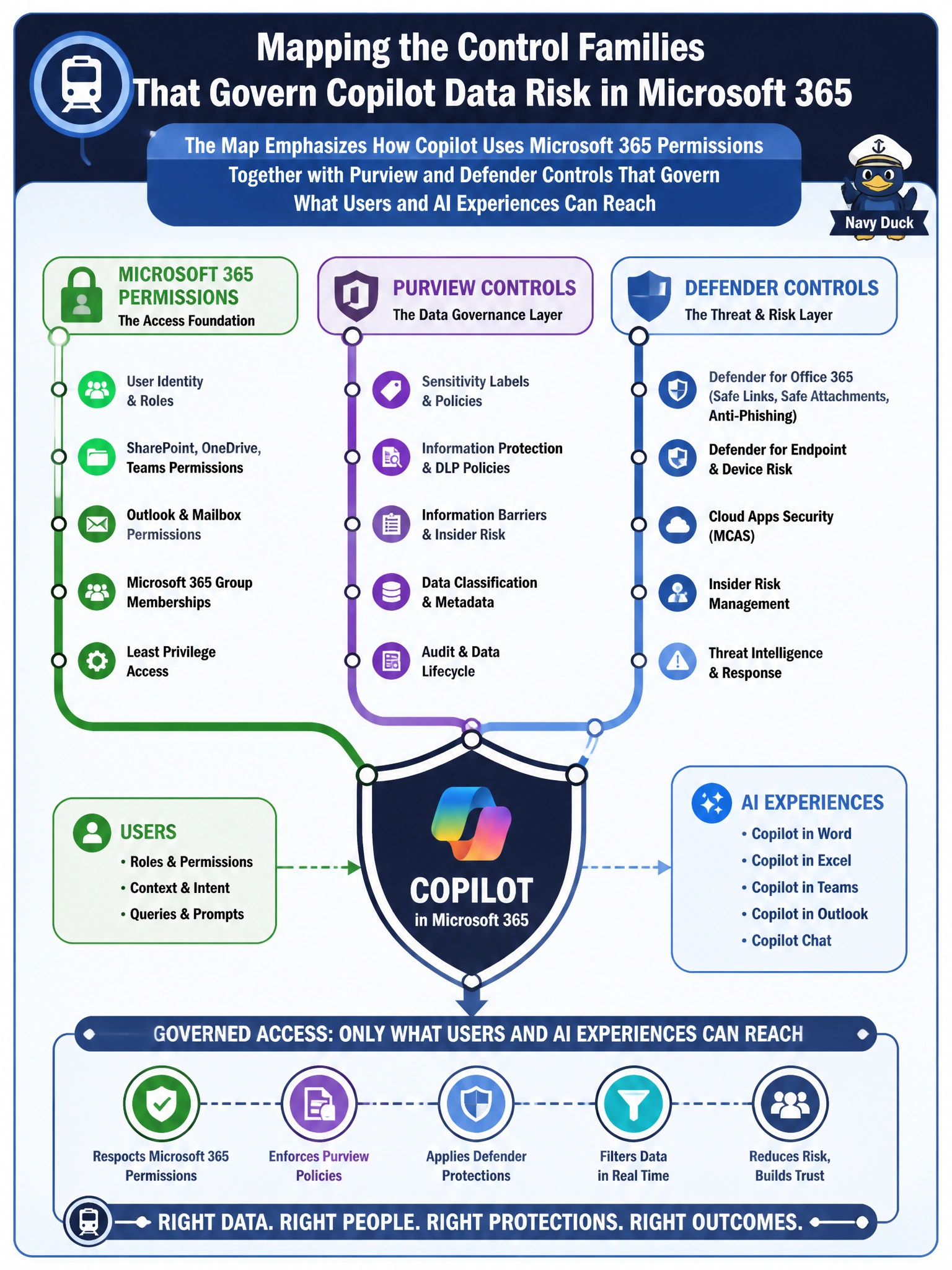
Think of Copilot risk like a layered security desk—not one magic switch. Transit leaders should map Microsoft 365 permissions plus Purview and Defender controls that decide what people and AI can actually reach. You'll see SharePoint admin roles with retention labels, Entra groups with audit logs, and Intune states with Defender tags don't grant AI extra reach beyond your permissions.
Full Explanation
For a transit authority mapping Copilot data risk in Microsoft 365, the control families that matter are Microsoft 365 permissions together with Microsoft Purview and Microsoft Defender controls that govern what users and AI experiences can reach. Copilot respects the same identity, sensitivity labeling, DLP, and threat-protection posture already applied to SharePoint, OneDrive, Exchange, and Teams content. Mapping risk therefore means documenting how least-privilege access, classification, DLP policies, and Defender signals constrain both human and AI retrieval—not inventing a separate “AI-only” permission model disconnected from tenant controls.
SharePoint admin roles together with Purview retention labels fail as a data-risk control family: admin roles delegate management and retention labels control how long content is kept, but they do not grant AI experiences search access beyond user permissions—Copilot still respects the user's effective permissions. Microsoft Entra group membership together with Purview audit logs fail as the municipal Copilot permission model: group membership helps scope what a user may access and audit logs only record activity for review, but they do not authorize AI experiences to bypass file-level permissions. Intune compliance states together with Defender endpoint tags fail as the control that decides Copilot SharePoint access: they signal device health that can condition access, but they do not expand AI experiences to reach restricted SharePoint libraries beyond SharePoint permissions, sensitivity labels, or DLP that gate AI grounding.
Exam caveat: AB-900 expects identify-level recognition that Copilot inherits Microsoft 365 security and compliance controls; it does not require designing a full transit Copilot architecture or configuring every Purview policy by hand. Related topics such as Conditional Access or app consent may appear nearby but are not substitutes for naming the permissions-plus-Purview-plus-Defender control families in this stem.
Operational check: For a representative transit SharePoint library, verify a low-privilege test account’s Copilot results match that user’s effective permissions, confirm sensitivity labels and DLP policies apply to content Copilot can see, and ensure Defender-related protections for the tenant remain enabled—then record those control families on the authority’s Copilot risk map.
Prefer to study offline? Printable PDF study book + test engine ($7.50, unofficial). These questions stay free here.