
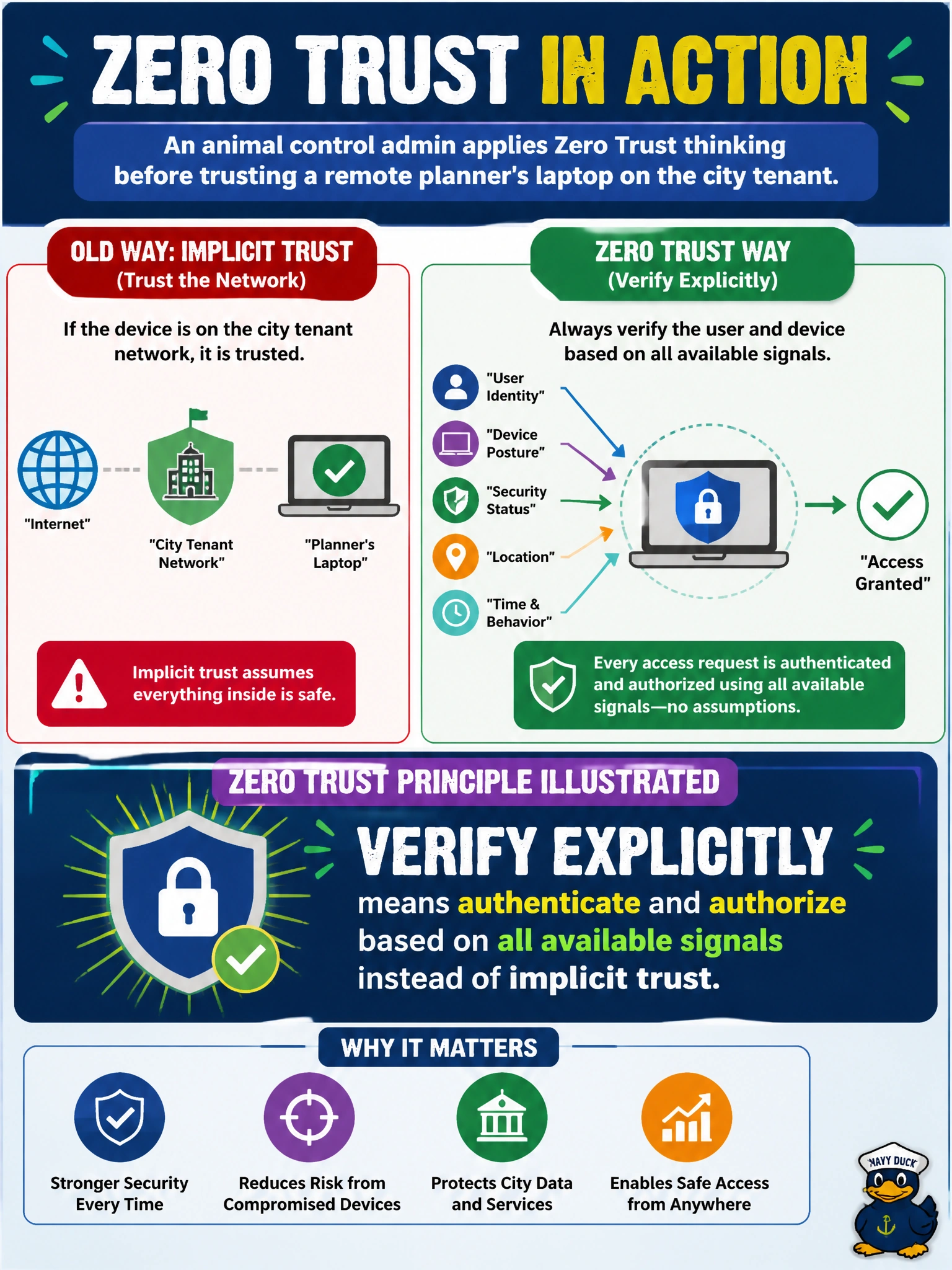
An animal control admin applies Zero Trust thinking before trusting a remote planner's laptop on the city tenant. Which Zero Trust principle is illustrated by always verifying the user and device rather than trusting the network location?
Select an answer to reveal the explanation.
Short Explanation
"Verify explicitly" is the opposite of "they're on the VPN, so they're fine." Check the person and the device with real signals every time — like badge-checking at every door, not just the front gate. Assume breach, least privilege, and defense in depth are real Zero Trust pillars too, but none of them is the one being described here.
Full Explanation
Animal control applying Zero Trust before trusting a remote planner’s laptop illustrates ‘verify explicitly’: authenticate and authorize based on available signals—identity, device health, location, risk—rather than implicit trust because the device appears on a known network. Network location alone is not sufficient trust for access to the city Microsoft 365 tenant; each session should be evaluated with modern signals.
The assume-breach option correctly describes assume breach, but assume breach addresses designing for post-compromise containment, not the network-location-versus-device-signal distinction the stem asks about. The least-privilege option accurately describes least privilege, yet least privilege concerns scope of access, not whether a request is verified by signals instead of trusted by network location. The defense-in-depth option correctly describes layered controls, but defense in depth is about stacking independent protections, not about replacing implicit network trust with explicit verification.
Exam caveat: Memorize the Zero Trust trio commonly tested—verify explicitly, least privilege, assume breach—and reject options that invert those principles. Verify explicitly ≠ trust the VPN or office LAN by default.
Operational check: require multifactor authentication and Conditional Access that evaluates user and device signals for remote planners, block or limit access from noncompliant devices, review sign-in logs for the planner account after policy application, and confirm the planner can reach only required apps without blanket trust based on network path.
Prefer to study offline? Printable PDF study book + test engine ($7.50, unofficial). These questions stay free here.