
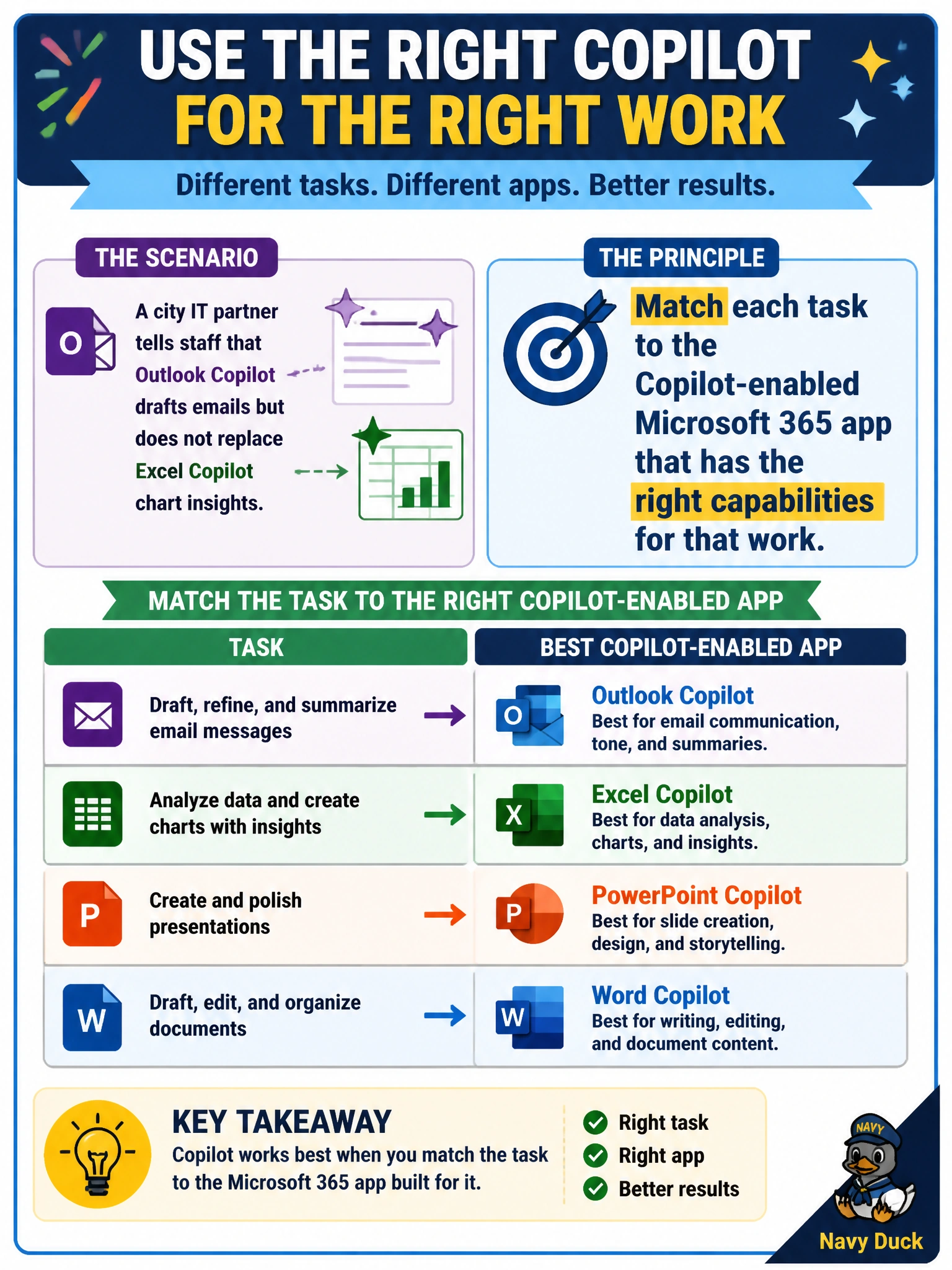
A city IT partner tells staff that Outlook Copilot drafts emails but does not replace Excel Copilot chart insights. What principle does that illustrate?
Select an answer to reveal the explanation.
Short Explanation
Don’t ask the mailroom to run the budget charts. Point email work to Outlook Copilot and number work to Excel Copilot. Matching the tool to the job is half the win with Microsoft 365 Copilot.
Full Explanation
The IT partner’s guidance illustrates the principle of matching each task to the Copilot-enabled Microsoft 365 app that has the right capabilities for that work. Outlook Copilot drafts emails; it does not replace Excel Copilot chart insights. Training municipal staff to select the appropriate app prevents wasted effort and incorrect expectations about what Copilot can do in each place—an AB-730 fundamentals outcome.
Using only Outlook Copilot for charts, emails, and every other municipal deliverable fails because one email-oriented surface cannot subsume spreadsheet analytics and other app-specific features.
Disabling Excel Copilot because Outlook Copilot already covers spreadsheet analytics citywide invents coverage Outlook does not have and would remove the correct tool for chart and workbook insights.
Requiring PowerPoint Copilot for all numeric CIP reviews because slides always include charts fails: slides are not mandatory for numeric review, and PowerPoint Copilot is not a substitute for Excel’s workbook-aware analysis.
Exam caveat: when a stem contrasts two Copilot apps, prefer the option that states task-to-app matching rather than “one app for everything” or “disable the right tool.”
Operational check: route resident and council email drafts to Outlook Copilot, keep CIP chart and formula work in Excel Copilot, and document this pairing in city IT Copilot guidance so departments stop shopping for the wrong button.