
Harborview Health System has deployed Microsoft 365 Copilot to 500 clinical and administrative staff. Three months in, the IT director wants to know which Microsoft 365 workloads (Teams, Outlook, Word, etc.) are seeing the highest Copilot adoption, and which workloads are being underutilized despite license assignment. Where should the administrator go to find this workload-level Copilot adoption data?
Select an answer to reveal the explanation.
Short Explanation and Infographic
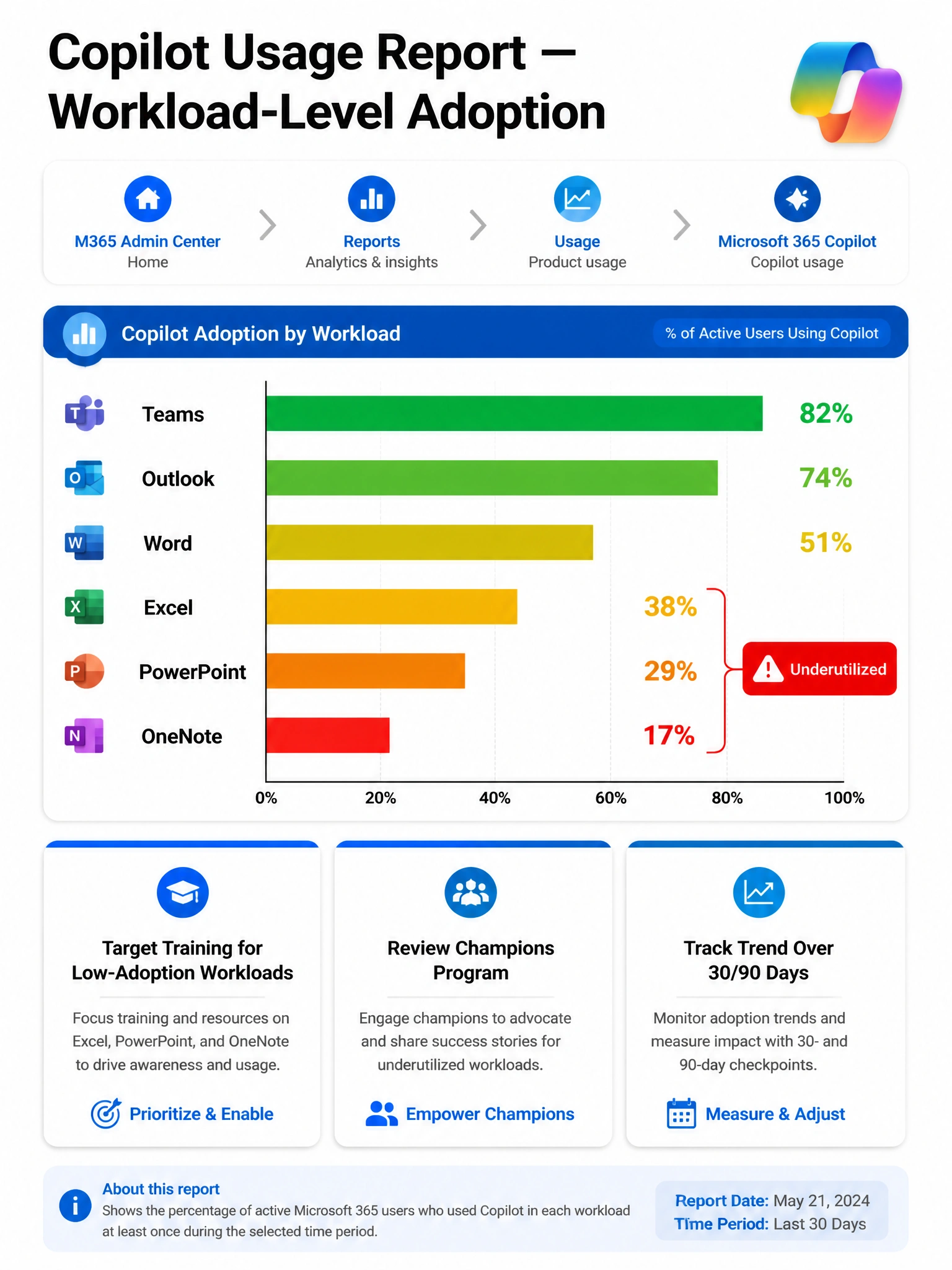
The Copilot usage report in the M365 admin center is exactly what you want — it shows active users per workload (Teams Copilot, Outlook Copilot, Word Copilot, etc.) so you can spot that, say, Teams adoption is great but Word adoption is lagging. It's your adoption heat map by product.
Full explanation below image
Full Explanation
The Copilot usage report in the Microsoft 365 admin center (Reports > Usage > Microsoft 365 Copilot) provides detailed adoption metrics broken down by Microsoft 365 workload. It shows active user counts, adoption percentages, and usage trends for Copilot in Teams, Outlook, Word, Excel, PowerPoint, OneNote, Loop, and other supported applications. This is the purpose-built report for the workload-level adoption analysis the IT director needs.
Option A is incorrect because Microsoft Viva Insights provides employee experience and wellbeing analytics — things like meeting load, collaboration patterns, and focus time. While it may surface some Copilot-related patterns, it is not the primary tool for Copilot workload-level adoption metrics and does not live in the Teams admin center. It's also a separate product from Copilot usage reporting.
Option C is incorrect because Microsoft Purview Activity Explorer is designed for data governance scenarios — tracking how labeled content is accessed, shared, and modified. It is not designed for product adoption reporting and does not provide workload-level Copilot usage breakdowns.
Option D is incorrect because the Microsoft 365 Apps usage report tracks which Microsoft 365 desktop and web applications users are active in (the apps themselves), not whether they are specifically using Copilot features within those apps. A user can be active in Word without having used Word Copilot at all.
Exam tip: Know that the Copilot usage report is at Reports > Usage > Microsoft 365 Copilot in the M365 admin center. The report includes: licensed user count, active user count (30-day), and workload-level breakdown. The distinction between M365 Apps usage (app activity) and Copilot usage (AI feature activity within those apps) is a commonly tested nuance.