
Apex Insurance Group's IT governance policy requires that all Microsoft 365 license acquisitions go through a formal procurement process approved by the CFO. The IT admin discovers that some business unit managers have been independently purchasing Microsoft 365 Copilot licenses through Microsoft's self-service portal. How should the admin prevent future self-service Copilot license purchases?
Select an answer to reveal the explanation.
Short Explanation and Infographic
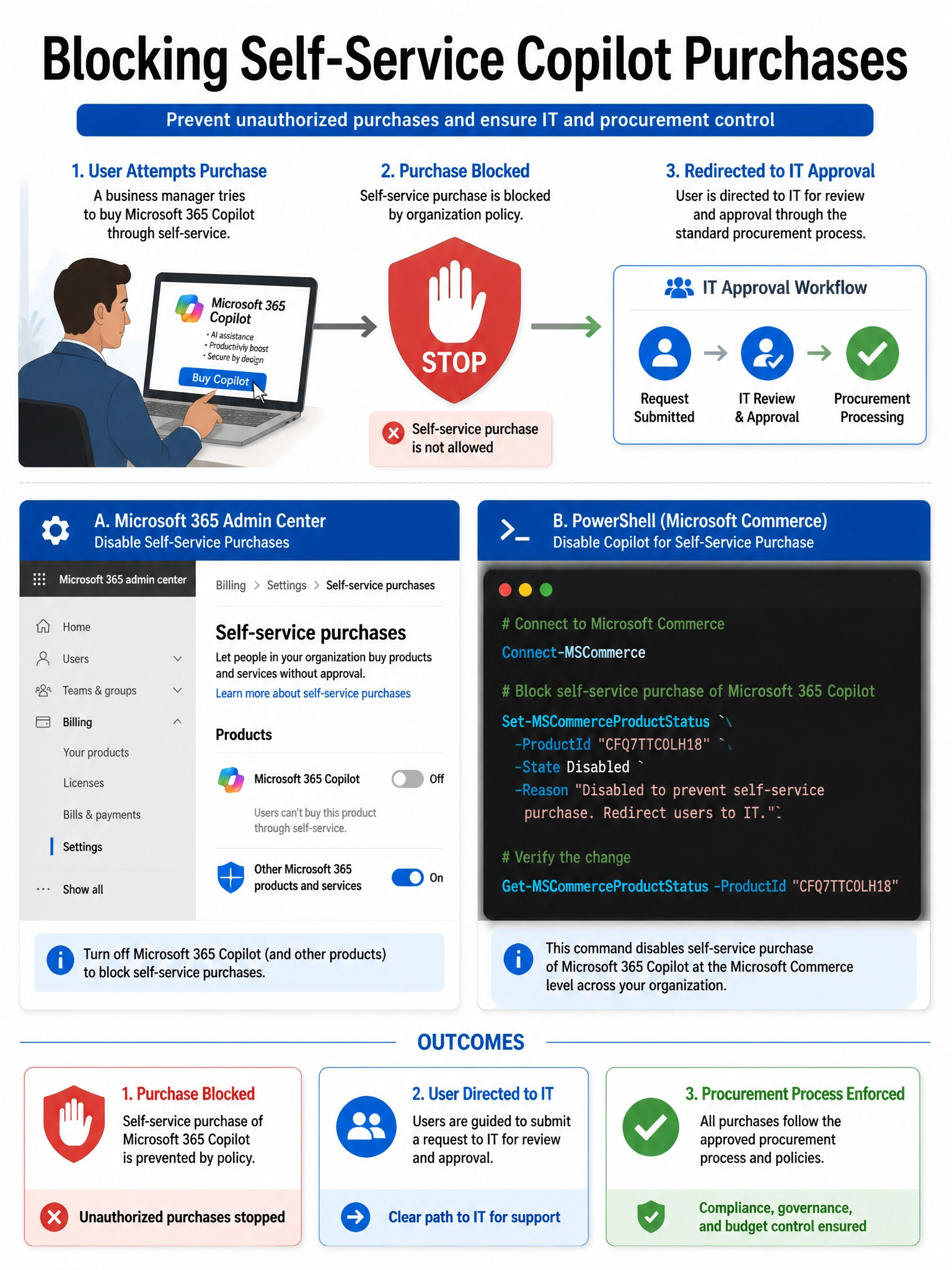
Self-service purchases are controlled through a dedicated Microsoft billing setting — you can flip them off using the MSCommerce PowerShell module or right in the admin center billing settings. Think of it as a per-product on/off switch that's completely separate from user roles.
Full explanation below image
Full Explanation
Microsoft provides explicit controls for self-service purchases through the Microsoft 365 admin center under Billing > Your products / Settings, or programmatically via the MSCommerce PowerShell module's Set-MSCommerceProductStatus command. Administrators can disable self-service purchase specifically for Microsoft 365 Copilot (or any other eligible product) so that users see a message directing them to IT when they try to buy. This is the designed, supported mechanism for this governance requirement.
Option A is incorrect because self-service purchase capability is NOT tied to the Global Administrator role. Regular users can self-service purchase certain Microsoft products with their work accounts. Removing admin roles from business unit managers would change their administrative capabilities unrelated to purchasing and would likely cause operational disruption.
Option C is incorrect because Microsoft Support does not manage per-tenant self-service purchase settings on behalf of customers. This is a self-service administration function that tenant admins control themselves — there is no need to engage support.
Option D is incorrect because Entra Identity Governance access packages control the assignment of already-acquired licenses within the tenant. They do not prevent the purchase of new licenses through Microsoft's commerce platform. The issue here is the acquisition of licenses, not their assignment within the tenant.
Exam tip: The MSCommerce PowerShell module command to know is: Set-MSCommerceProductStatus -ProductId <ProductId> -Enabled $false. The exam may also test that this setting lives under Billing in the admin center and that it's product-specific, not a blanket on/off.