
Nordic Biotech's compliance team has determined that employees must not use AI tools that reference external internet sources when working with proprietary research data. The Microsoft 365 admin needs to ensure that Microsoft 365 Copilot Chat does not use web content to generate responses for any user in the tenant. What is the correct configuration step?
Select an answer to reveal the explanation.
Short Explanation and Infographic
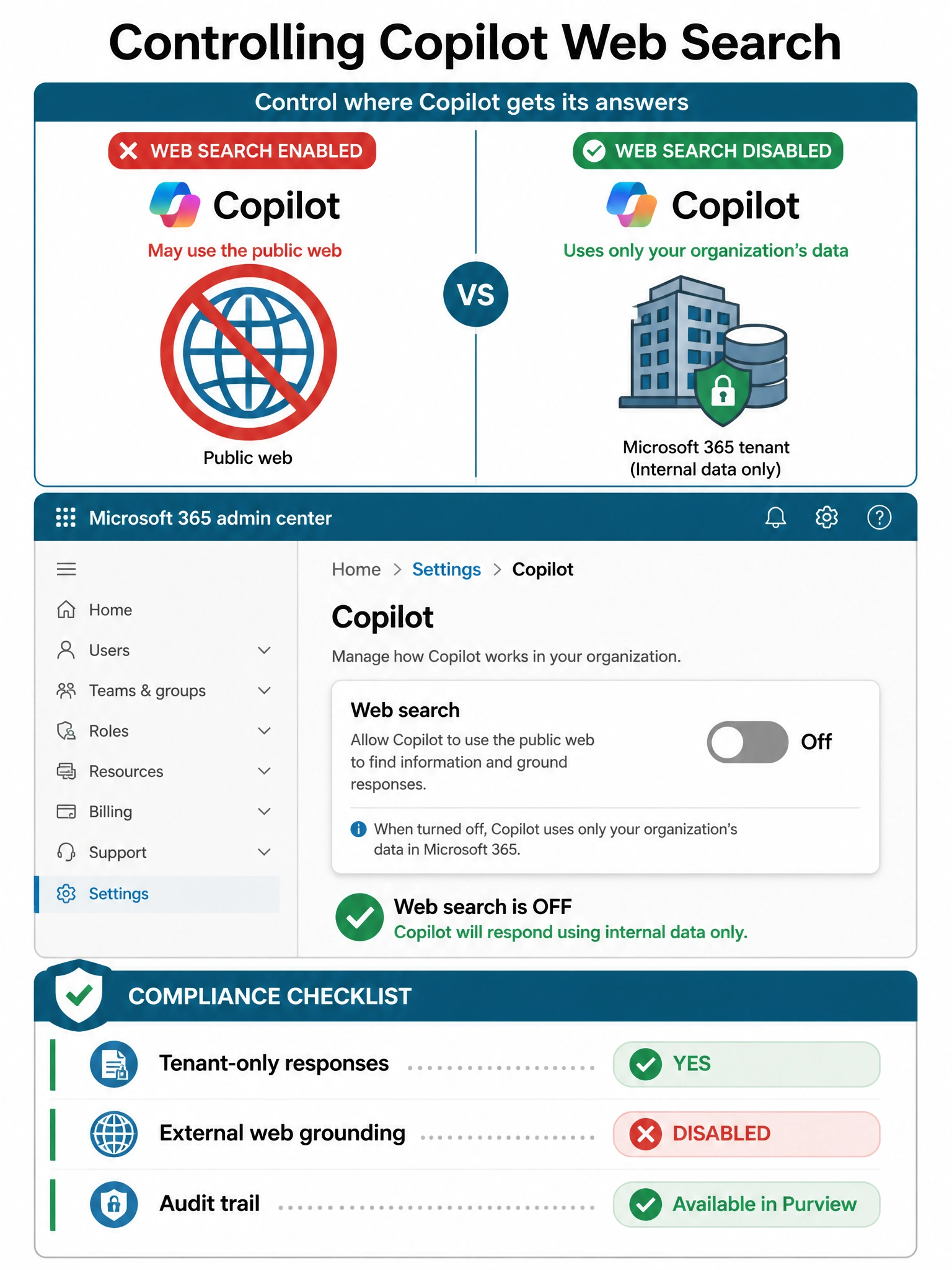
The web search toggle for Copilot lives in the Microsoft 365 admin center — it's a clean, admin-controlled switch that tells Copilot to stay inside your tenant's data and not reach out to the web. It's the right tool for a compliance-driven requirement like this, no firewall hacks needed.
Full explanation below image
Full Explanation
Microsoft 365 admin center > Settings > Copilot (or the Copilot section) provides a dedicated web search control that governs whether Copilot Chat and other Copilot experiences can pull in public web content via Bing when generating responses. Disabling this setting is the correct, Microsoft-supported mechanism to restrict Copilot to tenant-internal data only, satisfying data sovereignty and compliance requirements.
Option A is incorrect because communication compliance policies in Purview monitor and flag content after the fact — they don't prevent Copilot from using web data to generate responses. This is a detective control, not a preventive one.
Option C is incorrect because blocking Bing.com with Conditional Access would disrupt Bing search for users in their browsers too, creating unintended side effects. Conditional Access policies also don't specifically target Copilot's internal service-to-service calls.
Option D is incorrect because Copilot's Bing integration happens at the Microsoft 365 service level, not directly from client devices. Firewall rules at the corporate perimeter would not intercept cloud-to-cloud service calls made by the Copilot backend on Microsoft's infrastructure. This approach would also be operationally complex and unreliable.
Exam tip: Know the exact location of the web search toggle: Microsoft 365 admin center > Settings > Copilot. The exam distinguishes between controls that block behavior at the SERVICE level (correct) versus controls that try to block it at network or compliance monitoring levels (incorrect for this use case).