
Fourth Coffee's IT team has noticed that employees frequently set passwords like 'FourthCoffee2024!' and '4thCoffee#1' — variations of the company name that technically pass complexity rules but are easily guessable. The security team wants to proactively block these company-specific password patterns for all users. What should the admin configure to address this?
Select an answer to reveal the explanation.
Short Explanation and Infographic
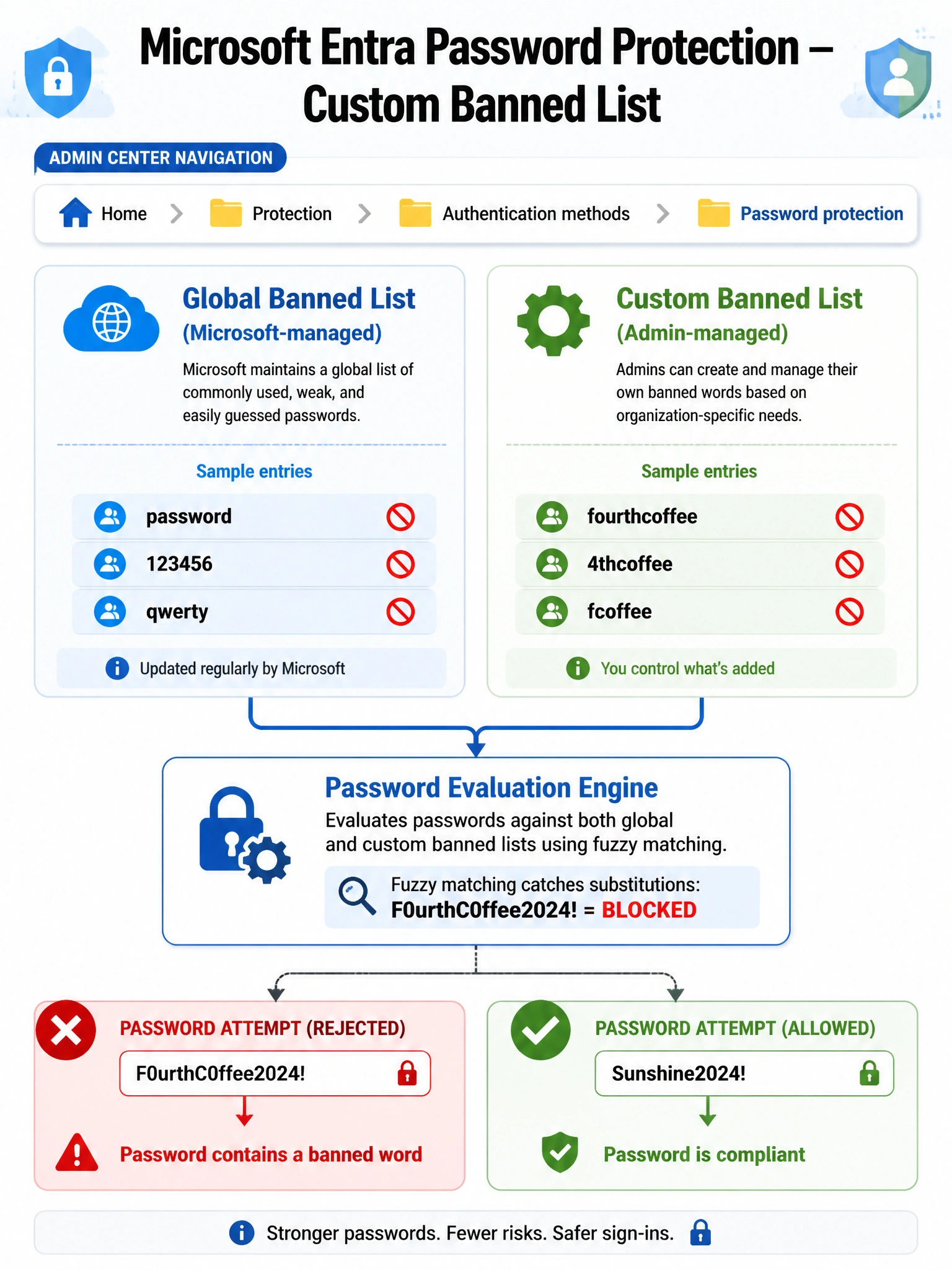
Think of the custom banned password list like a bouncer with a VIP blacklist — it blocks specific words your org cares about that Microsoft's global list doesn't know about. You add your company name, product names, or local slang, and Entra ID rejects any password containing those strings, even with numbers or symbols swapped in.
Full explanation below image
Full Explanation
Microsoft Entra ID Password Protection includes two layers of banned password enforcement: a Microsoft-managed global banned password list (updated continuously based on real-world attack data) and a customer-managed custom banned password list. The custom list is configured under Microsoft Entra admin center > Protection > Authentication methods > Password protection. Admins enter custom terms (e.g., 'fourthcoffee', '4thcoffee'), and the engine evaluates passwords using fuzzy matching — so 'F0urthC0ffee2024!' would still be blocked even with character substitutions.
Option A is incorrect because Conditional Access policies govern access decisions (allow, block, require MFA) based on signals like location, device compliance, or risk level. They do not evaluate or enforce password content. There is no CA policy action that blocks specific password strings.
Option C is incorrect because SSPR (Self-Service Password Reset) is a mechanism for users to reset their own passwords without contacting IT. Forcing a password reset through SSPR does not prevent users from choosing another variation of a banned word. The root problem — no enforcement against company-name passwords — remains unsolved.
Option D is incorrect because Smart Lockout is designed to protect accounts against brute-force and password spray attacks by temporarily locking accounts after repeated failed sign-in attempts. It has no awareness of what the password string itself contains; it acts after authentication attempts fail, not at password-creation time.
Exam tip: Password Protection with a custom banned list is the only mechanism in Microsoft Entra that enforces restrictions on password content at set/change time. Questions about blocking specific words or company-name patterns in passwords almost always point to this feature.