
Meridian Consulting Partners wants to enable Microsoft 365 Copilot in Teams meetings so that meeting participants can ask Copilot questions during and after meetings. However, they want to ensure that Copilot can function even in meetings where a recording is not started. Which Teams meeting policy setting must be configured, and what value allows Copilot to work without requiring a recording?
Select an answer to reveal the explanation.
Short Explanation and Infographic
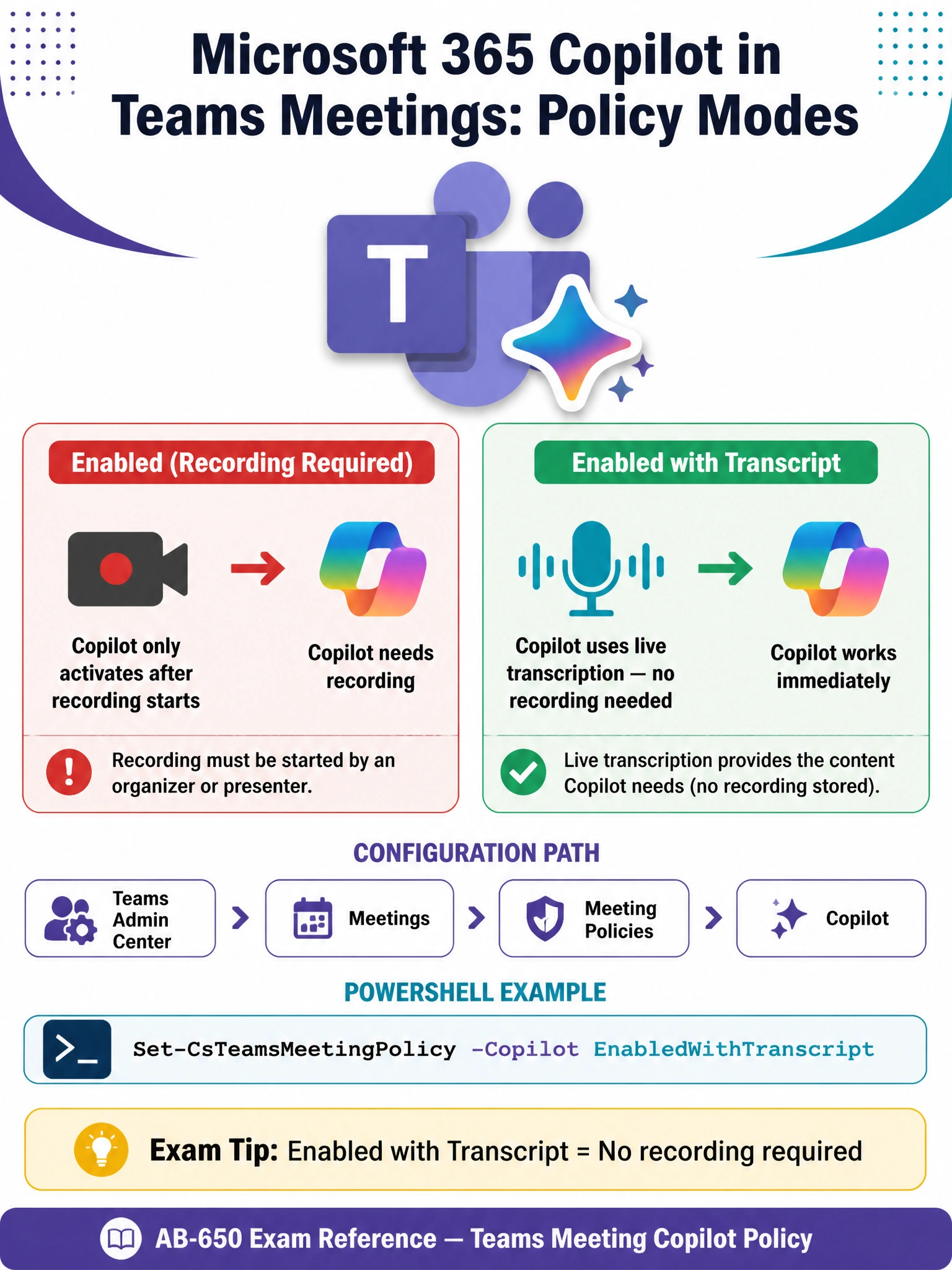
Copilot in Teams meetings has its own dedicated policy setting with two modes — think of it like a car that can run on gas OR electric. 'Enabled with transcript' is the electric mode: it powers Copilot using live transcription instead of a recording, so the meeting doesn't need to be captured on video for Copilot to work. That's the setting Meridian needs.
Full explanation below image
Full Explanation
Microsoft 365 Copilot in Teams meetings is controlled by a dedicated Copilot policy setting within Teams meeting policies, not by the recording or transcription policies alone. The Copilot meeting policy has two primary values: 'Enabled' (which requires a recording to be active before Copilot can be used) and 'Enabled with transcript' (which allows Copilot to function using live, real-time transcription — no recording required). For organizations like Meridian Consulting Partners that want Copilot available without mandating recordings, 'Enabled with transcript' is the correct configuration.
This setting can be configured in the Teams admin center under Meetings > Meeting policies > Copilot, or via PowerShell using Set-CsTeamsMeetingPolicy with the -Copilot parameter set to 'EnabledWithTranscript'. When set this way, participants can interact with Copilot during the meeting using live transcript data, and after the meeting using the transcript that was captured.
Option A is incorrect because cloud recording is not required for Copilot to function in Teams meetings. While Copilot CAN use recording data, the 'Enabled with transcript' mode specifically exists to decouple Copilot functionality from recording requirements. Requiring cloud recording would impose privacy and compliance burdens that many organizations want to avoid.
Option B is incorrect because enabling 'Allow transcription' alone does not activate Copilot. Transcription is a prerequisite for the 'Enabled with transcript' Copilot mode, but the Copilot policy itself must also be set. Simply turning on transcription does not enable or configure Copilot in meetings. The two settings work together, but enabling transcription alone is insufficient.
Option D is incorrect because Copilot in Teams meeting behavior is governed specifically by Teams meeting policies in the Teams admin center, not a generic Copilot setting in the Microsoft 365 admin center. While the M365 admin center has Copilot-related settings, the granular control for Teams meeting Copilot behavior (transcript vs. recording dependency) lives in Teams admin center meeting policies. This option describes a non-existent configuration path.
Exam tip: Know the two Copilot meeting policy values cold — 'Enabled' (requires recording) vs. 'Enabled with transcript' (uses live transcription, no recording needed). Questions will often present scenarios where recording is undesirable, and the correct answer hinges on knowing that transcript mode exists specifically for that use case.