
The IT director at Summit Insurance Group wants the helpdesk team to automatically receive email alerts whenever Microsoft Exchange Online or Microsoft Teams experiences a service incident or advisory — without requiring the helpdesk team to manually check the admin center. What must the Microsoft 365 admin configure to enable this automated notification behavior?
Select an answer to reveal the explanation.
Short Explanation and Infographic
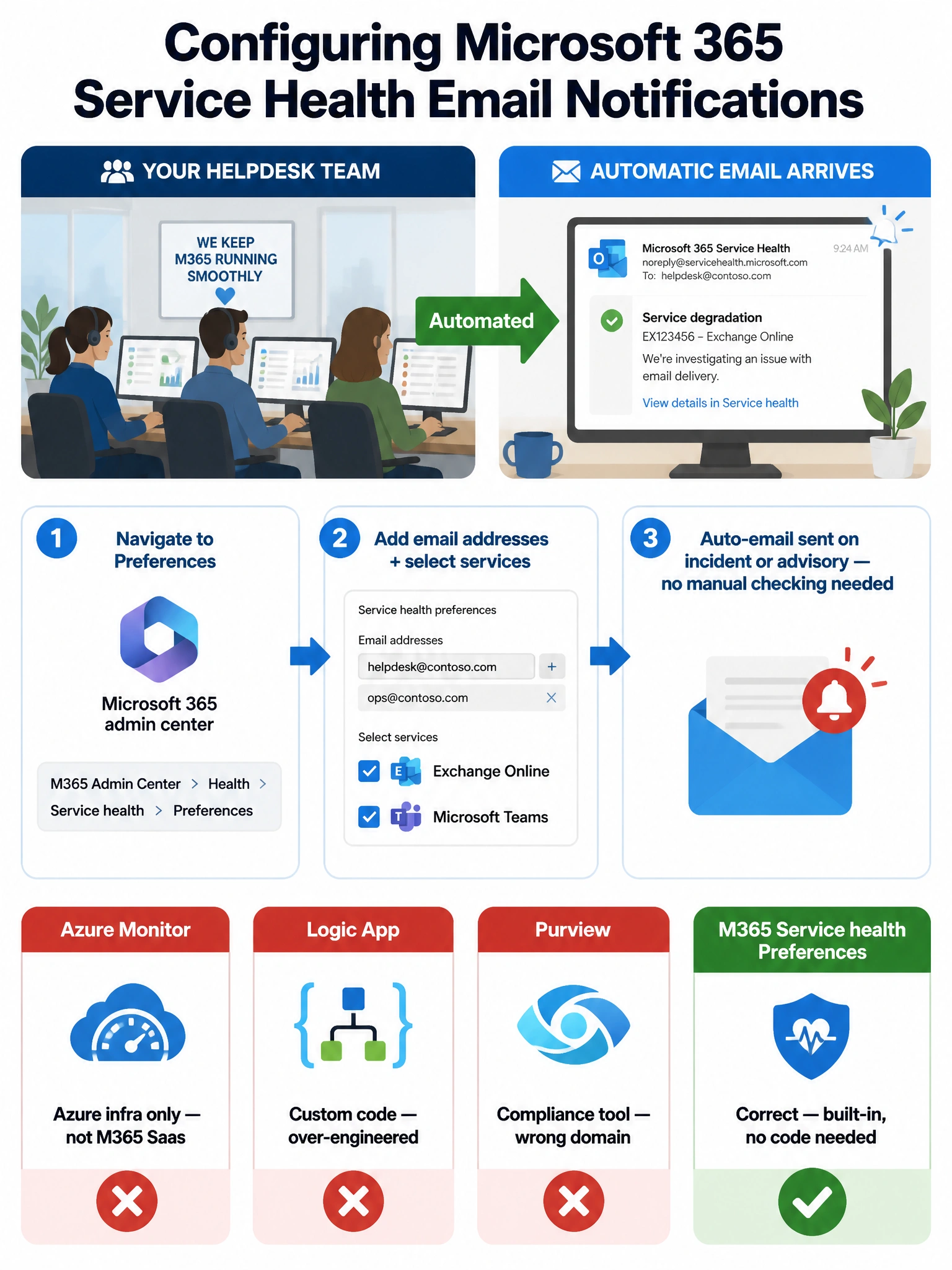
The Microsoft 365 admin center has a built-in Preferences pane under Service health where you can drop in email addresses and pick exactly which services to watch — no Logic Apps, no Azure Monitor, no Purview needed. It's the simplest, most direct path and it's the answer Microsoft expects you to know.
Full explanation below image
Full Explanation
Microsoft 365 admin center > Health > Service health includes a native email notification feature accessible through the Preferences button. Admins can enter one or more email addresses and select which Microsoft 365 services (such as Exchange Online and Microsoft Teams) should trigger email notifications, and whether to receive notifications for incidents only, advisories only, or both. This is the built-in, supported, and exam-expected solution for automated service health alerting without requiring additional tooling or coding.
Once configured, whenever Microsoft detects and posts a service incident or advisory for a selected service, the specified email recipients are automatically notified without any manual action required. This is the primary mechanism Microsoft designed for service health awareness for IT operations teams.
Option A is incorrect. Azure Monitor is a platform for monitoring Azure infrastructure resources — virtual machines, databases, App Services, and other Azure-hosted services. It does not natively integrate with Microsoft 365 service health in a way that produces incident/advisory email alerts for SaaS services like Exchange Online or Teams. While Microsoft 365 service health data can be surfaced through certain Azure integrations with custom configuration, this is not the direct supported path for this use case.
Option B is incorrect in the context of this question. While it is technically possible to build a Logic App that polls the Microsoft 365 Service Communications API and sends emails, this approach requires significant development effort, maintenance, and operational overhead. The question asks what the admin 'must configure' — implying the simplest supported solution. Using a Logic App when a native built-in feature exists would be an over-engineered answer and is not what the exam is testing.
Option C is incorrect. The Microsoft Purview compliance portal handles compliance, audit logs, data governance, and eDiscovery. It does not provide service health alerting for Microsoft 365 workloads. Service health is an operational/availability function, not a compliance function, and Purview audit alerts are not the right tool for monitoring Exchange Online or Teams incident notifications.
Exam tip: On the AB-650 exam, native admin center features always take priority over custom-coded or third-party solutions when both could technically accomplish the task. Microsoft 365 admin center > Health > Service health > Preferences is the canonical answer for automated service health email notifications.