
Contoso's IT team discovers that many users are setting passwords containing company-specific terms like 'Contoso', 'Corp', and 'HQ2024'. These passwords pass the standard complexity requirements but are weak against targeted attacks. The admin wants to automatically block these terms and common variants. What should the admin configure?
Select an answer to reveal the explanation.
Short Explanation and Infographic
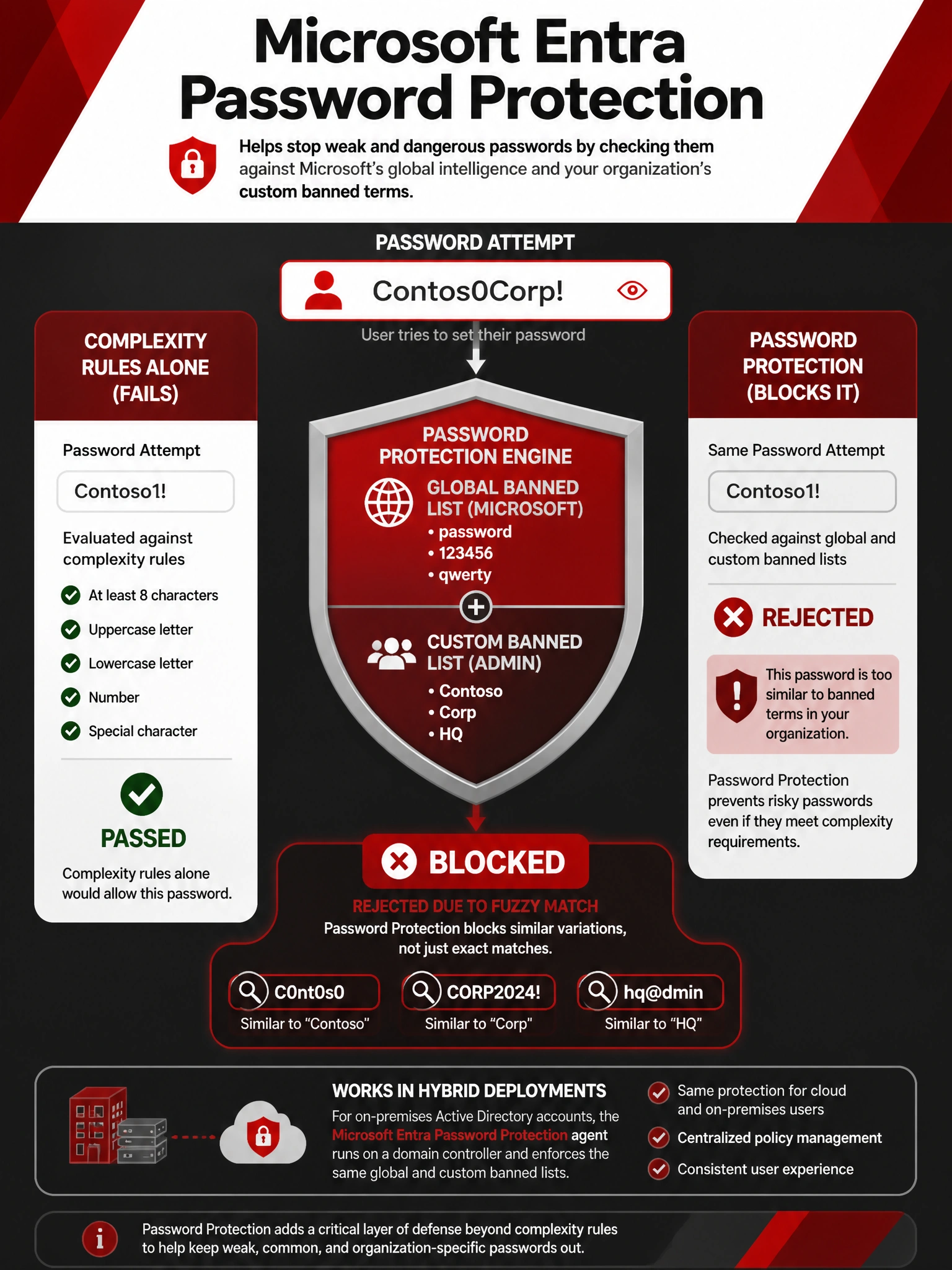
Password complexity rules check the box but miss the real threat — attackers who know your company's name will try 'Contoso1!' first. Microsoft Entra Password Protection is like having a bouncer who knows all the company nicknames: it evaluates your attempted password against a global banned list PLUS your custom list, blocks exact matches AND common substitutions (like C0nt0s0 or Contos0). Complexity alone can't do that.
Full explanation below image
Full Explanation
Microsoft Entra Password Protection provides two layers of banned password protection: a globally maintained list of commonly compromised passwords (maintained by Microsoft and updated continuously), and an optional custom banned password list where admins can add organization-specific terms. When a user attempts to set a password, the system evaluates not just exact matches but also common character substitutions (e.g., 'o' to '0', 'a' to '@'), capitalizations, and appended numbers or symbols. Adding 'Contoso', 'Corp', and 'HQ' to the custom list will block those terms and hundreds of variations derived from them.
Option A (Group Policy complexity) addresses structure but not vocabulary. A 14-character password containing 'Contoso2024!!' satisfies all complexity rules but is highly predictable and weak against targeted dictionary attacks that include the company name. Complexity requirements and banned password lists are complementary controls.
Option B (Smart Lockout) is an account protection mechanism — it detects repeated failed sign-in attempts and temporarily locks the account. It does not evaluate the strength or content of passwords during the password-setting process. Smart Lockout helps after an attack starts; Password Protection prevents weak passwords from existing in the first place.
Option D (forced password change every 30 days) does not prevent company-specific passwords — a user could simply cycle through 'Contoso2024!', 'Contoso2025!', etc. Current Microsoft guidance actually recommends against frequent forced password changes, as research shows they lead to weaker password patterns. NIST guidelines support this stance.
Exam tip: Microsoft Entra Password Protection evaluates passwords using 'fuzzy matching' that catches variations of banned terms. It also works with on-premises Active Directory when the Password Protection proxy and DC agent are deployed on Windows Server domain controllers. This hybrid support is a common exam topic.