
Northwind Traders has purchased 200 Microsoft 365 Copilot licenses and wants to assign them to specific users in the Sales and Marketing departments. The admin also needs to monitor which users have active Copilot licenses and track license utilization over time. Where in the Microsoft 365 admin center can the admin assign Microsoft 365 Copilot licenses AND view a report on active usage?
Select an answer to reveal the explanation.
Short Explanation and Infographic
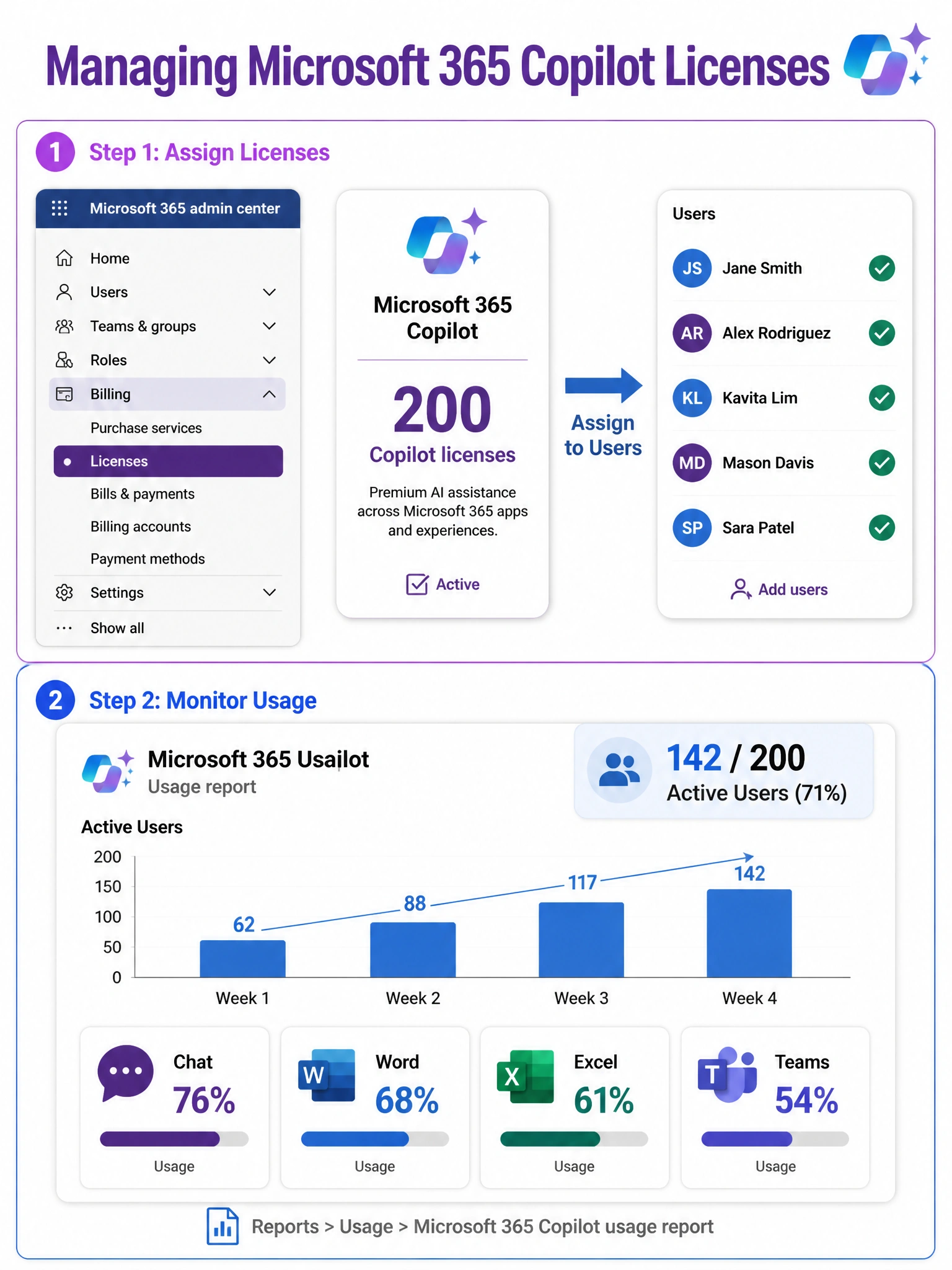
Think of Billing > Licenses as the hardware store where you hand out the tools — that's where you assign Copilot licenses to specific users. Then head to Reports > Usage to see who's actually swinging that hammer. Both live right inside the Microsoft 365 admin center.
Full explanation below image
Full Explanation
The correct answer is B. Microsoft 365 Copilot licenses are managed in the Microsoft 365 admin center under Billing > Licenses. From there, an admin can select the Microsoft 365 Copilot license and assign it to individual users or groups. Once licenses are assigned, the admin can navigate to Reports > Usage > Microsoft 365 Copilot usage report to see adoption metrics including active users, feature-level usage (Copilot in Word, Excel, Teams, etc.), and trends over time. This two-step workflow — assign in Billing, monitor in Reports — is the standard Microsoft 365 licensing pattern.
Option A is incorrect. Microsoft Copilot Studio is a separate product used to build custom AI agents and chatbots. While Copilot Studio has its own licensing (Power Platform capacity), Microsoft 365 Copilot licenses are not assigned through the Copilot Studio admin center. Assigning licenses there would have no effect on the users' Microsoft 365 Copilot access.
Option C is incorrect. The Microsoft Entra admin center's Enterprise applications section controls single sign-on (SSO) and conditional access for applications, not license assignment. Assigning a user to an enterprise application grants them SSO access, but it does not consume or assign a Microsoft 365 Copilot license. License entitlement and SSO access are separate concepts in the Microsoft ecosystem.
Option D is incorrect. While the Microsoft 365 admin center does have a Settings > Copilot section, it contains configuration options such as enabling or disabling Copilot features, managing plugins, and controlling data and privacy settings — not license management. There is no "License management" sub-option under that path. Licenses are always managed under the Billing section.
Exam Tip: On the AB-650 exam, remember that Microsoft 365 license assignment always flows through Billing > Licenses in the Microsoft 365 admin center, regardless of which product you're licensing (Copilot, Teams, Exchange, etc.). Usage reporting is a separate workflow found under Reports > Usage, and each major Microsoft 365 workload gets its own usage report.