
Redstone Financial is planning to roll out Microsoft 365 Copilot to 2,000 employees. Before enabling licenses, the CIO asks the Microsoft 365 admin to verify that the tenant is technically ready and that users will have a quality Copilot experience. Which action provides the most comprehensive readiness view across all Microsoft 365 workloads?
Select an answer to reveal the explanation.
Short Explanation
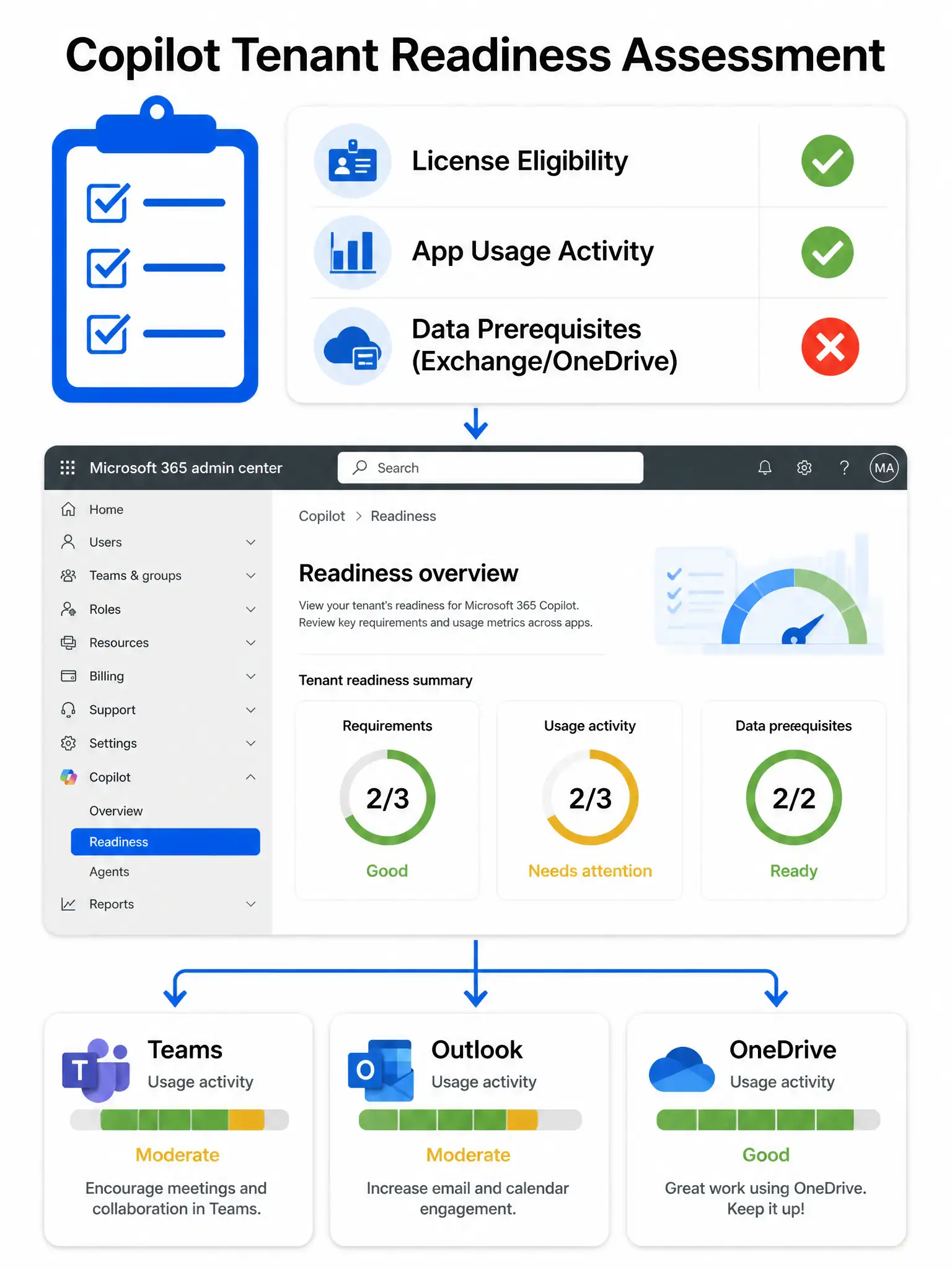
Think of the Copilot readiness report as your pre-flight checklist. It checks whether users have the right licenses, are actively using the apps Copilot lives in, and whether data prerequisites like Exchange mailboxes are set up. That's your one-stop shop before flipping the switch.
Full Explanation
The Microsoft 365 Copilot readiness report, available in the Microsoft 365 admin center under Copilot > Readiness, is purpose-built to assess tenant readiness across multiple dimensions: eligible license assignments, active usage of Microsoft 365 apps such as Teams, Outlook, and Word, and data-layer prerequisites such as provisioned Exchange Online mailboxes and OneDrive accounts. It gives admins a workload-by-workload breakdown so they can target remediation before rolling out licenses. The Microsoft Secure Score assessment is incorrect because it focuses on security posture, such as MFA coverage and conditional access, rather than Copilot-specific readiness signals like active app usage or mailbox provisioning. Checking the Microsoft 365 health dashboard is incorrect because it shows live service incidents and degradations, not structural tenant readiness issues; a healthy service dashboard does not mean users are ready to use Copilot effectively. Submitting a support ticket to request a tenant readiness evaluation is incorrect because tenant readiness assessment is a self-service function in the admin center, and the tooling is built in and available to Global or AI Services administrators. Exam tip: The AB-650 exam will test whether you know WHERE readiness tooling lives (Microsoft 365 admin center > Copilot) and WHAT dimensions it evaluates (license, app usage, data prerequisites). Memorize those three pillars.